TypeScript接口在Web爬虫数据结构设计中的应用
本文探讨如何利用TypeScript接口优化Web爬虫的数据结构设计。以微博数据抓取为例,通过定义IUser、IWeibo等接口明确数据结构,结合Axios和Cheerio实现高效的数据提取与处理,确保代码的可维护性与类型安全。
在当代软件工程中,数据结构架构至关重要,直接关乎系统性能与可维护性。TypeScript 作为 JavaScript 的静态类型超集,引入了类型系统,使开发者能在编译阶段识别潜在类型错误。本文旨在探讨如何运用 TypeScript 接口(Interfaces)优化数据结构,并以微博数据抓取为例,演示构建稳健数据抓取系统的方法。
1. 引言
Web 开发中,数据抓取是常见需求。微博作为内容丰富的平台,其数据结构复杂,涵盖文本、图片、音频及视频等多种类型。为高效抓取微博数据,需设计清晰且健壮的数据结构。TypeScript 提供的接口是实现此目标的最佳工具。
2. TypeScript 接口简介
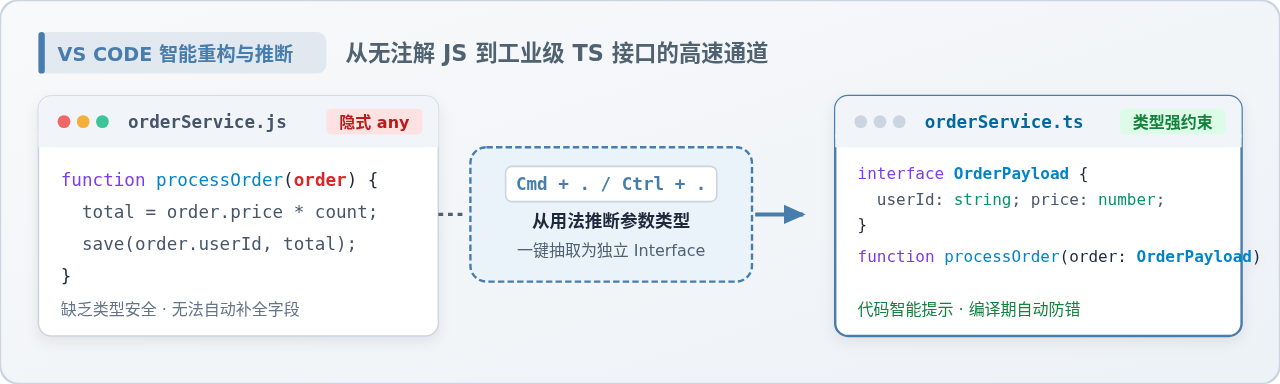
TypeScript 接口是定义对象结构的强大机制,可用于定义对象、函数、数组乃至类的结构。接口通过定义一组属性和方法,为数据结构提供清晰的蓝图。
3. 微博数据结构分析
微博数据结构通常包含用户信息、微博正文、图片、视频及音频等。为有效抓取这些数据,需定义一个或多个接口以描述这些数据的结构。
4. 定义微博数据接口
我们将定义若干接口以表示微博的不同组成部分:
interface IUser {
  id: string;
  nickname: string;
  avatarUrl: string;
}

interface IWeibo {
  id: string;
  content: string;
  imageUrls: string[];
  videoUrl?: string;
  audioUrl?: string;
  publishTime: Date;
  user: IUser;
}

interface IAudioInfo {
  url: string;
  title: string;
}
5. 爬虫设计
我们的爬虫执行流程包含以下步骤:
- 利用 Axios 发送 HTTP 请求以获取目标微博页面的 HTML 内容。
- 利用 Cheerio 解析 HTML 内容,从而提取微博数据。
- 将提取的数据映射至我们定义的接口。
- 执行数据存储或进一步处理操作。
6. 代码实现
6.1 设置项目结构
首先,创建一个新的 Node.js 项目,并执行 npm 初始化。
6.2 安装依赖
安装 Axios 和 Cheerio 库。
6.3 编写爬虫代码
创建一个名为 crawler.ts 的文件,并编写以下代码。
import axios from 'axios';
import cheerio from 'cheerio';
import { IWeibo, IUser, IAudioInfo } from './interfaces';

// 设置代理配置
const proxyConfig = {
  host: 'www.16yun.cn',
  port: '5445',
  auth: {
    username: '16QMSOML',
    password: '280651'
  }
};

// 获取微博信息的函数
async function getWeiboInfo(weiboUrl: string): Promise<IWeibo | null> {
  try {
    const response = await axios.get(weiboUrl, {
      proxy: proxyConfig
    });
    const $ = cheerio.load(response.data);

    // 提取用户信息
    const user: IUser = {
      id: $('#user_id').text(),
      nickname: $('#user_nickname').text(),
      avatarUrl: $('#user_avatar').attr('src'),
    };

    // 提取微博内容
    const content = $('#weibo_content').text();

    // 提取图片 URL
    const imageUrls = $('#weibo_images img').map((i, img) => $(img).attr('src')).get();

    // 提取视频 URL
    const videoUrl = $('#weibo_video').attr('src');

    // 提取音频信息
    const audioInfo = await getAudioInfo(weiboUrl);

    // 提取发布时间
    const publishTime = new Date($('#publish_time').text());

    return {
      id: $('#weibo_id').text(),
      content,
      imageUrls,
      videoUrl,
      audioUrl: audioInfo ? audioInfo.url : undefined,
      publishTime,
      user,
    };
  } catch (error) {
    console.error('获取微博信息失败:', error);
    return null;
  }
}

// 获取音频信息的函数
async function getAudioInfo(weiboUrl: string): Promise<IAudioInfo | null> {
  try {
    const response = await axios.get(weiboUrl, {
      proxy: proxyConfig
    });
    const $ = cheerio.load(response.data);
    const audioUrl = $('audio').attr('src');
    const audioTitle = $('audio').attr('title');
    if (audioUrl && audioTitle) {
      return { url: audioUrl, title: audioTitle };
    }
    return null;
  } catch (error) {
    console.error('获取音频信息失败:', error);
    return null;
  }
}

// 示例用法
(async () => {
  try {
    const weiboUrl = 'https://weibo.com/1234567890/1234567890123456';
    const weiboInfo = await getWeiboInfo(weiboUrl);
    if (weiboInfo) {
      console.log('微博信息:', weiboInfo);
    } else {
      console.log('没有找到微博信息');
    }
  } catch (error) {
    console.error('爬取微博失败:', error);
  }
})();
6.4 运行爬虫
在命令行环境中运行爬虫程序。
npx ts-node crawler.ts
7. 结论
通过本文的介绍与代码示例,可见 TypeScript 接口在数据结构设计中的强大功能。通过定义清晰的接口,可确保数据的一致性与正确性,同时使代码更易于维护和扩展。在爬取微博数据的案例中,接口的使用不仅提升了代码可读性,也使数据处理更加灵活高效。
以上即为使用TypeScript接口优化数据结构的示例详解,更多关于TypeScript接口优化数据结构的内容,请关注本站其他相关文章!
JS大数值转字符串出现科学计数法怎么办
2026-11-05 17:09:21
JS split切割后出现空字符串怎么过滤
2026-11-05 16:00:30
在 React 或 Vue 项目中封装使用 JS 节流防抖
2026-11-05 15:27:29
JavaScript中怎么将带小数的字符串转为整数?
2026-11-05 14:32:38
怎么用JavaScript策略模式重构电商促销计算逻辑?
2026-11-05 14:01:09