TypeScript接口Interface详解:定义对象类型的核心工具
本文深入解析TypeScript中的接口(Interface)概念,涵盖基本语法、可选与只读属性、函数及索引类型、继承实现等高级特性,并对比类型别名,提供命名规范与最佳实践,帮助开发者利用接口提升代码健壮性与可维护性。
TypeScript中的接口(Interface):对象类型的强大工具
引言
在TypeScript中,接口(Interface)是定义对象结构和类型的核心机制。它不仅能规范代码组织与描述,还能通过严格的类型检查增强代码的可靠性与可维护性。下文将详细解析接口的语法、特性及应用场景,助您掌握这一关键特性。
1. 接口的基本概念
1.1 什么是接口?
接口在TypeScript中用于定义对象类型,明确对象应具备的属性和方法,而不涉及具体实现。它充当一种“契约”,规定对象必须遵循的规则。
1.2 为什么使用接口?
使用接口的主要优势包括:
- 提供严格的类型检查
- 提升代码可读性与可维护性
- 支持代码复用与模块化开发
- 简化团队协作与API设计
2. 接口的基本语法
2.1 定义接口
通过interface关键字定义接口:
interface Person {
  name: string;
  age: number;
}
2.2 使用接口
定义接口后,可用于声明变量或函数参数:
function greet(person: Person) {
  console.log(`Hello, ${person.name}!`);
}
const john: Person = { name: "John", age: 30 };
greet(john); // 输出: Hello, John!
3. 接口的高级特性
3.1 可选属性
使用?标记可选属性:
interface Car {
  brand: string;
  model: string;
  year?: number;
}
const myCar: Car = { brand: "Toyota", model: "Corolla" };
3.2 只读属性
使用readonly关键字标记只读属性:
interface Point {
  readonly x: number;
  readonly y: number;
}
const point: Point = { x: 10, y: 20 };
// point.x = 5; // 错误:无法分配到 "x" ,因为它是只读属性
3.3 函数类型
接口也可用于描述函数类型:
interface MathFunc {
  (x: number, y: number): number;
}
const add: MathFunc = (a, b) => a + b;
3.4 可索引类型
接口可描述通过索引访问的类型:
interface StringArray {
  [index: number]: string;
}
const myArray: StringArray = ["Apple", "Banana", "Cherry"];
console.log(myArray[1]); // 输出: Banana
4. 接口的继承和实现
4.1 接口继承
接口支持相互继承,以构建更复杂的类型:
interface Shape {
  color: string;
}
interface Square extends Shape {
  sideLength: number;
}
const square: Square = { color: "blue", sideLength: 10 };
4.2 类实现接口
类可以实现一个或多个接口:
interface Printable {
  print(): void;
}
class Book implements Printable {
  title: string;
  constructor(title: string) {
    this.title = title;
  }
  print() {
    console.log(`Printing: ${this.title}`);
  }
}
5. 接口的高级用法
5.1 混合类型
接口可描述复杂的混合类型:
interface Counter {
  (start: number): string;
  interval: number;
  reset(): void;
}
function getCounter(): Counter {
  let counter = function (start: number) {} as Counter;
  counter.interval = 123;
  counter.reset = function () {};
  return counter;
}
5.2 接口合并
当定义多个同名接口时,它们会自动合并:
interface Box {
  height: number;
  width: number;
}
interface Box {
  scale: number;
}
const box: Box = { height: 5, width: 6, scale: 10 };
6. 接口vs类型别名
TypeScript中的类型别名(Type Alias)也可定义对象类型,其与接口的区别如下:
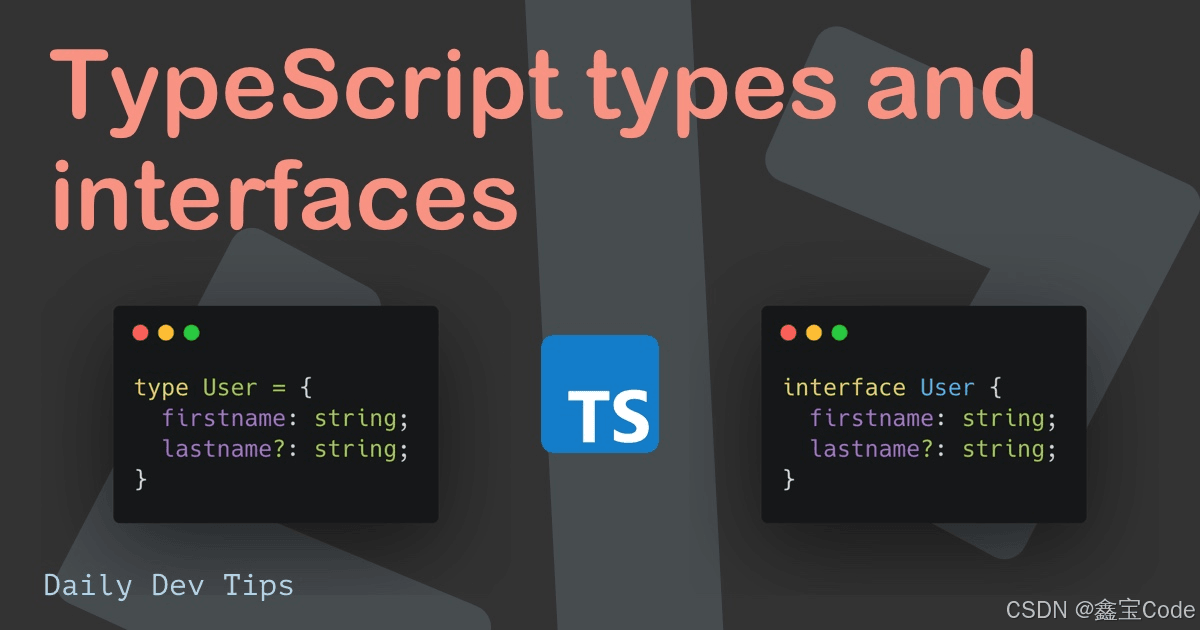
6.1 相似之处
- 均可描述对象或函数
- 均支持扩展(extends)
6.2 不同之处
- 语法:接口使用
interface关键字,类型别名使用type关键字 - 合并:同名接口会自动合并,而类型别名不会
- 计算属性:类型别名可使用计算属性,接口不支持
- 实现:类可直接实现接口,但不能直接实现类型别名(除非类型别名指向接口)
6.3 选择建议
- 多数情况下优先使用接口
- 需使用联合类型或元组类型时,使用类型别名
- 需利用接口自动合并特性时,使用接口
7. 最佳实践和注意事项
7.1 命名规范
- 接口采用PascalCase命名
- 避免使用"I"前缀(如IShape),这在TypeScript中不被推荐
7.2 保持接口简单
- 每个接口仅描述单一概念
- 避免创建复杂接口,可通过接口继承组合多个简单接口
7.3 利用接口提高代码质量
- 使用接口定义函数参数和返回值类型
- 在大型项目中,为公共API定义接口
7.4 接口vs抽象类
- 仅需定义类型且不提供实现时,使用接口
- 需提供基本实现时,使用抽象类
结论
TypeScript中的接口是强大且灵活的特性,提供了清晰简洁的对象结构与类型定义方式。通过接口,可编写更健壮、易维护的代码,并促进团队协作。
掌握接口使用不仅能充分利用TypeScript类型系统,还能提升整体编程水平。在实际项目中不断实践,您将发现接口在各类场景下的强大应用。
希望本文能帮助您深入理解并使用TypeScript接口。继续探索与实践,相信您会在TypeScript世界中收获更多!
到此这篇关于TypeScript中的接口(Interface):对象类型的强大工具的文章就介绍到这了,更多相关TypeScript 接口Interface内容请搜索本站以前的文章或继续浏览下面的相关文章希望大家以后多多支持本站!
macOS卸载Node.js指南:区分Homebrew与pkg安装包的处理方式
2026-11-05 11:28:12
JS逆向入门:浏览器Console调试与Node.js环境搭建指南
2026-11-05 10:57:15
Node.js 大版本升级需要注意哪些破坏性变更
2026-11-03 20:35:44
Node.js官网LTS版与Current版有什么区别
2026-11-03 19:33:49
Windows彻底卸载Node.js:清理AppData残留与PATH环境变量
2026-11-03 19:15:35