

JavaScript实现可拖动与固定Div色块的碰撞检测与交互
作者:竹影时间:2026-10-23 14:30:46浏览:403
本文通过JavaScript代码演示两个Div色块的交互效果。其中一个色块支持鼠标拖动,另一个固定不动。当拖动的色块撞击固定色块时,触发碰撞检测逻辑,使被撞击的色块随机移动到新位置并改变背景颜色。文章提供了完整的HTML结构与JS逻辑实现,适合学习前端基础交互与碰撞算法。
JavaScript实现Div色块碰撞交互概述
本文分享了一段使用JavaScript实现Div色块碰撞交互的具体代码示例,供读者参考学习。
功能描述如下:
页面中生成两个Div色块。其中一个色块支持鼠标拖动操作,另一个保持固定。当用户拖动一个色块去撞击另一个静止的色块时,被撞击的色块会随机移动到一个新的位置,同时其背景颜色也会发生随机改变。
运行效果如图所示:
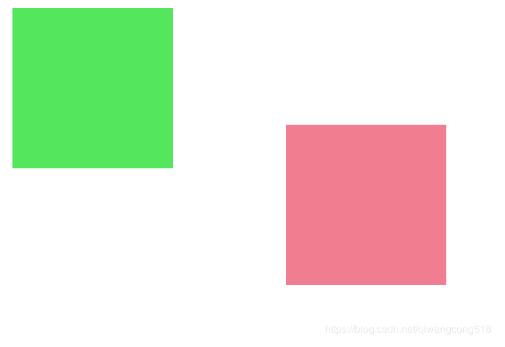
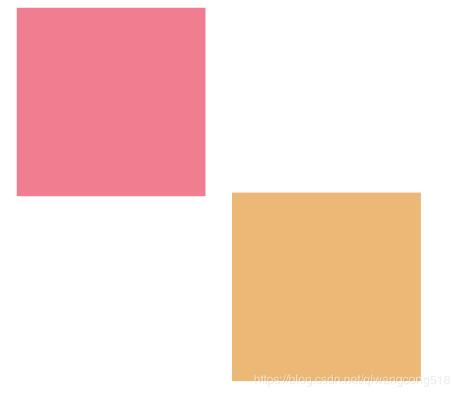
核心逻辑与代码实现
具体实现方案如下:
JavaScript逻辑代码:
function DragObj(_obj) {
 this.obj=_obj;
 this.point={};
 this.moveBool=false;
 this.obj.self=this;
 this.obj.addEventListener("mousedown",this.mouseHandler);
 this.obj.addEventListener("mouseup",this.mouseHandler);
 this.obj.addEventListener("mousemove",this.mouseHandler);
 this.obj.addEventListener("mouseleave",this.mouseHandler);
}
DragObj.prototype={
 mouseHandler:function (e) {
  if(!e){
   e=window.event;
  }
  if(e.type=="mousedown"){
   this.self.moveBool=true;
   this.self.point.x=e.offsetX;
   this.self.point.y=e.offsetY;
  }else if(e.type=="mousemove"){
   if(!this.self.moveBool) return;
   this.self.obj.style.left=(e.clientX-this.self.point.x)+"px"
   this.self.obj.style.top=(e.clientY-this.self.point.y)+"px"
  }else if(e.type=="mouseup" || e.type=="mouseleave"){
   this.self.moveBool=false;
  }
 },
 removeEvent:function () {

  this.obj.removeEventListener("mousedown",this.mouseHandler);
  this.obj.removeEventListener("mouseup",this.mouseHandler);
  this.obj.removeEventListener("mousemove",this.mouseHandler);
  this.obj.removeEventListener("mouseleave",this.mouseHandler);

  this.obj=null;
  this.point=null;
 }
};
var HitTest=HitTest || (function () {
 return {
  to:function (display0,display1) {
   var rect=display0.getBoundingClientRect();
   var rect1=display1.getBoundingClientRect();
   if(rect.left>=rect1.left &&
rect.left<=rect1.left+rect1.width
 && rect.top>=rect1.top && rect.top<=rect1.top+rect1.height){
    return true;
   }
   if(rect.left+rect.width>=rect1.left && rect.left+rect.width<=rect1.left+rect1.width && rect.top>=rect1.top
 && rect.top<=rect1.top+rect1.height){
    return true;
   }
   if(rect.left>=rect1.left &&
rect.left<=rect1.left+rect1.width
&& rect.top+rect.height>=rect1.top &&
rect.top+rect.height<=rect1.top+rect1.height){
    return true;
   }
   if(rect.left+rect.width>=rect1.left && rect.left+rect.width<=rect1.left+rect1.width &&
rect.top+rect.height>=rect1.top
&& rect.top+rect.height<=rect1.top+rect1.height){
    return true;
   }
  }
 }
})();
var LoadImg=LoadImg || (function () {
 return {
  load:function (listSrc,callBack) {
   this.callBack=callBack;
   this.listSrc=listSrc;
   this.num=0;
   this.imgArr=[];
   var img=new Image();
   img.addEventListener("load",this.loadHandler.bind(this));
   img.src=listSrc[0];
  },
  loadHandler:function (e) {
   if(!e){
    e=window.event;
   }
   e.currentTarget.removeEventListener
("load",this.loadHandler.bind(this));
   this.imgArr[this.num]=e.currentTarget;
   if(this.num==this.listSrc.length-1){
    this.callBack(this.imgArr)
    return;
   }
   var img=new Image();
   this.num++;
   img.addEventListener("load",this.loadHandler.bind(this));
   img.src=this.listSrc[this.num];
  }
 }
})();
HTML结构代码:
<!DOCTYPE html>
<html lang="en">
<head>
 <meta charset="UTF-8">
 <title>Title</title>
 <style>
  div{
   width: 200px;
   height: 200px;
   position: absolute;
  }
 </style>
 <script src="js/dragObj.js"></script>
</head>
<body>
<div id="div0"></div>
<div id="div1"></div>
<script>
 window.addEventListener("mousedown",mousedownHandler);//生成一个
 function mousedownHandler(e) {
  if(!e){
   e=window.event;
  }
  e.preventDefault();
 }
 var div0=document.getElementById("div0");
 var div1=document.getElementById("div1");
 div0.style.backgroundColor=randomColor();
 div1.style.backgroundColor=randomColor();

 randomPosition(div0)
 randomPosition(div1)
 var drag0=new DragObj(div0);
 div0.addEventListener("mousemove",mouseMoveHandler)
 function randomColor() {
  var str="#";
  for(var i=0;i<3;i++){
   var color=Math.floor(Math.random()*256).toString(16);
   if(color.length<2){
    color="0"+color;
   }
   str+=color;
  }
  return str;
 }

 function randomPosition(div) {
  div.style.left=Math.random()*(document.documentElement.clientWidth-50)+"px";
  div.style.top=Math.random()*(document.documentElement.clientHeight-50)+"px";


 }

 function mouseMoveHandler(e) {
  if(!e){
   e=window.event;
  }
  if(!drag0.moveBool) return;

  if(HitTest.to(div0,div1)){
   randomPosition(div1);
   div1.style.backgroundColor=randomColor();

  }
 }
</script>

</body>
</html>
以上是关于使用JavaScript实现Div色块碰撞的完整内容,希望能为读者的学习提供有益的帮助,也欢迎大家继续支持本站获取更多技术资源。
作者最新文章
JS怎么使用classList添加、删除和切换class
2026-11-05 17:26:02
网页开发三者分工:HTML结构、CSS样式与JavaScript交互怎么协作
2026-11-05 12:51:22
JS解析URL参数时怎么处理中文乱码和特殊字符
2026-11-05 12:47:23
js-cookie 存储 JSON 对象:自动序列化与反序列化技巧
2026-11-05 12:36:26
marked.js 快速上手:安装与基础 Markdown 转 HTML 示例
2026-11-05 09:32:53