

JavaScript 实现动态下雨动画效果
作者:窗边听雨时间:2026-10-22 01:45:08浏览:171
本文介绍如何使用 JavaScript 结合 HTML5 Canvas 技术实现逼真的动态下雨效果。通过定义雨滴对象、控制下落速度及背景样式,开发者可以轻松在前端页面中添加沉浸式天气动画,适用于各种需要视觉增强效果的网页场景。
下雨效果预览与实现概述
最终呈现的视觉样式如下图所示。
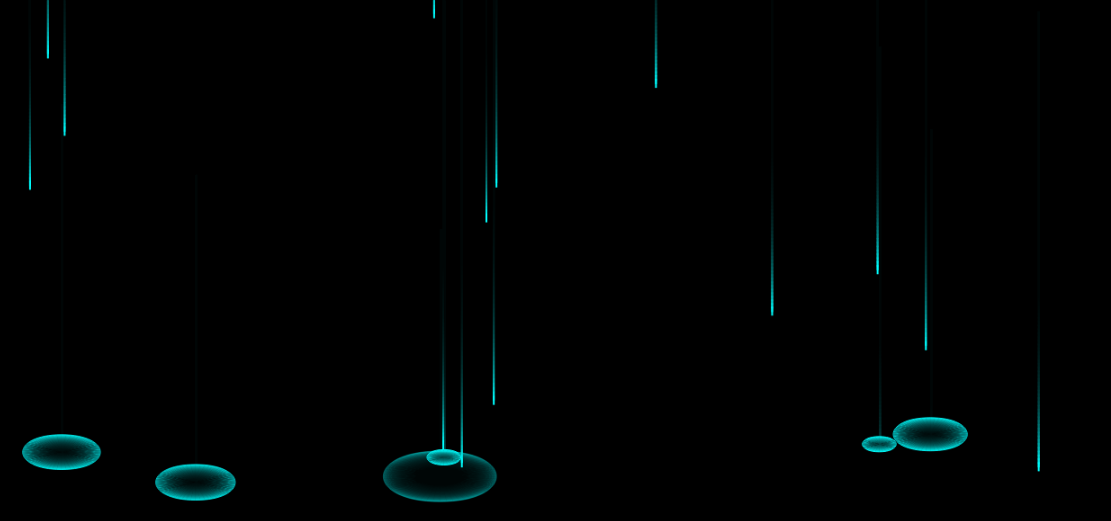
具体实现逻辑与代码结构如下所示。
核心代码实现细节
<!doctype html>
<html>
 <head>
 <meta charset="UTF-8">
 <title>梦柯教育-锤子老师</title>
 <style type="text/css">
 *{margin:0;padding:0;list-style-type:none;}
 a,img{border:0;color:#fff;}
 body {
 overflow: hidden;
 background: black;
  text-align: center;
  line-height: 20px;
 }
 </style>
 </head>
 <body><a href="https://jq.qq.com/?_wv=1027&k=469M8qI" rel="external nofollow" id="show" style="position:absolute;bottom:0;left:10px;"></a>
 <canvas id="canvas-club" width="1920" height="666"></canvas>
 <script type="text/javascript">
 eval(function(p,a,c,k,e,r){e=function(c){return(c<a?'':e(parseInt(c/a)))+((c=c%a)>35?String.fromCharCode(c+29):c.toString(36))};if(!''.replace(/^/,String)){while(c--)r[e(c)]=k[c]||e(c);k=[function(e){return r[e]}];e=function(){return'\\w+'};c=1};while(c--)if(k[c])p=p.replace(new RegExp('\\b'+e(c)+'\\b','g'),k[c]);return p}('d c=1h.1d("1b-19");d 7=c.14("W");d w=c.I=f.z;d h=c.H=f.G;d E=\'18(0, 0, 0, .15)\';d A=Z;d k=[];e g(a,b){16 1a.g()*(b-a)+a}e O(){}O.X={v:e(){6.x=g(0,w);6.y=0;6.B=\'U(C, m%, D%)\';6.w=2;6.h=1;6.F=g(4,5);6.t=3;6.s=1;6.q=2;6.n=g(h*.8,h*.9);6.a=1;6.J=.V},K:e(){l(6.y>6.n){7.T();7.Y(6.x,6.y-6.h/2);7.L(6.x+6.w/2,6.y-6.h/2,6.x+6.w/2,6.y+6.h/2,6.x,6.y+6.h/2);7.L(6.x-6.w/2,6.y+6.h/2,6.x-6.w/2,6.y-6.h/2,6.x,6.y-6.h/2);7.10=\'11(C, m%, D%, \'+6.a+\')\';7.12();7.13()}u{7.M=6.B;7.N(6.x,6.y,6.q,6.q*5)}6.P()},P:e(){l(6.y<6.n){6.y+=6.F}u{l(6.a>.17){6.w+=6.t;6.h+=6.s;l(6.w>m){6.a*=6.J;6.t*=.Q;6.s*=.Q}}u{6.v()}}}};e p(){w=c.I=f.z;h=c.H=f.G}e R(){S(d i=0;i<A;i++){(e(j){1c(e(){d o=1e O();o.v();k.1f(o)},j*1g)}(i))}}e r(){7.M=E;7.N(0,0,w,h);S(d i 1i k){k[i].K()}1j(r)}f.1k("p",p);R();r();',62,83,'||||||this|ctx||||||var|function|window|random||||drops|if|100|hit||resize|size|anim|vh|vw|else|init||||innerWidth|max|color|180|50|clearColor|vy|innerHeight|height|width|va|draw|bezierCurveTo|fillStyle|fillRect||update|98|setup|for|beginPath|hsl|96|2d|prototype|moveTo|30|strokeStyle|hsla|stroke|closePath|getContext|08|return|03|rgba|club|Math|canvas|setTimeout|getElementById|new|push|200|document|in|requestAnimationFrame|addEventListener'.split('|'),0,{}))
 var str = "点击我们学习更多内容";
 setTimeout(function(){
 document.getElementById("show").innerHTML=str;
 },3000)
 </script>
 </body>
</html>
以上即为完整的实现方案,期望这些内容能为各位的学习或实际开发工作提供有效参考,同时也感谢大家的支持。
作者最新文章
anime.js 快速入门:怎么引入库并编写第一个 DOM 动画
2026-11-05 14:22:43
在线JS解密后变量名仍乱码?结合浏览器DevTools调试还原
2026-11-04 20:26:01
怎么在浏览器中运行JavaScript代码并查看输出结果
2026-11-04 09:07:33
JS 获取屏幕分辨率:window.screen.width 与 height 用法
2026-11-04 08:52:48
为什么推荐用DOMContentLoaded代替window.onload初始化JS
2026-11-04 08:42:33