

微信小程序集成腾讯地图SDK与WebService API完整指南
本文详细讲解在微信小程序中集成腾讯地图服务的完整流程,涵盖申请开发者密钥、配置服务器域名白名单及配额限制。通过JavaScript SDK实现周边搜索与坐标地图展示,并利用WebService API的IP定位接口获取地理位置信息,提供从配置到代码实现的完整技术参考。
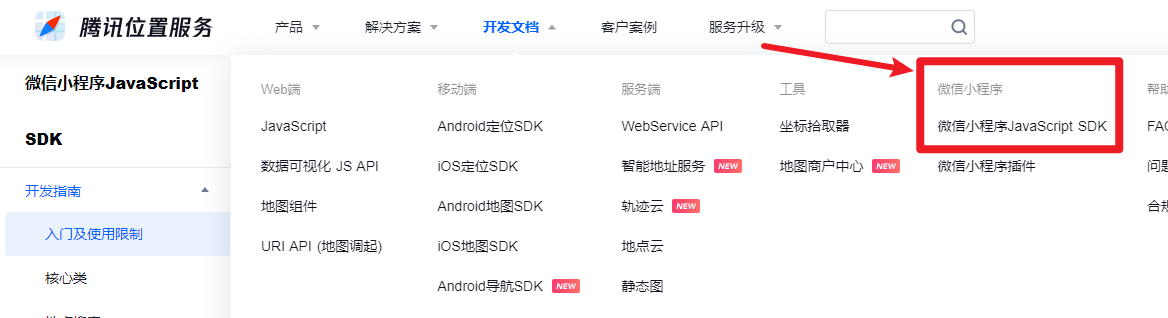
首先,在腾讯位置服务官网进行搜索入口。

进入后,定位到对应的API文档页面。
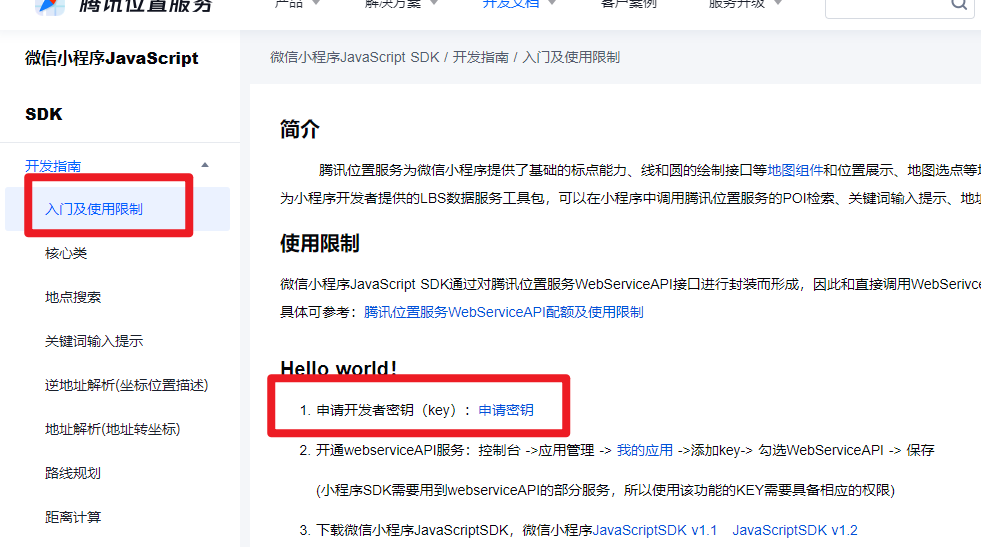
按照入门指南的第一步,需申请开发者密钥key。
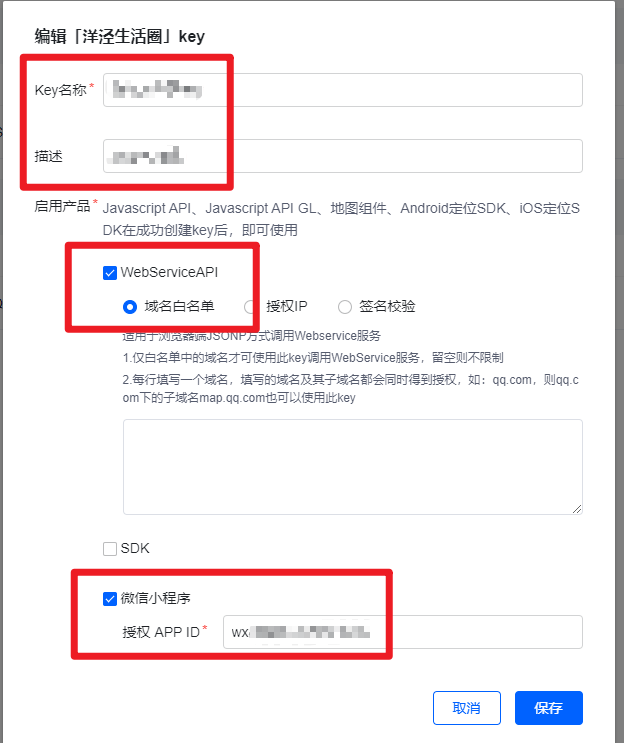
随后访问控制台界面。

在控制台中创建应用并获取对应的key值。

在设置key时,必须绑定小程序的APPID,因此需前往微信公众平台获取该APPID。
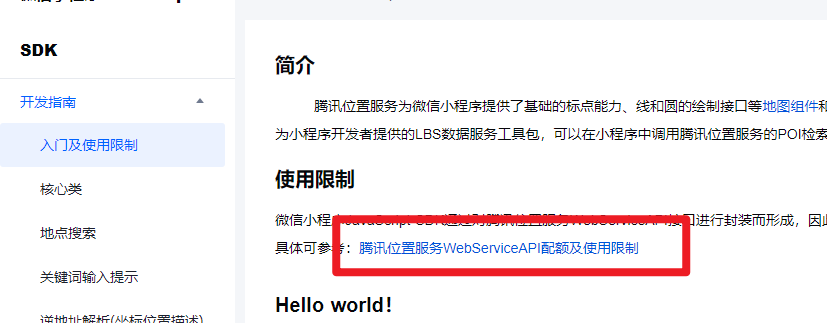
注意相关的调用限制要求。
接着添加相应的配额设置。
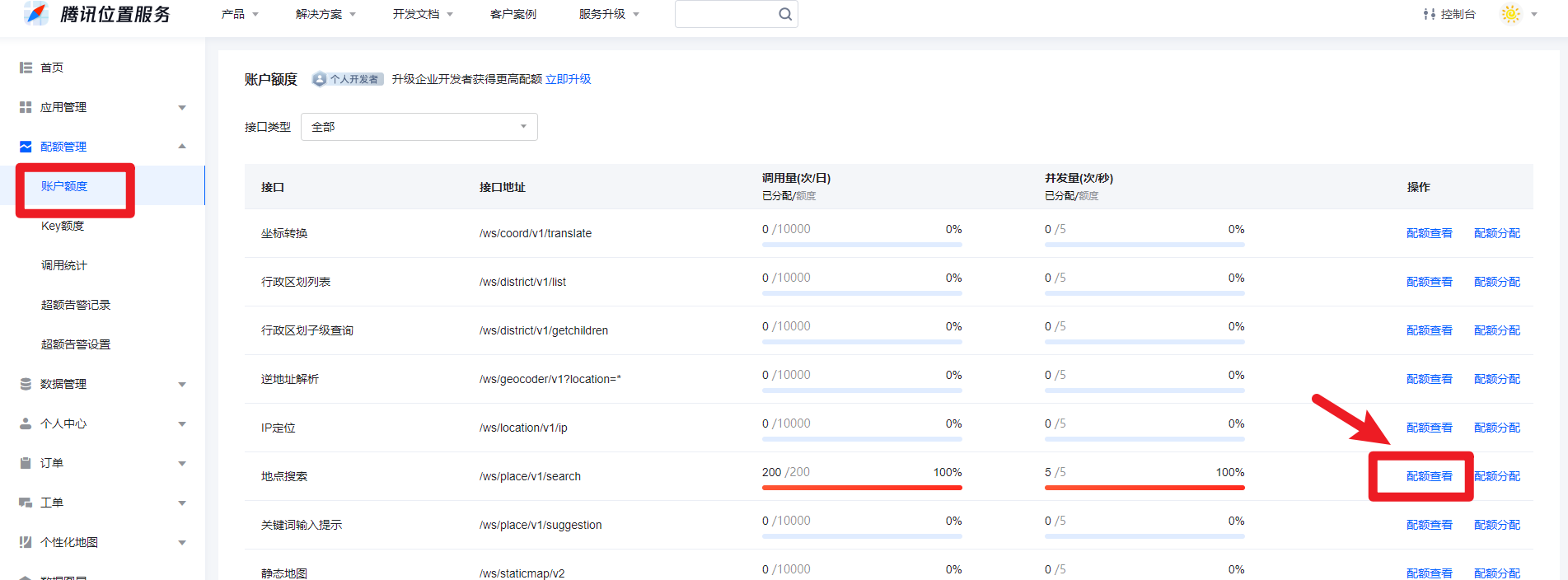
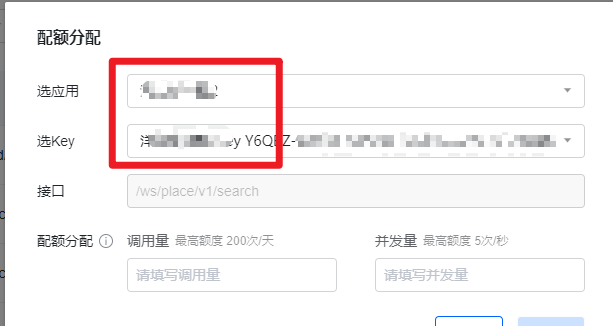
务必确认所设置的key,并根据需要为特定的key分配额度,若存在多个key也可分别管理。
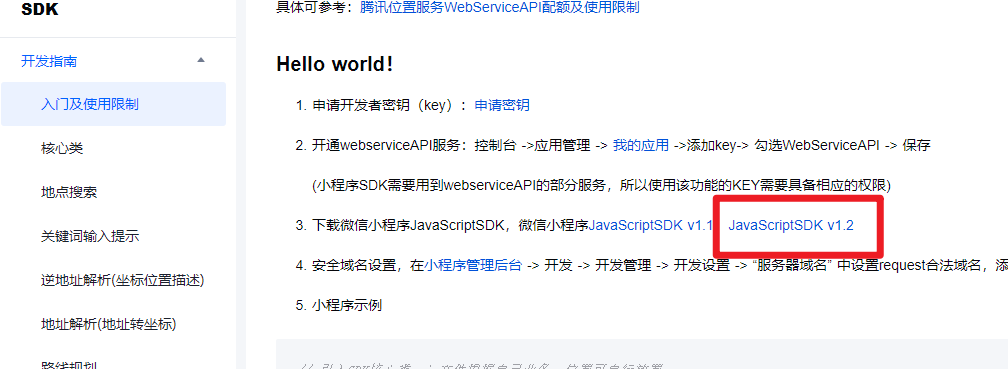
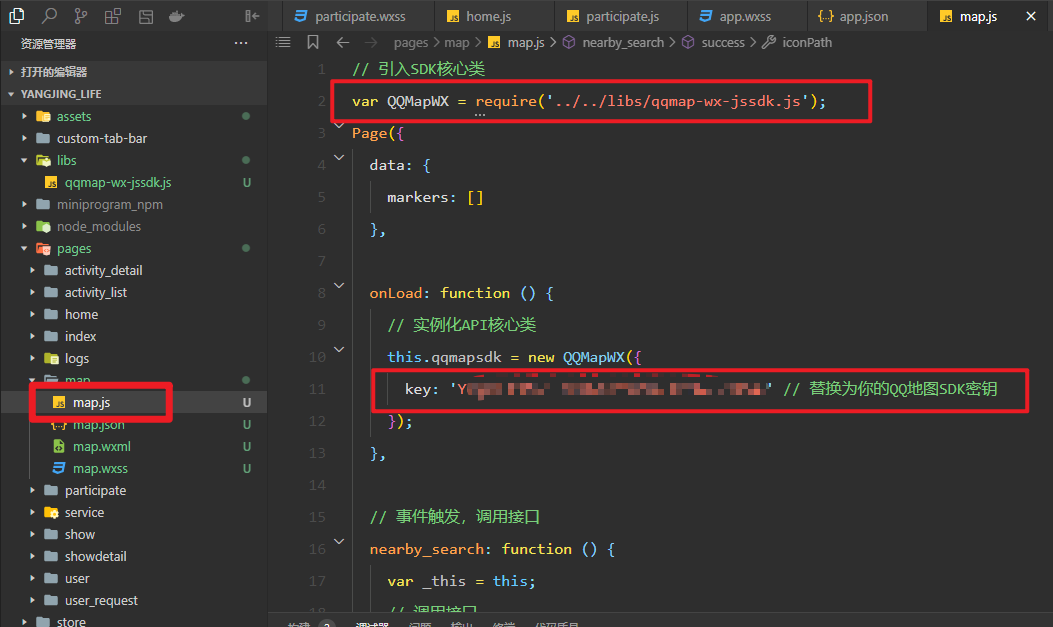
下载地图相关的SDK文件。
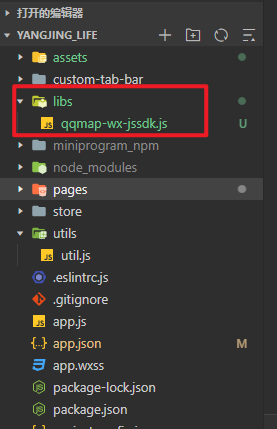
将下载的SDK文件放入项目目录中。
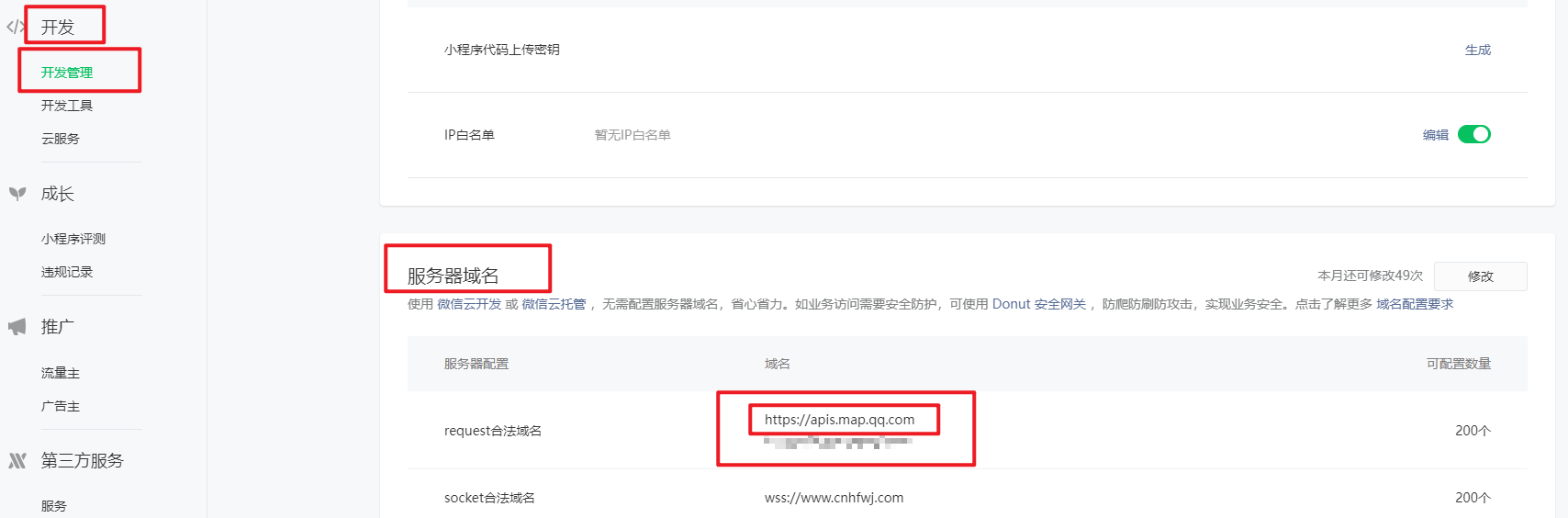
配置服务器域名白名单。
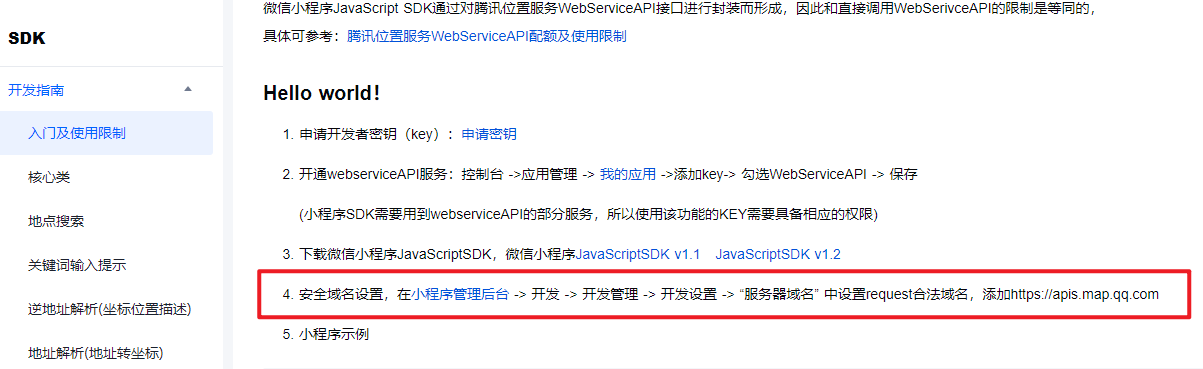
登录微信公众平台后台。

在后台设置域名白名单。
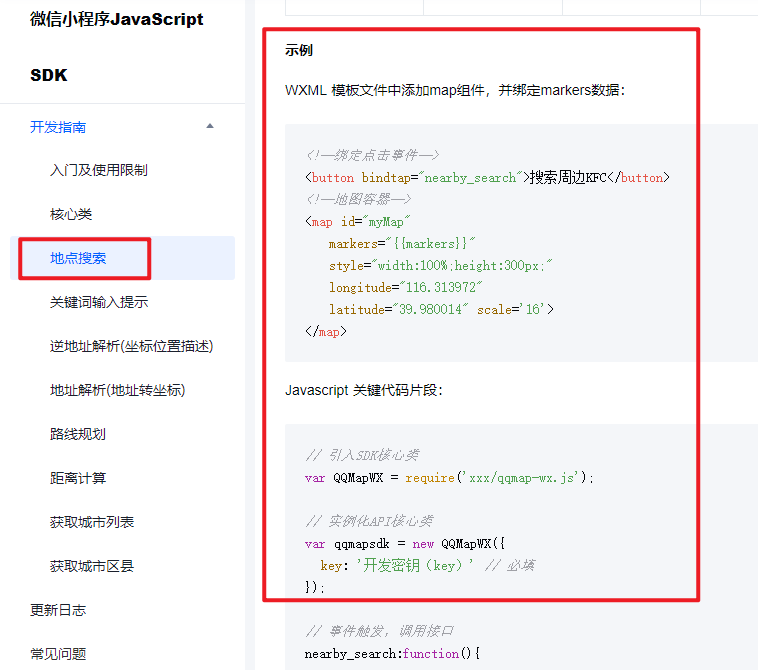
进行地址搜索功能的开发。
参考开发者工具中的实际截图效果。
实现坐标地图的显示功能。
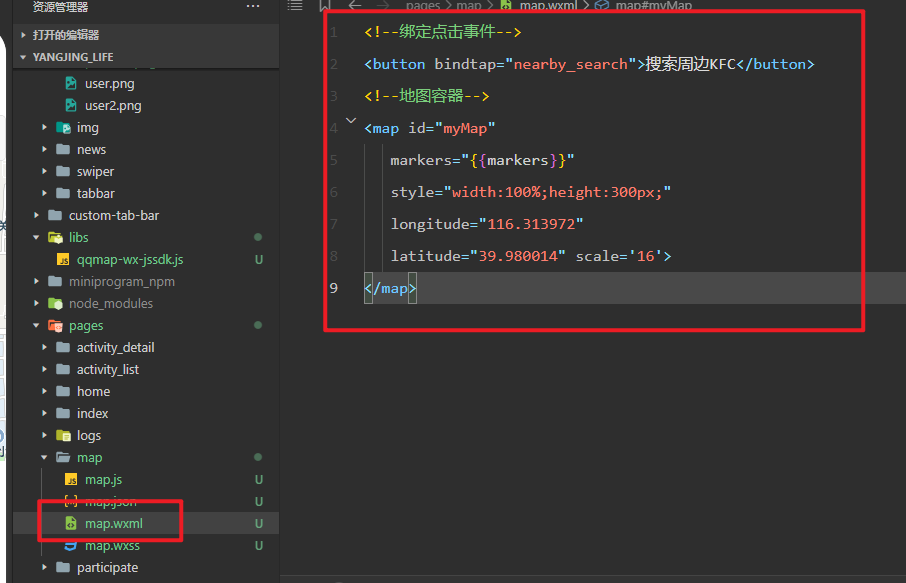
查看wxml页面的结构代码。
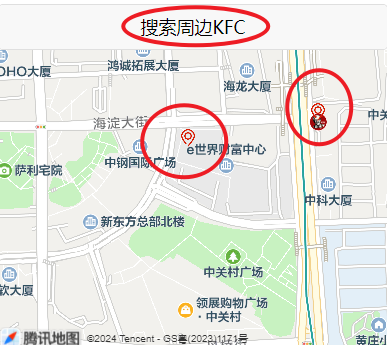
最终展示效果:点击搜索周边KFC按钮后,地图上将显示红色预设值坐标对应的地址标记。
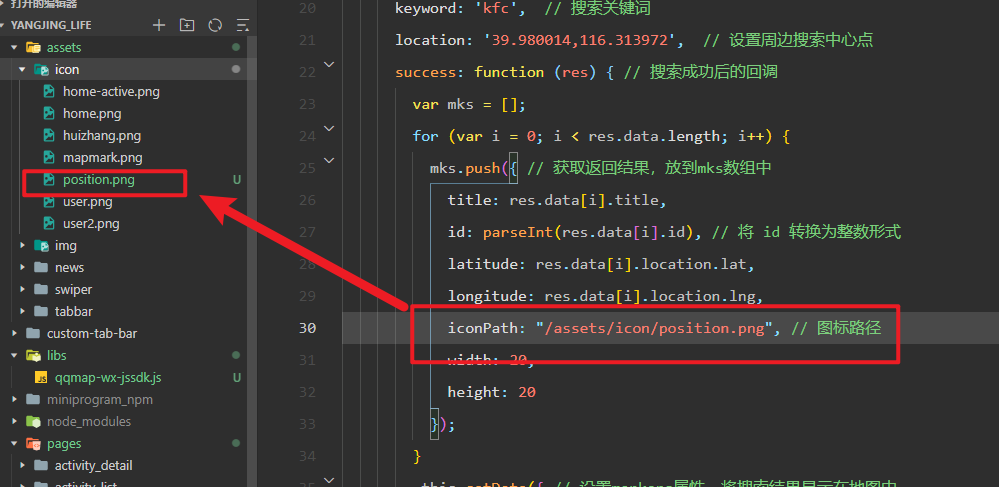
查看具体的实现代码。
对应map.js文件的逻辑代码。
// 引入SDK核心类
var QQMapWX = require('../../libs/qqmap-wx-jssdk.js');
Page({
  data: {
    markers: []
  },

  onLoad: function () {
    // 实例化API核心类
    this.qqmapsdk = new QQMapWX({
      key: '************************ // 替换为你的QQ地图SDK密钥
    });
  },

  // 事件触发,调用接口
  nearby_search: function () {
    var _this = this;
    // 调用接口
    this.qqmapsdk.search({
      keyword: 'kfc',  // 搜索关键词
      location: '39.980014,116.313972',  // 设置周边搜索中心点
      success: function (res) { // 搜索成功后的回调
        var mks = [];
        for (var i = 0; i < res.data.length; i++) {
          mks.push({ // 获取返回结果,放到mks数组中
            title: res.data[i].title,
            id: parseInt(res.data[i].id), // 将 id 转换为整数形式
            latitude: res.data[i].location.lat,
            longitude: res.data[i].location.lng,
            iconPath: "/assets/icon/position.png", // 图标路径
            width: 20,
            height: 20
          });
        }
        _this.setData({ // 设置markers属性,将搜索结果显示在地图中
          markers: mks
        });
      },
      fail: function (res) {
        console.log('搜索失败', res);
      },
      complete: function (res) {
        console.log('搜索完成', res);
      }
    });
  }
});
查看wxml页面的结构代码。
<!--绑定点击事件-->
<button bindtap="nearby_search">搜索周边KFC</button>
<!--地图容器-->
<map id="myMap"
   markers="{{markers}}"
   style="width:100%;height:300px;"
   longitude="116.313972"
   latitude="39.980014" scale='16'>
</map>
开发过程中需注意以下事项:
1. 调用API存在次数和额度限制,需提前规划。
2. 调用的接口必须开通相应的权限方可使用。
示例2:实现“关键词输入提示”功能。
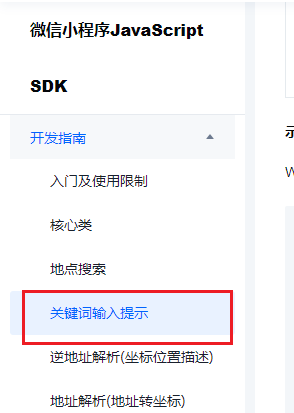
查看接口调用的详细说明。
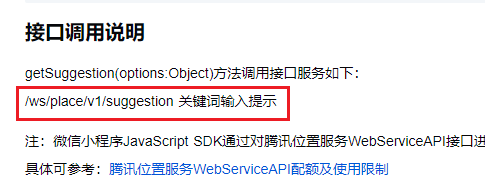
前往后台开通相应的配额权限。

查看相关的代码实现。
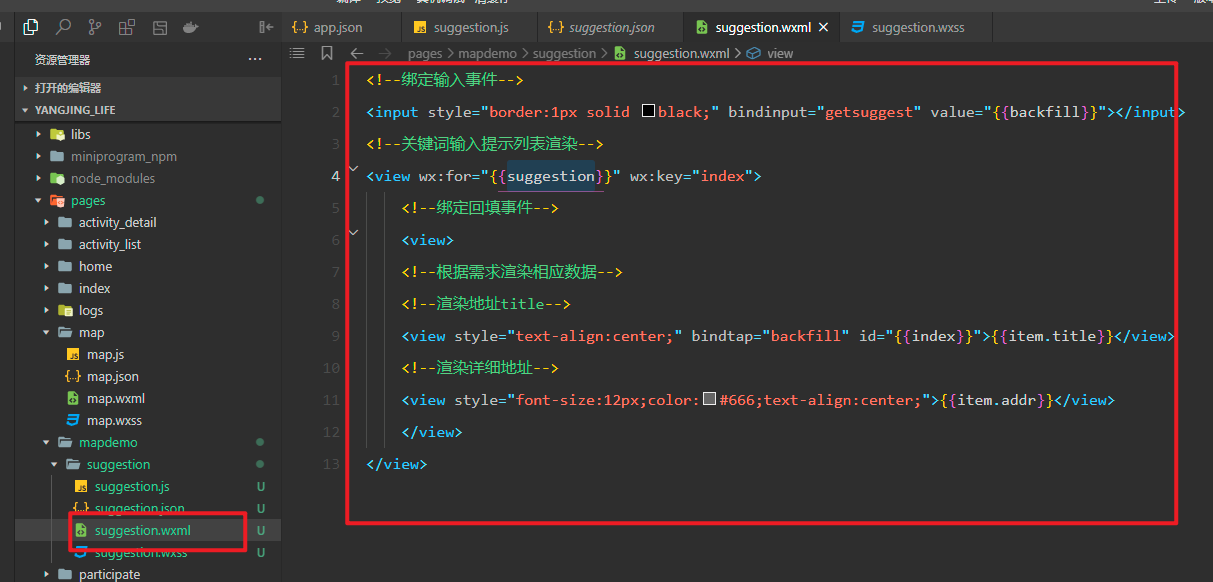
查看wxml页面的结构代码。
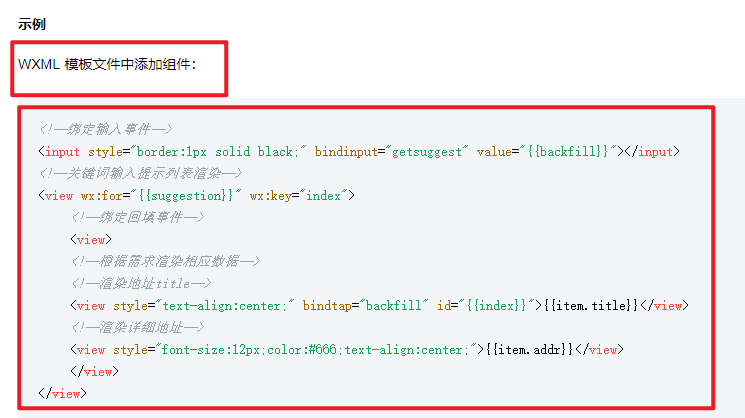
查看实际的wxml代码内容。
注意**.js文件:不要直接拷贝全部JS代码,应将methods部分放入Page()函数中。
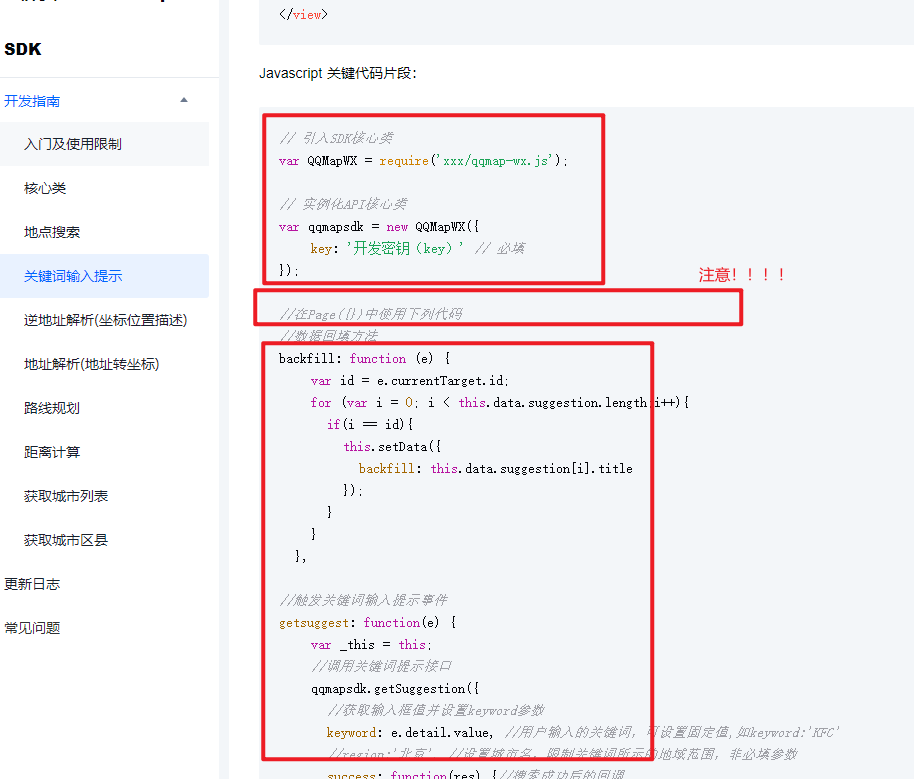
查看实际的**.js代码内容。
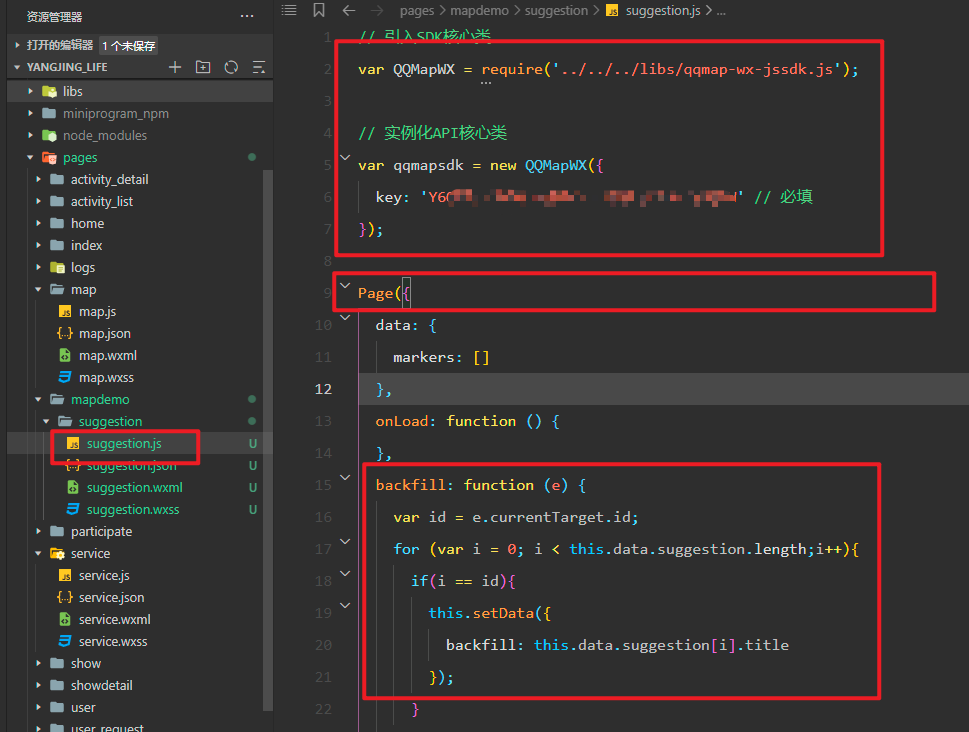
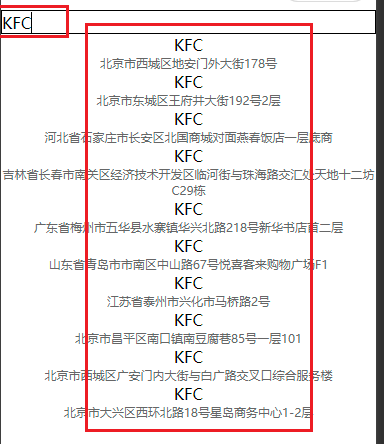
查看最终的功能展示效果。
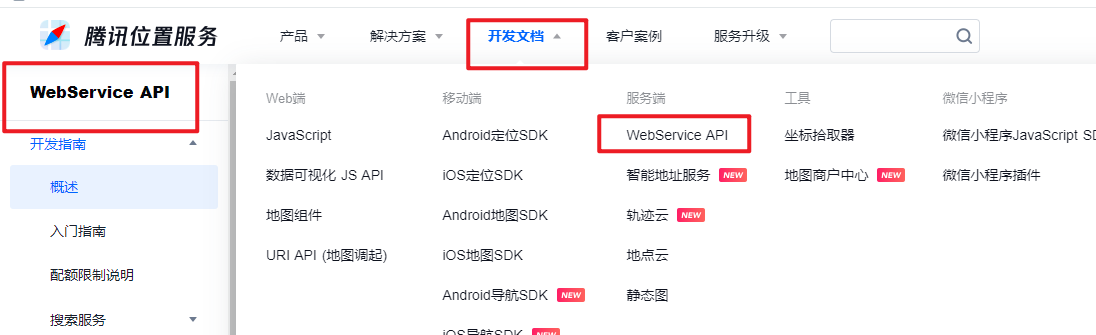
调用WebService API接口。
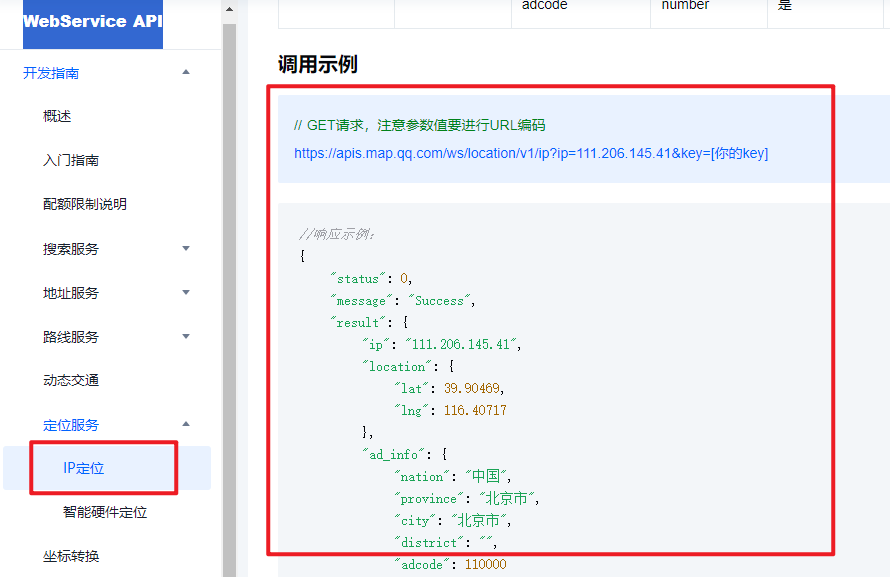
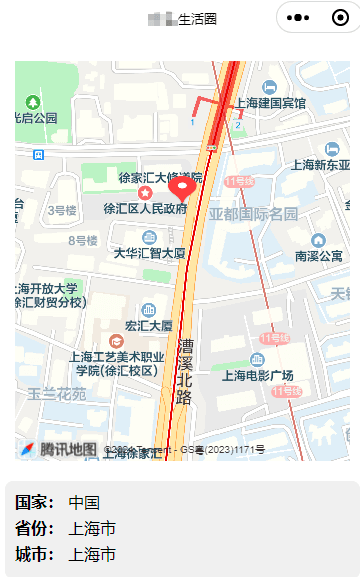
举例说明:使用定位服务中的IP定位功能。
查看wxml页面的结构代码。
<view class="container">
  <view class="map-container">
    <map id="map" latitude="{{latitude}}" longitude="{{longitude}}" markers="{{markers}}" style="width: 100%; height: 400px;"></map>
  </view>
  <view class="info-container">
    <view class="info-item">
      <text class="info-label">国家:</text>
      <text class="info-value">{{nation}}</text>
    </view>
    <view class="info-item">
      <text class="info-label">省份:</text>
      <text class="info-value">{{province}}</text>
    </view>
    <view class="info-item">
      <text class="info-label">城市:</text>
      <text class="info-value">{{city}}</text>
    </view>
  </view>
</view>
查看js文件的逻辑代码。
Page({
  data: {
    latitude: 0, // 地图中心点纬度
    longitude: 0, // 地图中心点经度
    markers: [], // 地图标记点
    nation: '', // 国家
    province: '', // 省份
    city: '', // 城市
  },

  onLoad: function () {
    // 发起获取当前IP定位信息的请求
    this.getLocationByIP();
  },

  getLocationByIP: function () {
    // 替换成你自己申请的腾讯地图API密钥
    const key = '************************';
    const apiUrl = `https://apis.map.qq.com/ws/location/v1/ip?key=${key}`;

    wx.request({
      url: apiUrl,
      method: 'GET',
      success: (res) => {
        console.log('IP定位结果:', res.data);
        if (res.data.status === 0) {
          const { location, ad_info } = res.data.result;
          const { lat, lng } = location;
          const { nation, province, city } = ad_info;

          // 更新页面数据,显示定位信息
          this.setData({
            latitude: lat,
            longitude: lng,
            markers: [{
              id: 1,
              latitude: lat,
              longitude: lng,
              title: city,
              iconPath: '/images/location.png', // 可自定义标记图标
              width: 30,
              height: 30
            }],
            nation: nation,
            province: province,
            city: city
          });
        } else {
          wx.showToast({
            title: '定位失败,请稍后重试',
            icon: 'none',
            duration: 2000
          });
        }
      },
      fail: (error) => {
        console.error('请求失败:', error);
        wx.showToast({
          title: '网络请求失败,请检查网络后重试',
          icon: 'none',
          duration: 2000
        });
      }
    });
  }
});
查看wxss文件的样式代码。
.container {
  display: flex;
  flex-direction: column;
  justify-content: center;
  align-items: center;
  padding: 20px;
}

.map-container {
  width: 100%;
  margin-bottom: 20px;
}

.info-container {
  width: 100%;
  background-color: #f0f0f0;
  padding: 10px;
  border-radius: 8px;
}

.info-item {
  display: flex;
  flex-direction: row;
  margin-bottom: 5px;
}

.info-label {
  font-weight: bold;
}

.info-value {
  margin-left: 5px;
}
查看最终的功能展示效果。
总结部分。
到此关于微信小程序调用腾讯地图API文档JavaScript SDK和WebService API的文章介绍结束,更多相关内容可搜索本站历史文章或继续浏览后续文章,感谢支持。
JS处理含Emoji或中文的字符串转数组乱码问题
2026-11-05 16:12:28
JS怎么使用展开运算符合并对象
2026-11-05 14:42:18
ES6+环境下判断JS对象为空的简洁写法
2026-11-05 12:12:23
怎么通过replacer函数自定义JS中JSON的格式化输出
2026-11-05 11:19:44
JS正则表达式基础:字面量与RegExp构造函数的区别及常用元字符
2026-11-05 11:16:58