

JS利用Canvas实现文字水印和图片水印合成
本文介绍如何使用HTML5 Canvas在JavaScript中合成文字和图片水印。通过drawImage绘制底图,利用font和fillText添加旋转文字,或使用createPattern平铺图片。代码包含获取上下文、设置尺寸、绘制内容及导出Base64完整流程,适用于版权保护与内容防爬场景。
介绍
为图片添加水印有助于网站或作者维护版权,并防止内容被非法使用。水印主要分为文字水印和图片水印两种形式,通常设置为半透明状态,以确保不影响原图内容的正常浏览。Canvas实现图片水印合成的基本原理与图片压缩技术相似:
- CanvasRenderingContext2D.drawImage(image, dx, dy, dWidth, dHeight) 方法允许从页面DOM元素获取图像源,并根据指定的坐标和尺寸重新绘制该图像。
- HTMLCanvasElement.toDataURL() 方法支持将画布内容导出为 base64 编码的字符串。
文字水印
首先创建一个空的 canvas 元素,并获取其上下文。
const canvas = document.createElement('canvas');
const ctx = canvas.getContext('2d');
获取页面上需要合成水印的 img 元素,或者根据一个 File 或 Blob 对象,创建一个空的 img 元素,将其 src 设为 File 或 Blob 对象的 URL。
设置 canvas 元素的宽高为 img 元素的宽高,清除画布,绘制图像。
canvas.width = img.width;
canvas.height = img.height;
ctx.clearRect(0, 0, canvas.width, canvas.height);
ctx.drawImage(img, 0, 0, canvas.width, canvas.height);
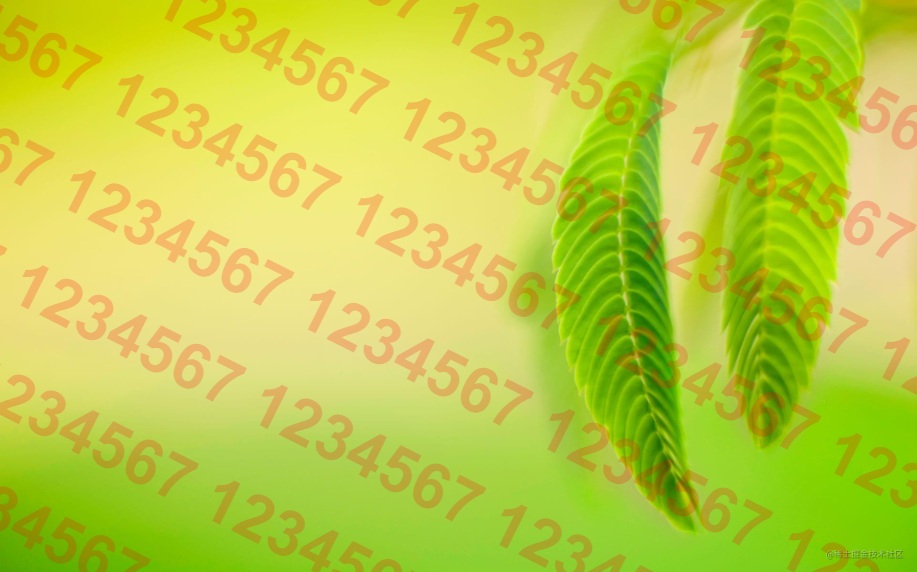
设置字体、对齐方式、旋转角度。
ctx.font = `bold ${img.height / 10}px arial`;
ctx.fillStyle = 'rgba(255, 0, 0, .2)';
ctx.textBaseline = 'bottom';
ctx.transform(1, 0.5, -0.5, 1, 0, -canvas.height / 2);
定义水印文字、水印高度,循环绘制水印。
let txt = '1234567 ';
const txtHeight = img.height / 6;
txt = Array(Math.ceil(canvas.width / ctx.measureText(txt).width) * 2).join(txt);
for (let i = 0; i < Math.ceil(canvas.height / txtHeight) * 2; i++) {
  ctx.fillText(txt, 0, i * txtHeight);
}
在页面渲染合成后的图像,释放创建的 URL 对象。
result.src = canvas.toDataURL(type);
URL.revokeObjectURL(img.src);
效果
图片水印
首先创建一个空的 canvas 元素,并获取其上下文。
const canvas = document.createElement('canvas');
const ctx = canvas.getContext('2d');
获取页面上需要合成水印的 img 元素,或者根据一个 File 或 Blob 对象,创建一个空的 img 元素,将其 src 设为 File 或 Blob 对象的 URL。
设置 canvas 元素的宽高为 img 元素的宽高,清除画布,绘制图像。
canvas.width = img.width;
canvas.height = img.height;
ctx.clearRect(0, 0, canvas.width, canvas.height);
ctx.drawImage(img, 0, 0, canvas.width, canvas.height);
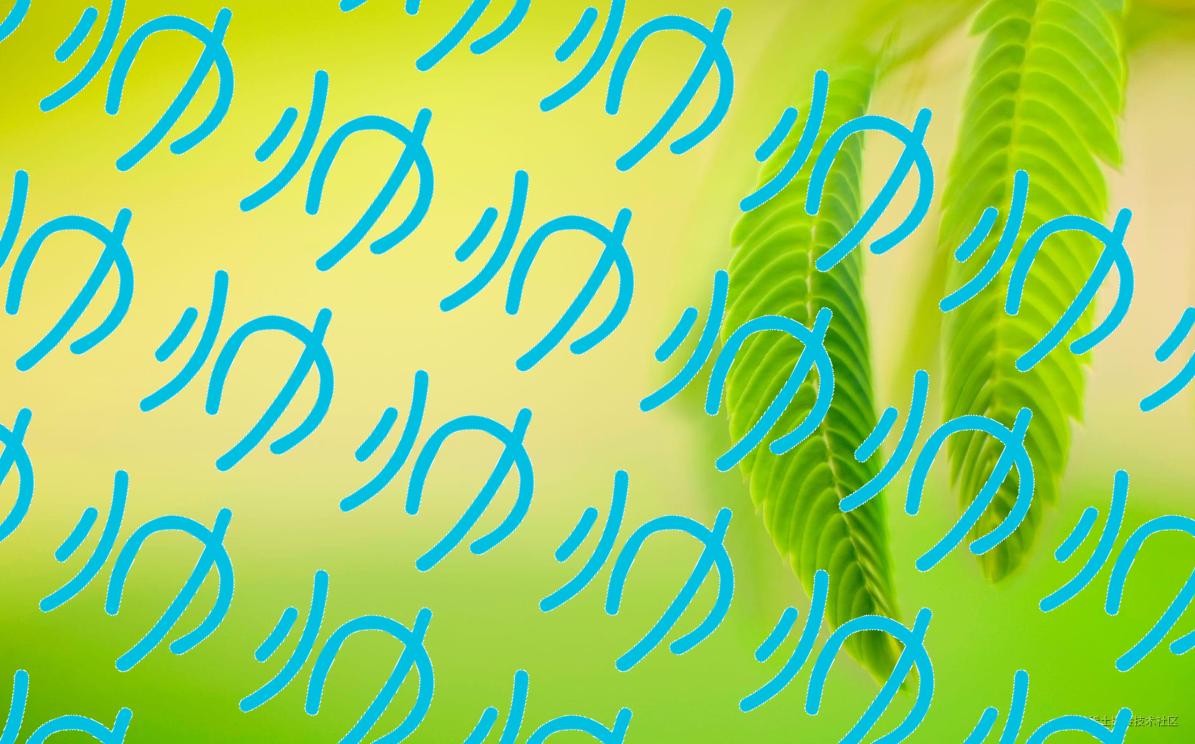
设置旋转角度,创建重复图像的模式,绘制水印。
ctx.transform(1, 0.5, -0.5, 1, 0, -canvas.height / 2);
ctx.rect(0, 0, canvas.width, canvas.height);
ctx.fillStyle = ctx.createPattern(imgCover, 'repeat');
ctx.fill();
在页面渲染合成后的图像,释放创建的 URL 对象。
result.src = canvas.toDataURL(type);
URL.revokeObjectURL(img.src);
效果
到此这篇关于JS利用Canvas实现文字水印和图片水印合成的文章就介绍到这了,更多相关JS Canvas水印内容请搜索本站以前的文章或继续浏览下面的相关文章希望大家以后多多支持本站!
JavaScript零基础入门:从环境搭建到运行第一段代码
2026-11-05 15:29:58
HTML链接中javascript:void(0)的作用及现代替代方案
2026-11-05 10:07:47
在线调试 JS 时怎么引入 jQuery 或 Vue 等第三方库
2026-11-05 08:53:56
原生JavaScript实现简易颜色选择器原理与代码
2026-11-03 23:22:19
JS原生表单序列化:FormData与URLSearchParams用法详解
2026-11-03 23:13:21