

JavaScript实现鼠标悬浮提示框的完整代码示例
作者:青柠时间:2026-10-25 08:25:09浏览:317
本文提供了一段使用JavaScript实现鼠标悬浮框效果的完整代码。通过HTML结构定义容器,结合CSS设置样式,并利用JS监听鼠标事件动态计算坐标,实现悬停时显示提示信息的交互功能。代码包含完整的HTML、CSS及JS逻辑,可直接参考使用。
鼠标悬浮框效果实现
本文分享了一个使用JavaScript实现鼠标悬浮框效果的具体代码实例,供读者参考学习。
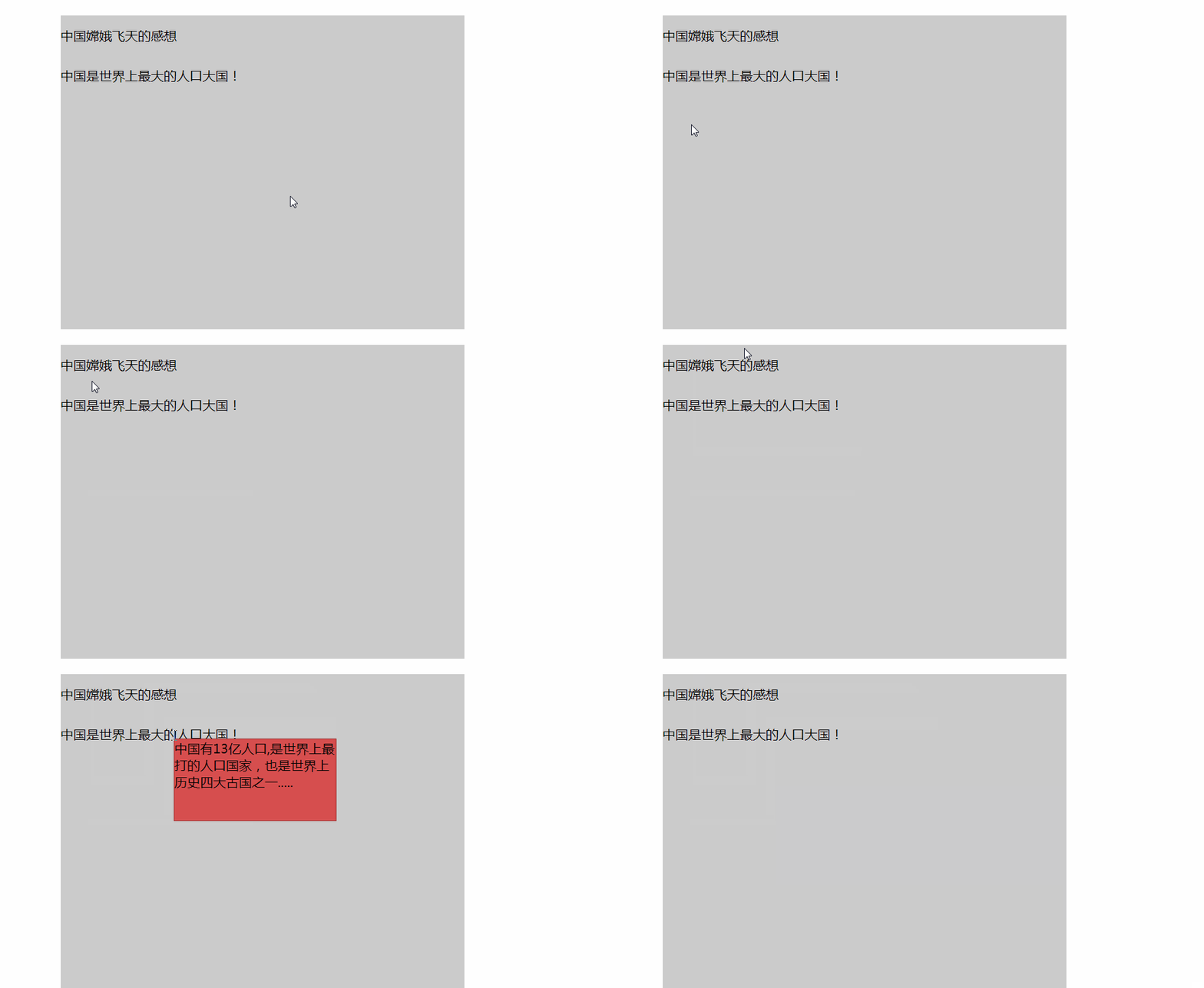
<!DOCTYPE html>
<html lang="en">
<head>
    <meta charset="UTF-8">
    <meta name="viewport" content="width=device-width, initial-scale=1.0">
    <title>Document</title>
    <style>
        #box{
            width: 500px;
            min-height: 400px;
            _height:400px;
            margin: 200px auto;
            background-color: #ccc;
            margin-top: 20px;
            position: relative;
        }
        .follwDiv{
            width: 200px;
            height: 100px;
            background-color: #d64e4e;
            color: black;
            border: solid 1px #9c2c2c;
        }
        .text{
            display: inline;
            width: auto;
            height: 50px;
            line-height: 50px;
            text-align: center;
           /* border: solid 1px red; */
        }
    </style>
</head>
<body>
    <pre>
        跟随鼠标的提示框
    </pre>
    <div id="box">
        <div class="text1  text">中国嫦娥飞天的感想</div><br>
        <div class="text2   text"  >中国是世界上最大的人口大国!</div>
        <div class="follwDiv"></div>

    </div>
    <script>
        var ores=document.getElementsByClassName("follwDiv")[0];
        // console.log(ores);
        ores.style.display="none";
        ores.style.position="absolute";

        var aText=document.getElementsByClassName("text");
        for(var i=0;i<aText.length;i++){
             var index;
              // aText[i].setAttribute("index",i);  这种直接在网页上显示出HTML的属性
                aText[i].index=i;
            aText[i].onmousemove=function(){

                if(this.index===0){
                    ores.innerHTML= "2013年12月14号,嫦娥3号卫星登上了月球,激动人心的时刻终于要到来了 ....";
                }
                if(this.index===1){
                    ores.innerHTML="中国有13亿人口,是世界上最打的人口国家,也是世界上历史四大古国之一.....";
                }


         var s= getMouseCoord();
            ores.style.left=s.X+"px";
            ores.style.top=5+s.Y+"px";
            ores.style.display="block";
        }
        aText[i].onmouseout=function(){
            ores.style.display="none";
        }
        }

//获得鼠标对象的坐标
        function getMouseCoord(even){
           //处理兼容:  事件对象
           e=even||window.event;
            var X= e.offsetX;//相对父元素
            var Y=e.offsetY;
             var screenX=e.clientX;//当前可视区域
             var screenY=e.clientY;
             var pageX=e.pageX;//整个页面
             var pageY=e.pageY;
            return {
                X,
                Y,
                screenX,
                screenY,
                 pageX,
                 pageY
            }
        }

    </script>
</body>
</html>
以上内容为本文的全部介绍,希望能为读者的学习带来帮助,同时也欢迎大家继续支持本站。
作者最新文章
ES6模块化中js文件怎么用import和export交互
2026-11-05 17:00:48
JS读取本地文件时报错或无响应的常见原因
2026-11-05 16:32:31
let、const与var的区别:JavaScript变量声明最佳实践
2026-11-05 14:16:38
JS中直接定义静态二维数组的字面量写法
2026-11-05 14:16:08
JS 怎么查找字符串中所有匹配项的位置
2026-11-05 14:15:53