

JavaScript实现京东风格快递单号查询放大效果
本文详解如何利用JavaScript模拟京东快递单号查询界面,实现输入时内容实时放大显示。重点解析input事件选择(区分keydown、keypress与keyup),解决倒三角箭头颜色填充问题,并处理失去焦点时的隐藏逻辑,提供完整代码示例。
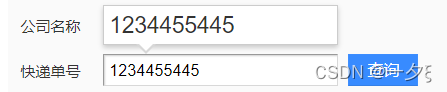
京东风格快递单号查询效果实现
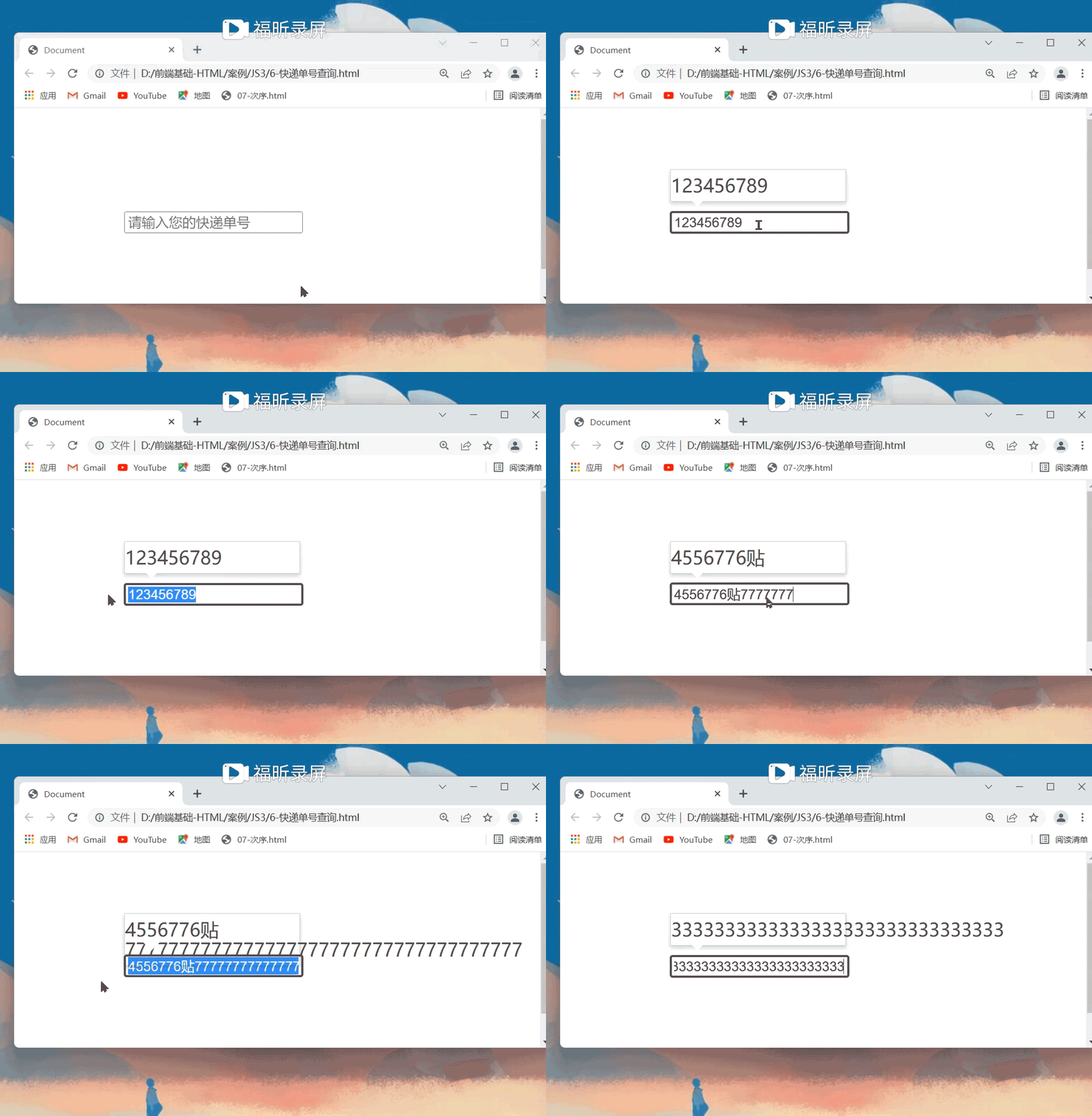
初始状态下,上方的放大预览框处于隐藏状态。当用户在输入框中输入快递单号后,该预览框随即显示,并将输入框内的文字内容以放大的字体形式呈现出来。
<!DOCTYPE html>
<html lang="en">

<head>
    <meta charset="UTF-8">
    <meta http-equiv="X-UA-Compatible" content="IE=edge">
    <meta name="viewport" content="width=device-width, initial-scale=1.0">
    <title>Document</title>
    <style>
        table {
            margin: 20px;
            border: none
        }

        p {
            font-size: 15px;
        }

        input {
            height: 15px
        }

        button {
            background-color: rgb(77, 132, 233);
            border: none;
        }

        a {
            text-decoration: none;
            color: white;
            font-size: 15px;
        }

        div {
            font-size: 25px;
            width: 100px;
            height: auto;
            border: 1px solid black;
            display: none;
            position: absolute;
            top: 0px
        }
    </style>
</head>

<body>

    <table>
        <tr>
            <td>
                <p>快递单号</p>
            </td>
            <td> <input type="text" placeholder="请输入您的快递单号"></td>
            <td> <button><a href="">查询</a></button></td>
        </tr>
    </table>
    <div></div>

    <script>
        //当开始在输入框中键入内容的时候,div模块就开始显示,里面的内容是input里面的内容,但字体变大
        var input = document.querySelector('input')
        var div = document.querySelector('div')
        input.addEventListener('keyup', function() {
            if (input.value != '') {
                div.style.display = 'block'
                div.innerHTML = input.value
            } else {
                div.style.display = 'none'
                div.innerHTML = ''
            }
        })
    </script>
</body>

</html>
关键技术难点与解决方案
接下来探讨实现该效果时遇到的具体问题。
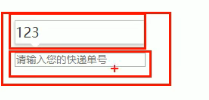
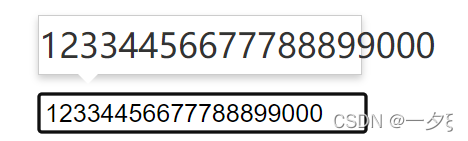
首先,如何制作上方的放大预览框?虽然可以使用CSS的border属性来绘制倒三角箭头,但这种方法往往会导致箭头区域出现不需要的颜色填充,影响视觉效果。
其次,当输入的文字长度增加时,如何动态调整上方放大预览框的高度和宽度,以适应内容变化?
        .con::before {
            content: '';
            height: 0;
            height: 0;
            position: absolute;
            top: 28px;
            left: 18px;
            border: 8px solid #000;
            border-style: solid dashed dashed;
            border-color: #fff transparent transparent
        }
<!DOCTYPE html>
<html lang="en">
<head>
<meta charset="UTF-8">
<meta http-equiv="X-UA-Compatible" content="IE=edge">
<meta name="viewport" content="width=device-width, initial-scale=1.0">
<title>Document</title>
<style>
.search {
position: relative;
width: 178px;
margin: 100px
}
.con {
position: absolute;
top: -40px;
width: 171px;
border: 1px solid rgba(0, 0, 0, .2);
box-shadow: 0 2px 4px rgba(0, 0, 0, .2);
padding: 5px 0;
font-size: 18px;
line-height: 20px;
color: #333;
display: none;
}
.con::before {
content: '';
height: 0;
height: 0;
position: absolute;
top: 28px;
left: 18px;
border: 8px solid #000;
border-style: solid dashed dashed;
border-color: #fff transparent transparent
}
</style>
</head>
<body>
<div class="search">
<div class="con"></div>
<input type="text" placeholder="请输入您的快递单号" class="jd">
</div>
<script>
//当开始在输入框中键入内容的时候,div模块就开始显示,里面的内容是input里面的内容,但字体变大
var jd = document.querySelector('.jd')
var con = document.querySelector('.con')
jd.addEventListener('keyup', function() { //要区分keyup、keydown、keypress之间的区别
if (jd.value != '') {
con.style.display = 'block'
con.innerHTML = jd.value
} else {
con.style.display = 'none'
con.innerHTML = ''
}
})
</script>
</body>
</html>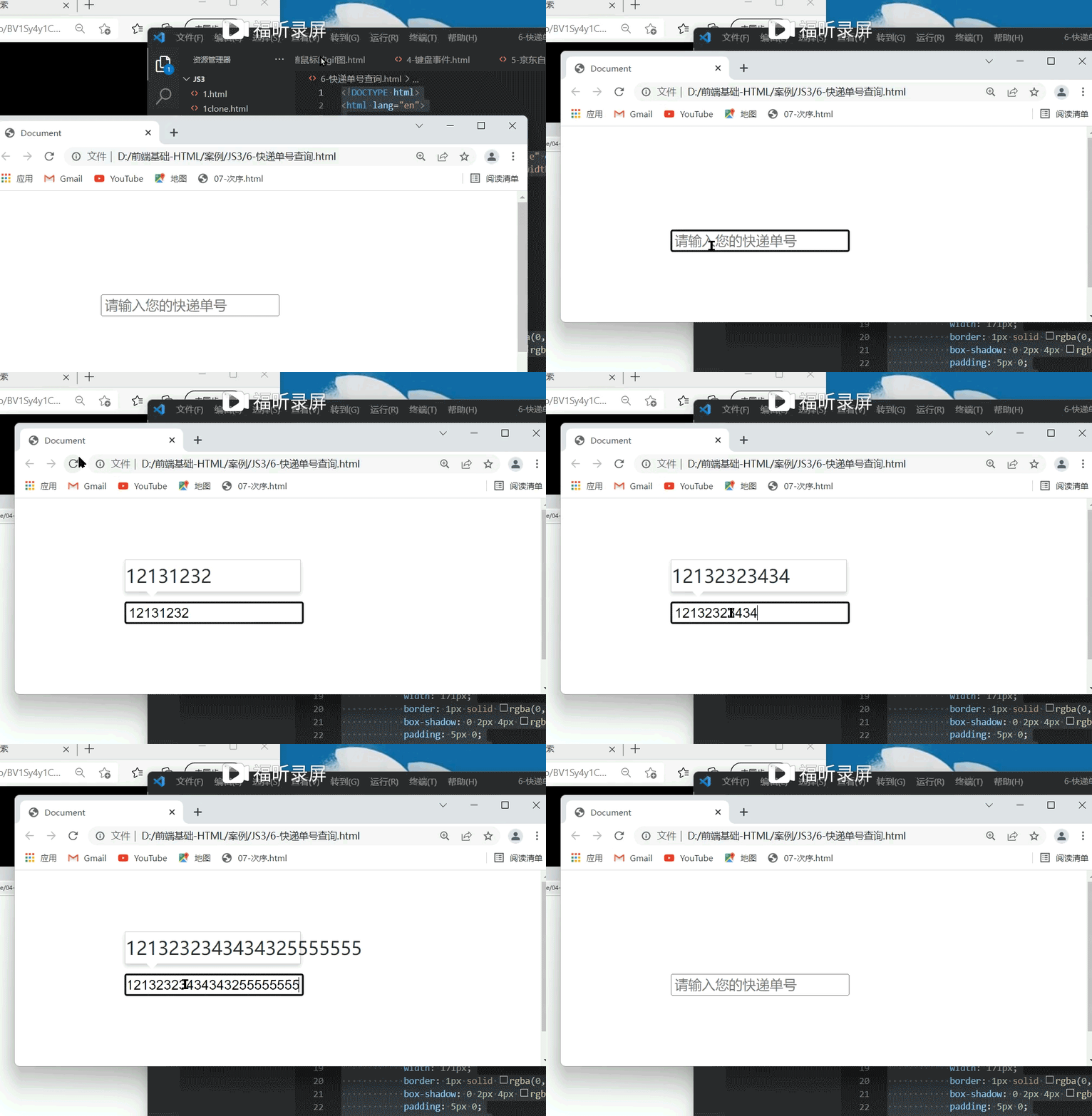
事件监听器的选择:keydown、keypress与keyup的区别
关于事件监听器的选择,如果使用keydown或keypress事件,会出现少显示一个字符的问题。这是因为在按键按下时,文字尚未完全落入文本框,事件触发时输入框内容仍为空,导致预览框不显示。当第二次按键时,虽然触发了事件,但当前输入框内仅保留前一个字符,导致显示滞后。
需要特别注意不同事件的区别。
keypress事件更不适用,因为它对功能键(如Shift、Ctrl等)没有反应,无法准确捕获字符输入。
焦点切换与预览框显隐控制
最后,处理焦点事件:当输入框失去焦点时,隐藏预览框con;当输入框重新获得焦点时,显示预览框。这可以通过监听onfocus和onblur事件来实现。
    <script>
        //当开始在输入框中键入内容的时候,div模块就开始显示,里面的内容是input里面的内容,但字体变大
        var jd = document.querySelector('.jd')
        var con = document.querySelector('.con')
        jd.addEventListener('keyup', function() { //要区分keyup、keydown、keypress之间的区别
            if (jd.value != '') {
                con.style.display = 'block'
                con.innerHTML = jd.value
            } else {
                con.style.display = 'none'
                con.innerHTML = ''
            }
        })
        jd.addEventListener('focus', function() {
            if (jd.value != '') {
                con.style.display = 'block'
            }
        })
        jd.addEventListener('blur', function() {
            con.style.display = ''
        })
    </script>
以上即为利用JavaScript模拟京东快递单号查询效果的详细内容,更多关于JavaScript快递单号查询的资料请关注本站其它相关文章!
网页开发三者分工:HTML结构、CSS样式与JavaScript交互怎么协作
2026-11-05 12:51:22
JS解析URL参数时怎么处理中文乱码和特殊字符
2026-11-05 12:47:23
js-cookie 存储 JSON 对象:自动序列化与反序列化技巧
2026-11-05 12:36:26
marked.js 快速上手:安装与基础 Markdown 转 HTML 示例
2026-11-05 09:32:53
Phaser.js 与 PixiJS、Cocos Creator 的技术选型对比
2026-11-05 08:36:30