

JavaScript Canvas实现烟花绽放及粒子文字动画
本文详解如何使用JavaScript和HTML5 Canvas实现烟花绽放动画。通过定义Firework和Particle类,模拟烟花上升、爆炸及碎片消散过程。进一步扩展代码,实现烟花碎片组成“Happy New Year”文字粒子效果,提供完整HTML源码及浏览器运行示例。
JavaScript Canvas实现烟花绽放及粒子文字动画
首先,我们需要构建一个烟花绽放的动画场景。
烟花运动阶段与核心类设计
放烟花时,一个烟花可分为两个阶段:(1)烟花上升到空中;(2)烟花炸开成碎片,炸开的碎片慢慢消散。
为了在代码中实现这一逻辑,我们抽象出两个核心类:Firework类用于表示上升中的烟花实体,而Particle类则用于表示炸裂后的各个碎片。
Firework类包含六个关键属性:用于记录烟花在上升轨迹中坐标的x和y值、控制弧状轨迹偏转的angle角度、决定水平和垂直方向位移变化量的xSpeed和ySpeed速度分量,以及定义烟花颜色的hue色相值。
Firework类属性与方法实现
在初始化坐标属性时,y值被设定为画布的高度,这代表烟花起始于地面;其他属性则通过随机数生成来确定初始状态。具体定义如下:
Firework类代码示例
  function Firework()

  {

   this.x = canvas.width/4*(1+3*Math.random());

   this.y = canvas.height - 15;

   this.angle = Math.random() * Math.PI / 4 - Math.PI / 6;

   this.xSpeed = Math.sin(this.angle) *(6+Math.random()*7);

   this.ySpeed = -Math.cos(this.angle) *(6+Math.random()*7);

   this.hue = Math.floor(Math.random() * 360);

  }
Firework类还定义了三个核心方法:draw()用于绘制上升轨迹,update()用于更新上升过程中的坐标,explode()用于执行炸裂动作。在绘制轨迹时,程序会在每个(x,y)坐标点绘制一个宽5高15的填充矩形作为轨迹点。在update()方法中,垂直速度ySpeed初始为负值,每次更新时增加一个正值以模拟减速上升;当ySpeed大于0时,表示烟花到达最高点,此时将炸裂生成70个碎片。具体实现逻辑见后续HTML代码。
Particle类属性与方法实现
Particle类定义了八个属性:用于记录碎片散开轨迹坐标的x和y值、控制弧状轨迹偏转的angle角度、决定水平和垂直方向位移变化量的xSpeed和ySpeed速度分量、定义碎片颜色的hue色相、表示碎片小圆半径的size值,以及定义碎片亮度的lightness值。
Particle类代码示例
  function Particle(x,y,hue)

  {

   this.x = x;

   this.y = y;

   this.hue = hue;

   this.lightness = 50;

   this.size = 15 + Math.random() * 10;

   this.angle = Math.random() * 2 * Math.PI;

   this.xSpeed = Math.cos(this.angle) *(1+Math.random() * 6);

   this.ySpeed = Math.sin(this.angle) *(1+Math.random() * 6);

  }
Particle类包含两个方法:draw()用于绘制碎片散开的轨迹,update()用于更新碎片散开时的坐标。在动画过程中,碎片的size属性值会逐渐减小;当size值小于1时,该碎片将从碎片数组中移除,表示其已完全消散。
我们需要定义两个数组:var fireworks=[];用于存储当前活跃的烟花对象,var particles=[];用于存储炸裂后的碎片对象。
在模拟动画的主循环函数loop中,通过计数器count控制每隔一段时间向fireworks数组添加一个新的烟花对象。当某个烟花对象上升到顶点并炸裂后,从fireworks数组中移除该对象,并向particles数组中添加70个新的碎片对象。
在每一帧动画中,遍历fireworks和particles两个数组,分别调用其中各对象的draw()和update()方法以更新画面。
完整HTML文件代码
以下是实现上述功能的完整HTML文件代码。
基础烟花效果代码
<html>
<head>
<title>烟花绽放</title>
</head>
<body>
<canvas id="myCanvas" width="800" height="600" style="border:3px double #996633;background:black;">
</canvas>
<script type="text/javascript">
  var canvas=document.getElementById('myCanvas');
  ctx= canvas.getContext('2d');
  var fireworks=[];
  var particles=[];
  var counter = 0;

  function Firework()
  {
   this.x = canvas.width/4*(1+3*Math.random());
   this.y = canvas.height - 15;
   this.angle = Math.random() * Math.PI / 4 - Math.PI / 6;
   this.xSpeed = Math.sin(this.angle) *(6+Math.random()*7);
   this.ySpeed = -Math.cos(this.angle) *(6+Math.random()*7);
   this.hue = Math.floor(Math.random() * 360);
  }
  Firework.prototype.draw= function()
  {
   ctx.save();
   ctx.translate(this.x, this.y);
   ctx.rotate(Math.atan2(this.ySpeed, this.xSpeed) + Math.PI / 2);
   ctx.fillStyle =`hsl(${this.hue}, 100%, 50%)`;
   ctx.fillRect(0, 0, 5, 15);
   ctx.restore();
  }
  Firework.prototype.update= function()
  {
   this.x = this.x + this.xSpeed;
   this.y = this.y + this.ySpeed;
   this.ySpeed += 0.1;
  }
  Firework.prototype.explode= function()
  {
    for (var i = 0; i < 70; i++)
    {
     particles.push(new Particle(this.x, this.y, this.hue));
    }
  }

  function Particle(x,y,hue)
  {
   this.x = x;
   this.y = y;
   this.hue = hue;
   this.lightness = 50;
   this.size = 15 + Math.random() * 10;
   this.angle = Math.random() * 2 * Math.PI;
   this.xSpeed = Math.cos(this.angle) *(1+Math.random() * 6);
   this.ySpeed = Math.sin(this.angle) *(1+Math.random() * 6);
  }
  Particle.prototype.draw= function()
  {
    ctx.fillStyle = `hsl(${this.hue}, 100%, ${this.lightness}%)`;
    ctx.beginPath();
    ctx.arc(this.x, this.y, this.size, 0, 2 * Math.PI);
    ctx.closePath();
    ctx.fill();
  }
  Particle.prototype.update= function(index)
  {
    this.ySpeed += 0.05;
    this.size = this.size*0.95;
    this.x = this.x + this.xSpeed;
    this.y = this.y + this.ySpeed;
    if (this.size<1)
    {
      particles.splice(index,1);
    }
  }
  function loop()
  {
   ctx.fillStyle = "rgba(0, 0, 0, 0.1)";
   ctx.fillRect(0,0,canvas.width,canvas.height);
   counter++;
   if (counter==15)
   {
     fireworks.push(new Firework());
     counter=0;
   }
   var i=fireworks.length;
   while (i--)
   {
     fireworks[i].draw();
     fireworks[i].update();
     if (fireworks[i].ySpeed > 0)
     {
       fireworks[i].explode();
       fireworks.splice(i, 1);
     }
   }
   var i=particles.length;
   while (i--)
   {
     particles[i].draw();
     particles[i].update(i);
   }
   requestAnimationFrame(loop);
  }
 loop();
</script>
</body>
</html>
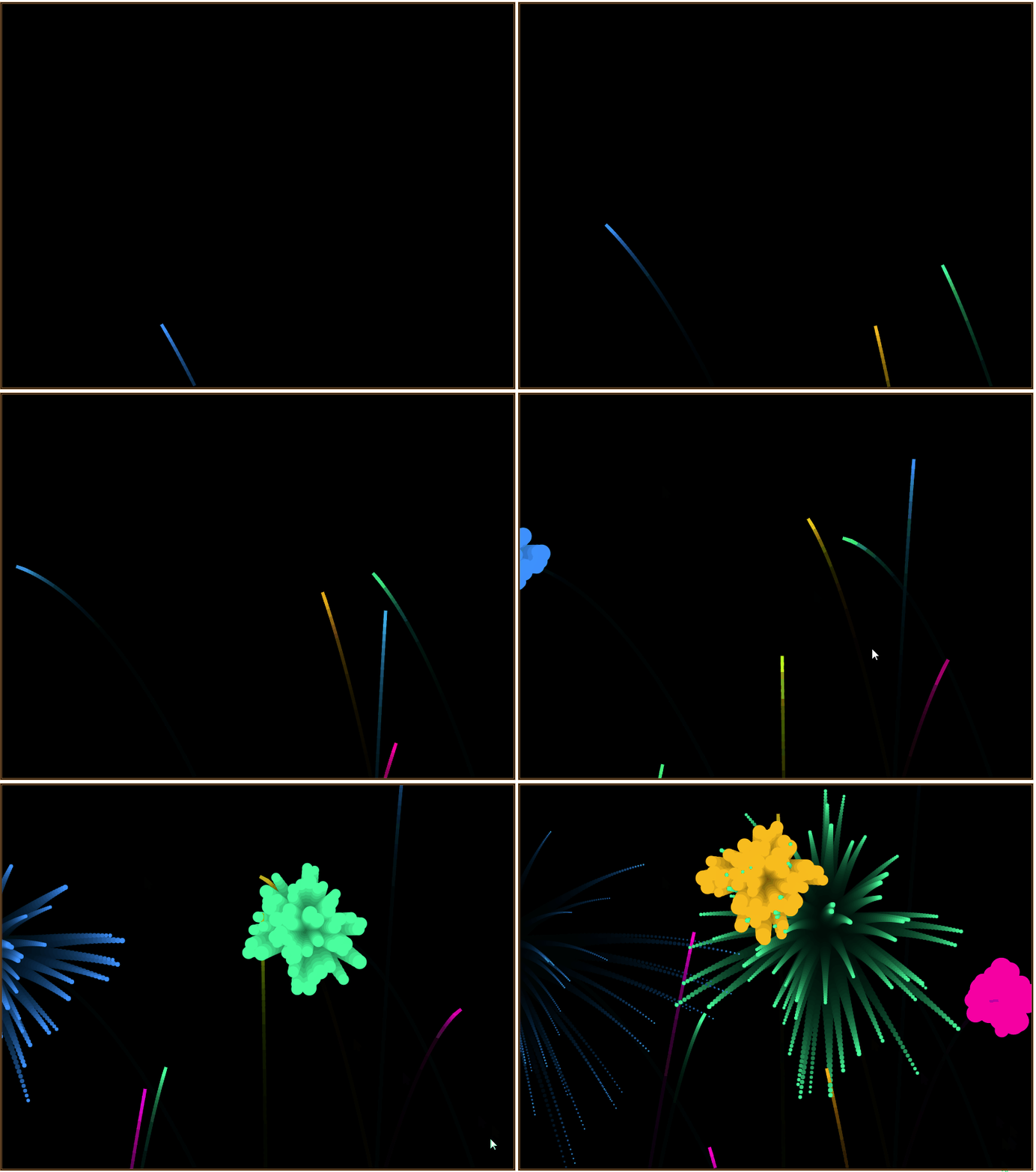
在浏览器中打开包含该HTML代码的文件,即可在浏览器窗口中看到如图所示的烟花绽放动画效果。
烟花文字粒子效果扩展
在实现基础烟花绽放效果的基础上,我们可以进一步扩展功能,使特定区域内的烟花碎片组合成“Happy New Year”的文字粒子效果。
文字粒子效果代码
实现该效果所需的HTML代码如下。
文字粒子效果代码示例
<html>
<head>
<title>迎新年烟花绽放</title>
<style>
 body { margin: 0; background: black; }
 canvas { position: absolute; }
</style>
</head>
<body>
<canvas id="myCanvas1"></canvas>
<canvas id="myCanvas2"></canvas>
<canvas id="myCanvas3"></canvas>
<script type="text/javascript">
  function Particle(x, y, hue)
  {
   this.x = x;
   this.y = y;
   this.hue = hue;
   this.lightness = 50;
   this.size = 15 + Math.random() * 10;
   this.angle = Math.random() * 2 * Math.PI;
   this.xSpeed = Math.cos(this.angle) * (1 + Math.random() * 6);
   this.ySpeed = Math.sin(this.angle) * (1 + Math.random() * 6);
   this.target = getTarget();
   this.timer = 0;
  }
  Particle.prototype.draw= function()
  {
   ctx2.fillStyle =`hsl(${this.hue}, 100%, ${this.lightness}%)`;
   ctx2.beginPath();
   ctx2.arc(this.x, this.y, this.size, 0, 2 * Math.PI);
   ctx2.closePath();
   ctx2.fill();
  }
  Particle.prototype.update= function(idx)
  {
   if (this.target)
   {
     var dx = this.target.x - this.x;
     var dy = this.target.y - this.y;
     var dist = Math.sqrt(dx * dx + dy * dy);
     var a = Math.atan2(dy, dx);
     var tx = Math.cos(a) * 5;
     var ty = Math.sin(a) * 5;
     this.size = lerp(this.size, 1.5, 0.05);
     if (dist < 5)
     {
       this.lightness = lerp(this.lightness, 100, 0.01);
       this.xSpeed = this.ySpeed = 0;
       this.x = lerp(this.x, this.target.x + fidelity / 2, 0.05);
       this.y = lerp(this.y, this.target.y + fidelity / 2, 0.05);
       this.timer += 1;
     }
     else if (dist < 10)
     {
       this.lightness = lerp(this.lightness, 100, 0.01);
       this.xSpeed = lerp(this.xSpeed, tx, 0.1);
       this.ySpeed = lerp(this.ySpeed, ty, 0.1);
       this.timer += 1;
     }
     else
     {
       this.xSpeed = lerp(this.xSpeed, tx, 0.02);
       this.ySpeed = lerp(this.ySpeed, ty, 0.02);
     }
   }
   else
   {
     this.ySpeed += 0.05;
     this.size = this.size*0.95;
     if (this.size<1)
     {
       particles.splice(idx,1);
     }
   }
   this.x = this.x + this.xSpeed;
   this.y = this.y + this.ySpeed;
  }

  function Firework()
  {
   this.x = canvas2.width*(1+ 3*Math.random())/4;
   this.y = canvas2.height - 15;
   this.angle = Math.random() * Math.PI / 4 - Math.PI / 6;
   this.xSpeed = Math.sin(this.angle) * (6 + Math.random() * 7);
   this.ySpeed = -Math.cos(this.angle) * (6 + Math.random() * 7);
   this.hue = Math.floor(Math.random() * 360);
  }
  Firework.prototype.draw= function()
  {
   ctx2.save();
   ctx2.translate(this.x, this.y);
   ctx2.rotate(Math.atan2(this.ySpeed, this.xSpeed) + Math.PI / 2);
   ctx2.fillStyle = `hsl(${this.hue}, 100%, 50%)`;
   ctx2.fillRect(0, 0, 5, 15);
   ctx2.restore();
  }
  Firework.prototype.update= function()
  {
   this.x = this.x + this.xSpeed;
   this.y = this.y + this.ySpeed;
   this.ySpeed += 0.1;
  }
  Firework.prototype.explode= function()
  {
   for (var i = 0; i < 70; i++)
   {
     particles.push(new Particle(this.x, this.y, this.hue));
   }
  }

  function lerp(a, b, t)
  {
    return Math.abs(b - a)> 0.1 ? a + t * (b - a) : b;
  }
  function getTarget()
  {
    if (targets.length > 0)
    {
      var idx = Math.floor(Math.random() * targets.length);
      var { x, y } = targets[idx];
      targets.splice(idx, 1);
      x += canvas2.width / 2 - textWidth / 2;
      y += canvas2.height / 2 - fontSize / 2;
      return { x, y };
    }
  }

  var canvas1=document.getElementById('myCanvas1');
  ctx1= canvas1.getContext('2d');
  var canvas2=document.getElementById('myCanvas2');
  ctx2= canvas2.getContext('2d');
  var canvas3=document.getElementById('myCanvas3');
  ctx3= canvas3.getContext('2d');
  var fontSize = 200;
  var fireworks = [];
  var particles = [];
  var targets = [];
  var fidelity = 3;
  var counter = 0;
  canvas2.width = canvas3.width = window.innerWidth;
  canvas2.height = canvas3.height = window.innerHeight;
  ctx1.fillStyle = '#000';
  var text = 'Happy New Year';
  var textWidth = 999999;
  while (textWidth > window.innerWidth)
  {
   ctx1.font = `900 ${fontSize--}px Arial`;
   textWidth = ctx1.measureText(text).width;
  }
  canvas1.width = textWidth;
  canvas1.height = fontSize * 1.5;
  ctx1.font = `900 ${fontSize}px Arial`;
  ctx1.fillText(text, 0, fontSize);
  var imgData = ctx1.getImageData(0, 0, canvas1.width, canvas1.height);
  for (var i = 0, max = imgData.data.length; i < max; i += 4)
  {
    var alpha = imgData.data[i + 3];
    var x = Math.floor(i / 4) % imgData.width;
    var y = Math.floor(i / 4 / imgData.width);
    if (alpha && x % fidelity === 0 && y % fidelity === 0)
    {
      targets.push({ x, y });
    }
  }
  ctx3.fillStyle = '#FFF';
  ctx3.shadowColor = '#FFF';
  ctx3.shadowBlur = 25;

  function loop()
  {
   ctx2.fillStyle = "rgba(0, 0, 0, .1)";
   ctx2.fillRect(0, 0, canvas2.width, canvas2.height);
   counter += 1;
   if (counter==15)
   {
     fireworks.push(new Firework());
     counter=0;
   }
   var i=fireworks.length;
   while (i--)
   {
     fireworks[i].draw();
     fireworks[i].update();
     if (fireworks[i].ySpeed > 0)
     {
       fireworks[i].explode();
       fireworks.splice(i, 1);
     }
   }
   var i=particles.length;
   while (i--)
   {
     particles[i].draw();
     particles[i].update(i);
     if (particles[i].timer >= 100 || particles[i].lightness >= 99)
     {
       ctx3.fillRect(particles[i].target.x, particles[i].target.y, fidelity + 1, fidelity + 1);
       particles.splice(i, 1);
     }
   }
   requestAnimationFrame(loop);
  }
  loop();
</script>
</body>
</html>
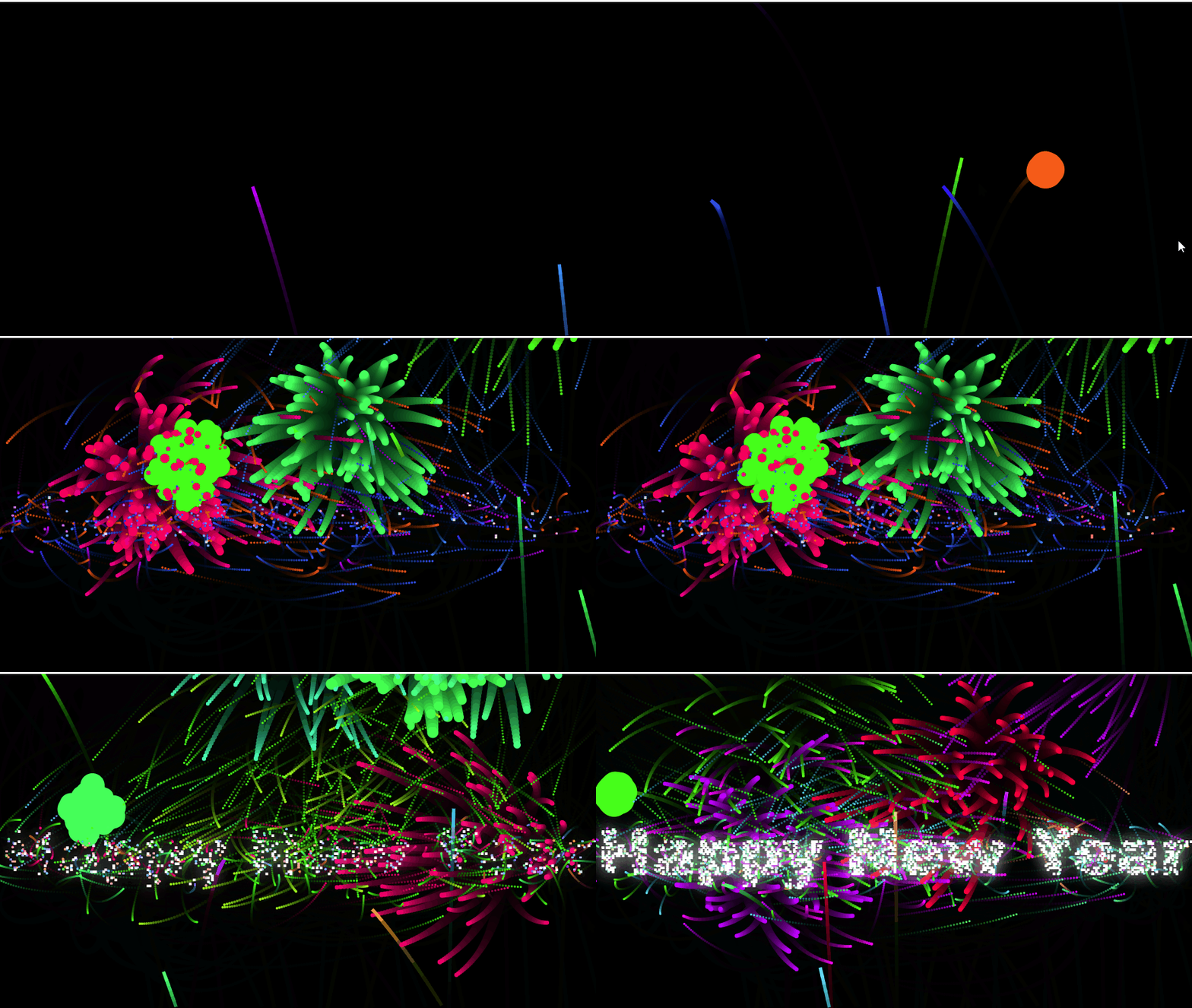
在浏览器中打开包含这段HTML代码的文件,即可看到如图所示的烟花绽放迎新年动画效果。需要注意的是,图2为了控制图片尺寸,删除了大量中间帧,因此静态图片与实际运行效果存在差异。
以上介绍了JavaScript实现烟花绽放动画的详细内容,更多JavaScript动画效果的资料请持续关注本站相关文章。
JS在setTimeout或Ajax回调中打开新标签页失败怎么处理
2026-11-05 15:50:12
JS直播协议选型:HLS、FLV与WebRTC的延迟与兼容性对比
2026-11-05 12:16:14
JS实现回到顶部:scrollTop赋值与浏览器兼容性处理
2026-11-04 23:43:35
JS使用classList动态添加、移除和切换CSS类名
2026-11-04 23:40:58
在 D3.js 中实现平滑过渡动画的技巧
2026-11-03 23:46:09