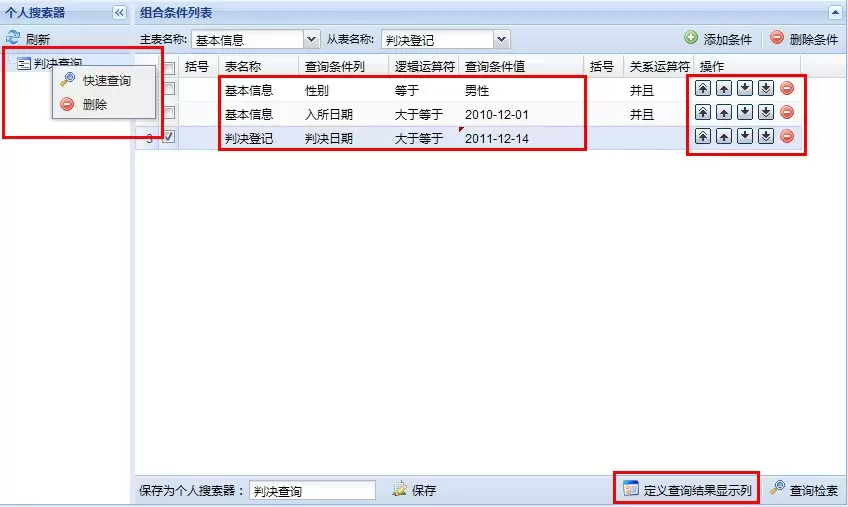
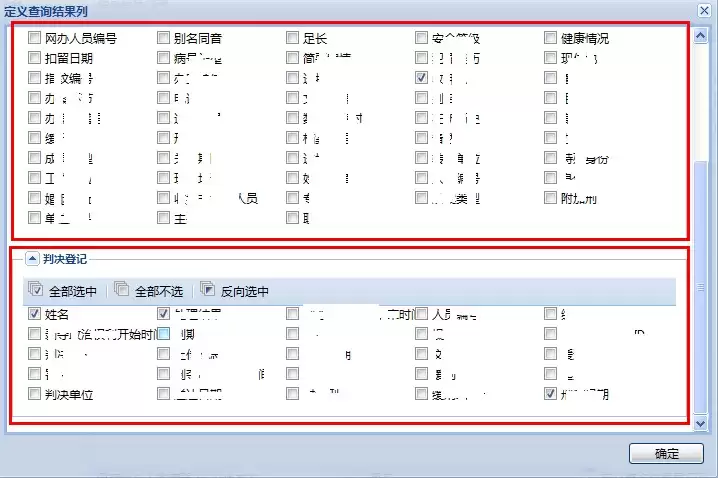
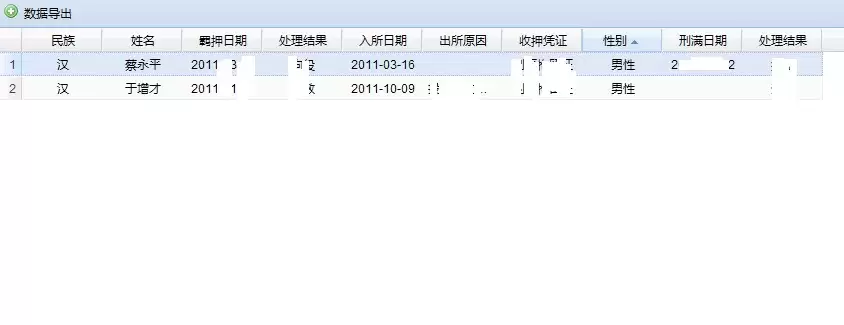
一套动态查询系统是怎么搭起来的?下面把这个项目的技术选型和核心代码拆开聊聊,主要是给有类似需求的朋友做个参考——从框架到缓存、再到Excel导出,每一步都有具体的组件在支撑。
{header:'括号',dataIndex:'leftbrackets',width:40,editor:new Ext.grid.GridEditor(new Ext.form.ComboBox({
store: new Ext.data.SimpleStore({
fields:['value','text'],
data: leftBracketsComboData
}),
mode: 'local',
triggerAction: 'all',
editable:false,
valueField: 'value',
displayField: 'text',
readOnly:true
})),
renderer: function(value, cellmeta, record){
if(value == null || value == ""){
return "";
}
return leftBracketsComboData[value][1];
},scope:this}
,{header:'表名称',dataIndex:'tablename',width:80,editor:new Ext.grid.GridEditor(new Ext.form.ComboBox({
store: new Ext.data.SimpleStore({
fields:['value','text'],
data: baseTableData
}),
id:'baseTableNameID',
tpl: '
{text}
',
mode: 'local',
triggerAction: 'all',
editable:false,
valueField: 'value',
displayField: 'text',
lazyInit:false,
listeners: {
'expand':function(combo){
combo.clearValue();
combo.store.loadData(baseTableData);
}
,'select':function(){
}
,'focus' :function(){
this.expand();
}
}
})),
renderer: function(value, cellmeta, record, row, col, store){
if(value == null || value == ""){
return;
}
return record.get("tablenamestring");
}}
,{header:'查询条件列',dataIndex:'fieldname',width:90,editor:new Ext.grid.GridEditor(new Ext.form.ComboBox({
id:'fieldnameID'
,store : new Ext.data.Store({
proxy : new Ext.data.HttpProxy({url : '../SearchTableColumns/extlistKV.do'})
,reader : new Ext.data.JsonReader({}, ['name','chinese'])
,baseParams:{s_tablename:'0'}
})
,tpl: '
{chinese}
'
,valueField :'name'
,displayField :'chinese'
,mode : 'remote'
,forceSelection : true
,triggerAction : 'all'
,typeAhead : false
,selectOnFocus : true
,resizable:true
,width : 120
,lazyInit:false
,listeners: {
'focus' :
function(){
this.expand();
}
}
})),
renderer: function(value, cellmeta, record, row, col, store){
if(value == null || value == ""){
return "";
}
return record.get("fieldnamestring");
}}
,{header:'逻辑运算符',dataIndex:'relationsign',width:70,editor:new Ext.grid.GridEditor(new Ext.form.ComboBox({
store: new Ext.data.SimpleStore({
fields:['value','text'],
data: relationSignComboData
}),
mode: 'local',
triggerAction: 'all',
editable:false,
valueField: 'value',
displayField: 'text',
readOnly:true,
lazyInit:false,
listeners: {
'focus' :
function(){
this.expand();
}
}
})),
renderer: function(value, cellmeta, record, row, col, store){
if(value == null || value == ""){
return;
}
return relationSignComboData[value][1];
},scope:this}
,{header:'查询条件值',dataIndex:'expressvalue',width:125,editor:new Ext.grid.GridEditor(new Ext.form.TextField({ }))
, renderer: function(value, cellmeta, record, row, col, store){
if(value == null || value == ""){
return "";
}
return record.get("expressvaluestring");
}
}
,{header:'括号',dataIndex:'rightbrackets',width:40,editor:new Ext.grid.GridEditor(new Ext.form.ComboBox({
store: new Ext.data.SimpleStore({
fields:['value','text'],
data: rightBracketsComboData
}),
mode: 'local',
triggerAction: 'all',
editable:false,
valueField: 'value',
displayField: 'text',
readOnly:true,
lazyInit:false,
listeners: {
'focus' :
function(){
this.expand();
}
}
})),
renderer: function(value, cellmeta, record){
if(value == null || value == ""){
return "";
}
return rightBracketsComboData[value][1];
},scope:this}
,{header:'关系运算符',dataIndex:'operatorsign',width:70,editor:new Ext.grid.GridEditor(new Ext.form.ComboBox({
store: new Ext.data.SimpleStore({
fields:['value','text'],
data: operatorSignComboData
}),
mode: 'local',
triggerAction: 'all',
editable:false,
valueField: 'value',
displayField: 'text',
readOnly:true,
lazyInit:false,
listeners: {
'focus' :
function(){
this.expand();
}
}
})),
renderer: function(value, cellmeta, record){
if(value == null || value == ""){
return ;
}
return operatorSignComboData[value][1];
},scope:this}
,this.rowActions
]);
Ext.apply(Ext, {
isFirebug: (window.console && window.console.firebug)
});
Ext.ns('app');
app.getMetaGrid = function(config){
return new Ext.ux.grid.MetaGrid(Ext.apply({
baseParams: null,
url: '../AdvancedSearch/extSearchResultList.do?ssid='+globalQueryString("ssid"),
renderChange: function(val){
if (val > 0) {
return '' + val + '';
} else if (val < 0) {
return '' + val + '';
}
return val;
},
renderCombo: function(val, metadata, record, rowIndex, colIndex, store){
var data;
// ... (注:此处原代码有注释掉的逻辑,用于组合框数据渲染,但未实际使用)
return data;
},
renderDate: function(date){
return date date.dateFormat('M d, Y') : '';
},
renderDateTime: function(date){
if (!date) {
return '';
}
var now = new Date();
var d = now.clearTime(true);
var notime = date.clearTime(true).getTime();
if (notime == d.getTime()) {
return 'Today ' + date.dateFormat('g:i a');
}
d = d.add('d', -6);
if (d.getTime() <= notime) {
return date.dateFormat('D g:i a');
}
return date.dateFormat('n/j g:i a');
},
renderItalic: function(data, metadata, record, rowIndex, columnIndex, store){
return '' + data + '';
},
renderPctChange: function(data, metadata, record, rowIndex, columnIndex, store){
var p = (parseFloat(data) * 100.0).toFixed(1);
var qtip = '>';
if (data >= 0) {
qtip = " qtip='yeah'/>";
return '';
} else if (data < 0) {
qtip = " qtip='woops'/>";
return '';
}
return data;
},
renderPosNeg: function(data, metadata, record, rowIndex, columnIndex, store){
if (data >= 0) {
return '' + data + '';
} else if (data < 0) {
return '' + data + '';
}
return data;
},
renderRisk: function(data, metadata, record, rowIndex, columnIndex, store){
switch (data) {
case "high":
metadata.css = "redcell";
return "high";
case "medium":
return "medium";
case "low":
return "low";
default:
return data;
}
},
renderStars: function(data, metadata, record, rowIndex, columnIndex, store){
switch (data) {
case "1":
metadata.css = "stars1";
return 1;
case "2":
metadata.css = "stars2";
return;
case "3":
metadata.css = "stars3";
return;
case "4":
metadata.css = "stars4";
return;
case "5":
metadata.css = "stars5";
return;
default:
return data;
}
},
renderQtip: function(data, metadata, record, rowIndex, columnIndex, store){
metadata.attr = 'ext:qtip="' + data + '"';
return data;
}
}, config));
};
Ext.onReady(function(){
var vp = new Ext.Viewport({
layout:'fit',
items: [app.getMetaGrid({
border: false
})]
});
});