

Angular样式绑定解决方案
Angular:样式绑定 在Angular前端开发中,样式控制的核心是让界面根据数据动态变化。其中最常用的两个工具是ngClass和ngStyle,它们都用于处理样式绑定,但思路不同,各有侧重。 解决方案 Angular实现样式动态绑定主要依赖这两个指令。 ngStyle的使用 ngStyle指令直
Angular:样式绑定
在Angular前端开发中,样式控制的核心是让界面根据数据动态变化。其中最常用的两个工具是ngClass和ngStyle,它们都用于处理样式绑定,但思路不同,各有侧重。
解决方案
Angular实现样式动态绑定主要依赖这两个指令。
ngStyle的使用
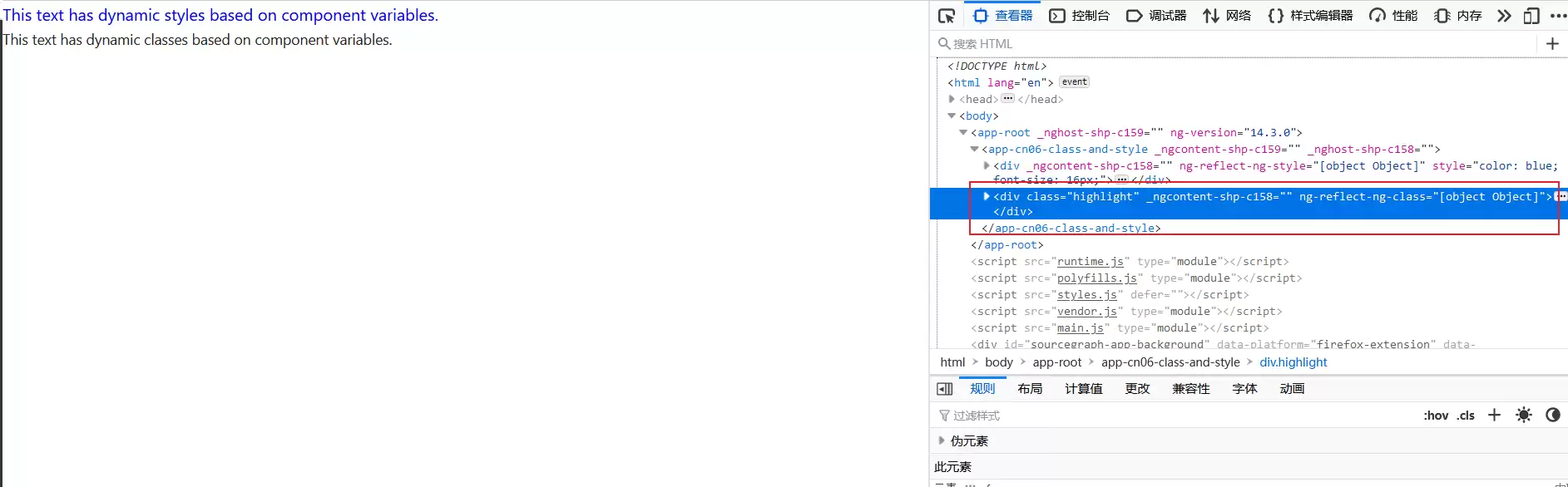
ngStyle指令直接向元素的style属性写入样式,通过组件变量动态控制样式值。以下代码中,文字颜色和字体大小完全取决于组件变量isTextColorRed和fontSize的值。
This text has dynamic styles based on component variables.
import { Component, OnInit } from '@angular/core';
@Component({
  selector: 'app-cn06-class-and-style',
  templateUrl: './cn06-class-and-style.component.html',
  styleUrls: ['./cn06-class-and-style.component.css']
})
export class Cn06ClassAndStyleComponent implements OnInit {
  isTextColorRed: boolean = false;
  fontSize: number = 16;
  constructor() { }
  ngOnInit(): void {
  }
}
效果如下所示
ngClass
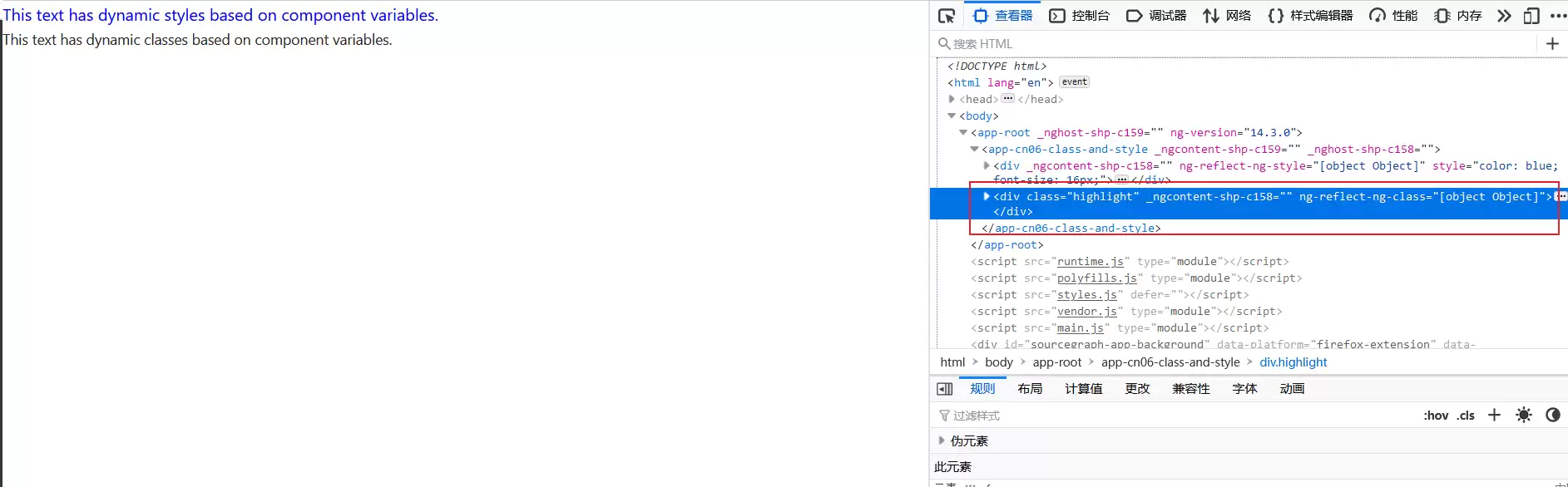
ngClass指令不直接修改具体样式值,而是根据条件添加或移除CSS类。例如,组件中的isHighlighted为true时,元素获得highlight类,反之则移除。这种方式适合管理一组预设的样式规则。
This text has dynamic classes based on component variables.
import { Component, OnInit } from '@angular/core';
@Component({
  selector: 'app-cn06-class-and-style',
  templateUrl: './cn06-class-and-style.component.html',
  styleUrls: ['./cn06-class-and-style.component.css']
})
export class Cn06ClassAndStyleComponent implements OnInit {
  isHighlighted: boolean = true;
  hasError: boolean = false;
  constructor() { }
  ngOnInit(): void {
  }
}
效果如下所示
ngClass与ngStyle的区别
这两个指令虽都能修改样式,但用法和场景截然不同。
ngStyle的核心是“直接设置”。通过对象形式将CSS属性名(如color、font-size)与对应值传入,语法为[ngStyle]="{'property': value}"。适用于需要根据变量精细控制具体数值的场景,如字体大小、背景色。
ngClass的核心是“条件开关”。通过对象形式将CSS类名与布尔值对应,语法为[ngClass]="{'class-name': condition}"。条件为true时类名生效,为false时移除。特别适合控制状态变化,如active、disabled、warning等预定义样式。
从实践角度看,需要直接细调某个样式属性时选用ngStyle,需要通过类名切换整套样式风格时选用ngClass。两者并非互斥,在复杂需求下可以结合使用,一个负责精准控制,一个负责逻辑切换。