

layui多图上传添加删除功能的实现方法
作者:键盘侠时间:2026-10-23 11:26:51浏览:396
本文介绍如何在layui多图上传组件中实现图片删除功能。通过自定义HTML结构、CSS样式及jQuery事件监听,解决layui默认不支持删除已上传图片的问题。包含完整的HTML、CSS和JS代码示例,帮助开发者快速实现图片预览与删除交互。
layui多图上传删除功能实现
在使用layui进行多图上传开发时,发现其默认组件并未提供删除已上传图片的功能。
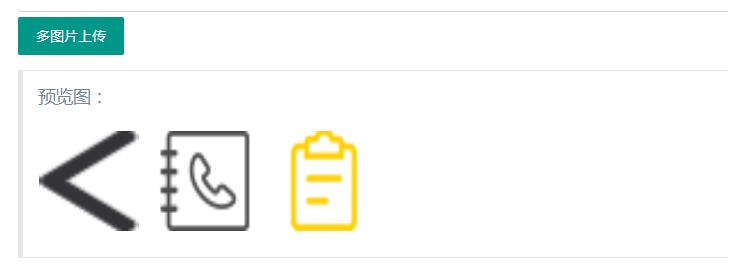
查阅网络资料后,发现现有方案要么过于复杂,要么无法满足实际需求,因此决定自行编写实现代码。
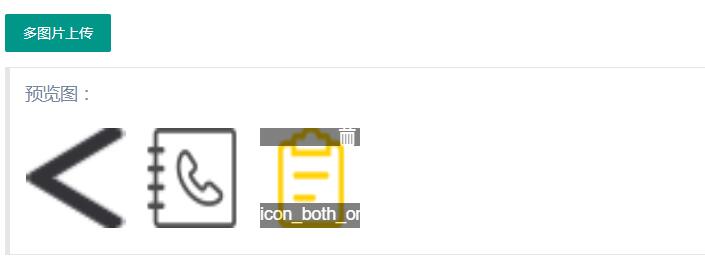
以下是具体的实现代码,包含HTML结构、CSS样式及JavaScript逻辑。
HTML结构部分如下:
<div class="layui-upload">
 <button type="button" class="layui-btn" id="test2">多图片上传</button>
 <blockquote class="layui-elem-quote layui-quote-nm" style="margin-top: 10px;width: 88%">
  预览图:
  <div class="layui-upload-list uploader-list" style="overflow: auto;" id="uploader-list">

  </div>
 </blockquote>
</div>
CSS样式定义如下:
 <style type="text/css">
  .uploader-list {
   margin-left: -15px;
  }

  .uploader-list .info {
   position: relative;
   margin-top: -25px;
   background-color: black;
   color: white;
   filter: alpha(Opacity=80);
   -moz-opacity: 0.5;
   opacity: 0.5;
   width: 100px;
   height: 25px;
   text-align: center;
   display: none;
  }

  .uploader-list .handle {
   position: relative;
   background-color: black;
   color: white;
   filter: alpha(Opacity=80);
   -moz-opacity: 0.5;
   opacity: 0.5;
   width: 100px;
   text-align: right;
   height: 18px;
   margin-bottom: -18px;
   display: none;
  }

  .uploader-list .handle span {
   margin-right: 5px;
  }

  .uploader-list .handle span:hover {
   cursor: pointer;
  }

  .uploader-list .file-iteme {
   margin: 12px 0 0 15px;
   padding: 1px;
   float: left;
  }
 </style>
JavaScript逻辑实现如下:
upload.render({
elem: '#test2'
,url: ''
,multiple: true
,before: function(obj){
layer.msg('图片上传中...', {
icon: 16,
shade: 0.01,
time: 0
})
}

,done: function(res){
layer.close(layer.msg());//关闭上传提示窗口
//上传完毕
$('#uploader-list').append(
'<div id="" class="file-iteme">' +
'<div class="handle"><span class="glyphicon glyphicon-trash"></span></div>' +
'<img style="width: 100px;height: 100px;" src=https://'+ res.href +'>' +
'<div class="info">' + res.name + '</div>' +
'</div>'
);
}
});
  $(document).on("mouseenter mouseleave", ".file-iteme", function(event){
   if(event.type === "mouseenter"){
    //鼠标悬浮
    $(this).children(".info").fadeIn("fast");
    $(this).children(".handle").fadeIn("fast");
   }else if(event.type === "mouseleave") {
    //鼠标离开
    $(this).children(".info").hide();
    $(this).children(".handle").hide();
   }
  });
  // 删除图片
  $(document).on("click", ".file-iteme .handle", function(event){
   $(this).parent().remove();
  });
以上即为layui多图上传添加删除功能的完整实现示例,供开发者参考使用。
作者最新文章
免登录快速分享代码:适合面试协作的轻量级JS在线运行工具推荐
2026-11-05 14:45:59
JS空字符串和纯空格转浮点数的结果是什么
2026-11-05 11:04:42
JS在线格式化缩进混乱怎么办?配置项调整技巧
2026-11-04 23:27:25
JS怎么获取秒级时间戳
2026-11-03 21:45:29
JS时间戳怎么从毫秒转换为秒
2026-11-03 20:04:14