

JavaScript实现点击按钮生成随机颜色可拖动方块
作者:半夏时间:2026-10-22 20:48:05浏览:541
本文介绍如何使用JavaScript实现点击按钮随机生成不同颜色的可拖动方块。通过动态创建DOM元素、随机分配颜色值以及绑定鼠标事件处理拖动逻辑,帮助开发者掌握前端交互与DOM操作技巧。
JavaScript实现点击按钮生成随机颜色可拖动方块
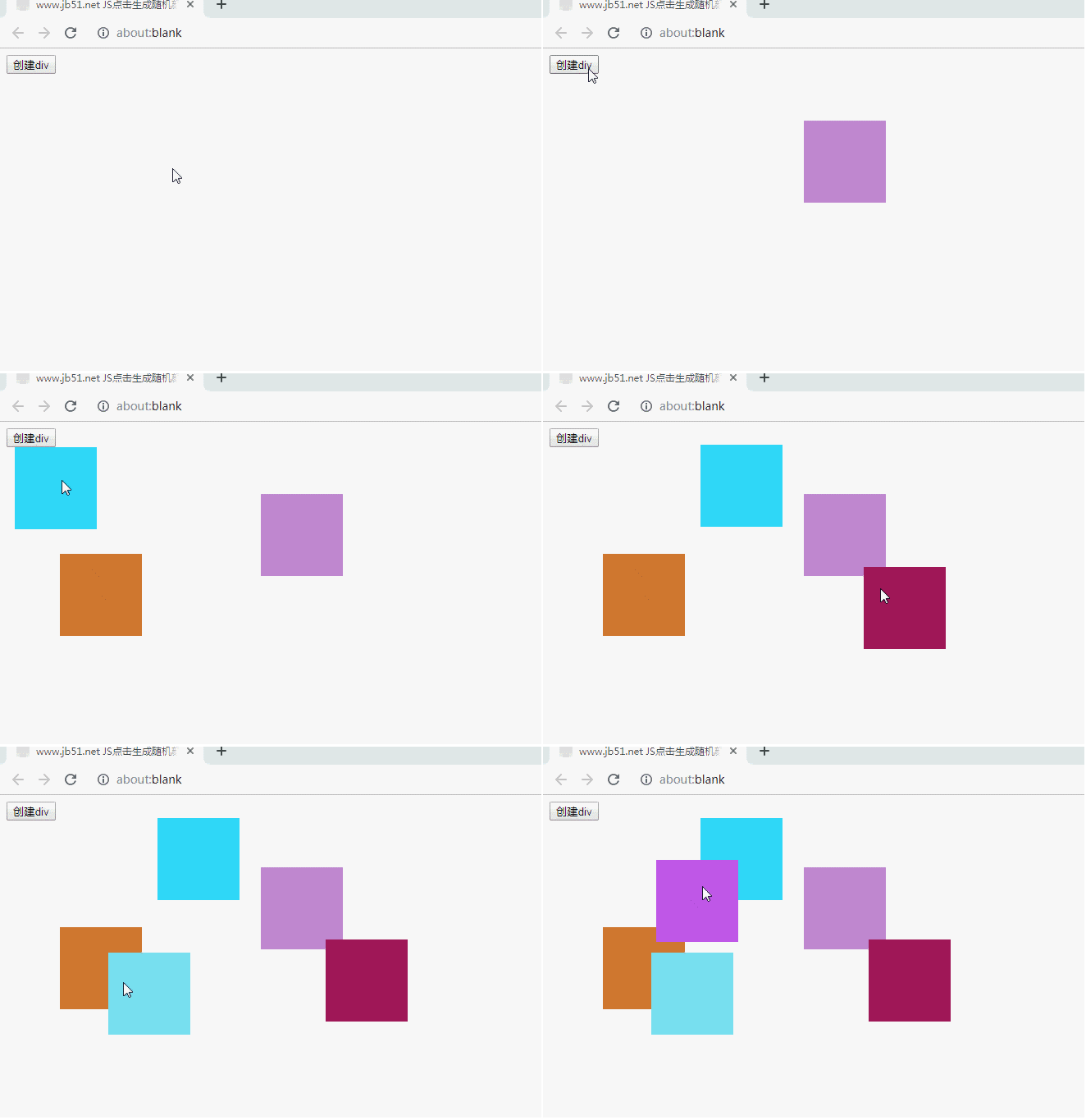
本文通过具体实例,演示如何利用JavaScript实现点击按钮后随机生成不同颜色的可拖动方块。
<!DOCTYPE html PUBLIC "-//W3C//DTD XHTML 1.0 Transitional//EN"
"http://www.w3.org/TR/xhtml1/DTD/xhtml1-transitional.dtd">
<html xmlns="http://www.w3.org/1999/xhtml">
<head>
<meta http-equiv="Content-Type" content="text/html; charset=utf-8" />
<title>www.jb51.net JS点击生成随机颜色块</title>
<style type="text/css">
div{
  width: 100px;
  height: 100px;
  background-color: red;
  position: absolute;
  margin-left: 10px;
  float: left;
}
</style>
</head>
<body id="body1">
<button onclick="btn()">创建div</button>
<script>
  function btn(){
    var id;
    //动态创建元素
    var str=document.createElement("div");
    //元素的背景色随机的
    str.style.backgroundColor=getColorRandom();
    //将生成的div追加到body中
    document.getElementById("body1").appendChild(str);
    //随机生成的id设置为动态创建的div的id
    str.id="items"+parseInt(Math.random()*10000);
    // 获取动态生成的div的id
    var obj=document.getElementById(str.id);
    var disX=0;
    var disY=0;
    //鼠标点击落下事件
    obj.onmousedown=function (event){
      disX=event.clientX-obj.offsetLeft;
      disY=event.clientY-obj.offsetTop;
      //鼠标移开事件
      document.onmousemove=function(ev){
        obj.style.left=ev.clientX-disX+"px";
        obj.style.top=ev.clientY-disY+"px";
      }
      //鼠标松开事件
      document.onmouseup= function () {
        document.onmousemove=null;
        document.onmouseup=null;
      }
    }
    //生成随机颜色
    function getColorRandom(){
      var c="#";
      var cArray=["0","1","2","3","4","5","6","7","8","9","A","B","C","D","E","F"];
      for(var i=0;i<6;i++){
       var cIndex= Math.round(Math.random()*15);
        c+=cArray[cIndex];
      }
      return c;
    }
  }
</script>
</body>
</html>
可使用在线HTML/CSS/JavaScript代码运行工具:http://tools.jb51.net/code/HtmlJsRun对代码进行测试,以查看实际运行效果。
如需了解更多JavaScript相关知识,可参考本站专题:《JavaScript页面元素操作技巧总结》、《JavaScript操作DOM技巧总结》、《JavaScript切换特效与技巧总结》、《JavaScript动画特效与技巧汇总》、《JavaScript错误与调试技巧总结》、《JavaScript数据结构与算法技巧总结》及《JavaScript数学运算用法总结》。
希望本文提供的示例对JavaScript程序设计有所帮助。
作者最新文章
JavaScript闭包与类(Class)的区别及适用场景对比
2026-11-05 15:48:57
JavaScript入门要学ES6吗?let与箭头函数等新特性解析
2026-11-05 14:49:16
JavaScript 8种数据类型详解:基本类型与引用类型的区别
2026-11-05 14:25:15
怎么在JavaScript中使用async/await优化Ajax异步流程
2026-11-05 13:56:15
JavaScript replace回调函数实现动态正则替换逻辑
2026-11-05 13:52:13