

AngularJS实现锚点楼层跳转功能示例
作者:键盘侠时间:2026-10-22 11:27:43浏览:473
本文介绍如何在AngularJS中实现点击锚点自动跳转至对应楼层的功能。通过结合$location.hash设置锚点标识,并调用$anchorScroll服务触发浏览器滚动,解决滑动状态下点击锚点失效的问题。示例包含完整的HTML结构与AngularJS控制器代码,适用于需要页面内快速导航的场景。
AngularJS锚点跳转实现
本文介绍AngularJS实现锚点楼层跳转功能的具体方法,供读者参考。
<!DOCTYPE html>
<html ng-app="myApp">
  <head>
    <meta charset="UTF-8">
    <title>anchor</title>
    <style>
      #wei div{
        width:100%;
        height:720px;
        background: red;
        color:#fff;
        text-align:center;
        line-height: 720px;
        margin:20px;
        font-size: 80px;
      }
      #wei ul{
        position: fixed;
        top:300px;
        right:60px;
      }
      #wei ul li{
        width:20px;
        display:block;
        height:20px;
        background: gray;
        color:#fff;
        text-align:center;
        line-height: 20px;
        border-radius: 50%;
        margin-bottom: 20px;
        cursor: pointer;
      }
    </style>
  </head>
  <body ng-controller="show">
      <div id="wei">
        <div ng-repeat="attr in arr" ng-attr-id="div{{attr}}">{{attr}}</div>
        <ul><!-- 定义右边的点 -->
          <li ng-repeat="attr in arr" ng-click="jump('div'+attr)">{{attr}}</li>
        </ul>
      </div>
    <script src="angular.min.js" type="text/javascript" charset="utf-8"></script>
    <script type="text/javascript">
      var app = angular.module('myApp',[]);
      app.controller('show',['$scope','$location','$anchorScroll',function($scope,$location,$anchorScroll){
        $scope.arr=[1,2,3,4,5];
        $scope.jump=function(id){
          //console.log(id);
          $location.hash(id);//添加锚点
          $anchorScroll();  //重新定义服务,解决当滑动时点击锚点无作用的bug
        }
      }]);
    </script>
  </body>
</html>
运行效果如下:
点击锚点2:
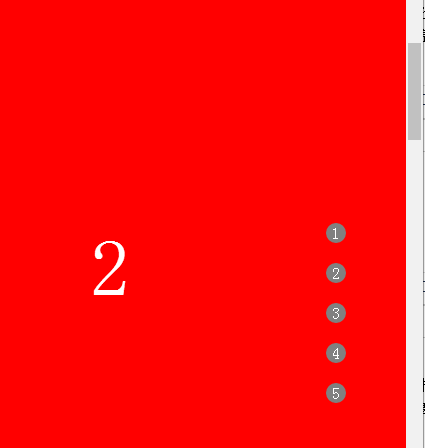
点击锚点3:
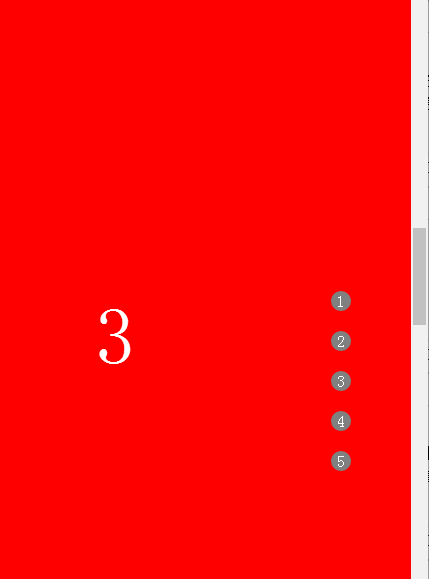
更多关于AngularJS相关内容感兴趣的读者可查看本站专题:《AngularJS指令操作技巧总结》、《AngularJS入门与进阶教程》及《AngularJS MVC架构总结》
希望本文所述对大家AngularJS程序设计有所帮助。
作者最新文章
免登录快速分享代码:适合面试协作的轻量级JS在线运行工具推荐
2026-11-05 14:45:59
JS空字符串和纯空格转浮点数的结果是什么
2026-11-05 11:04:42
JS在线格式化缩进混乱怎么办?配置项调整技巧
2026-11-04 23:27:25
JS怎么获取秒级时间戳
2026-11-03 21:45:29
JS时间戳怎么从毫秒转换为秒
2026-11-03 20:04:14