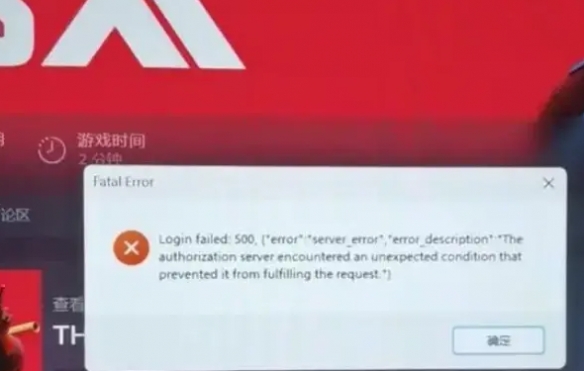

《the finals》报错500解决方法
作者:技术拾光时间:2023-10-31 21:57:57浏览:567
the finals报错500怎么办?最近兴起的fps游戏the finals非常火爆,可是由很多人在游玩的时候出现各种问题,那么the finals报错500怎么办?下面小编就为大家带来了the finals报错500解决方法。
。
the finals报错500怎么办
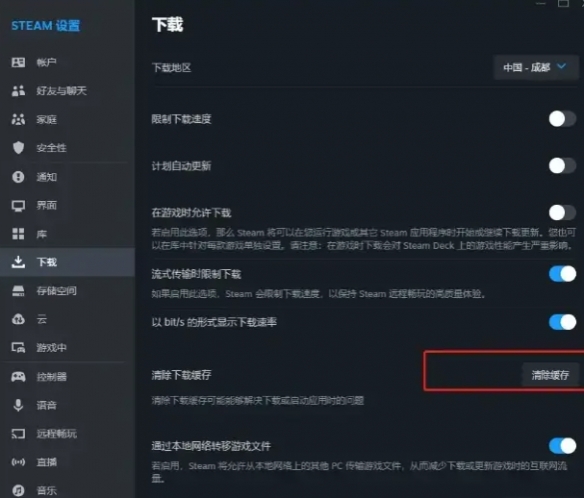
1、清除下载缓存
可以在Steam客户端中找到“设置” -> “下载” -> “清除下载缓存”选项,点击后确认清除即可。
2、网络重置
断开网络连接,然后重新连接网络,这样可以清除可能存在的网络缓存和错误,即可解决the finals 500报错/error500的问题。