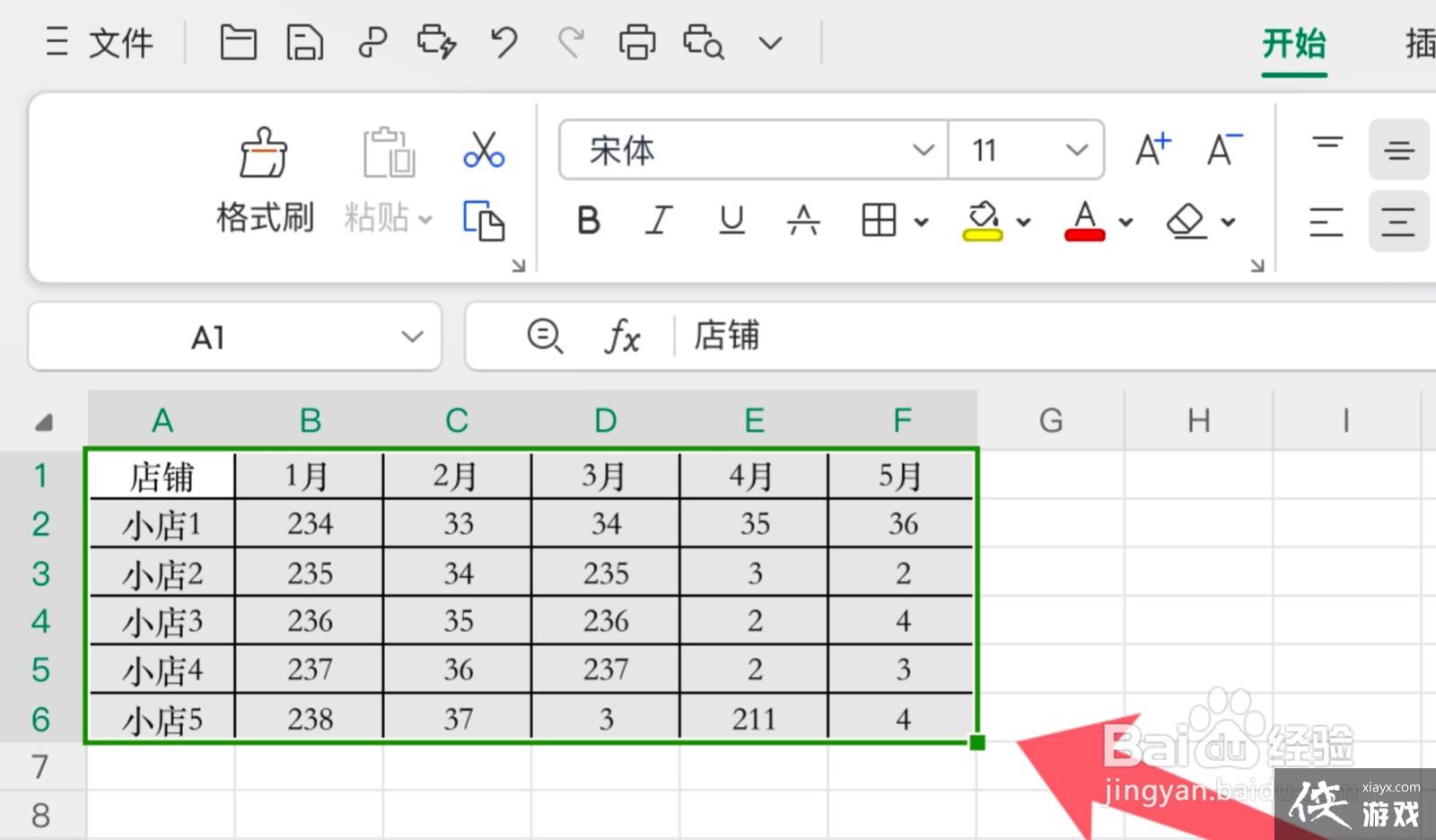
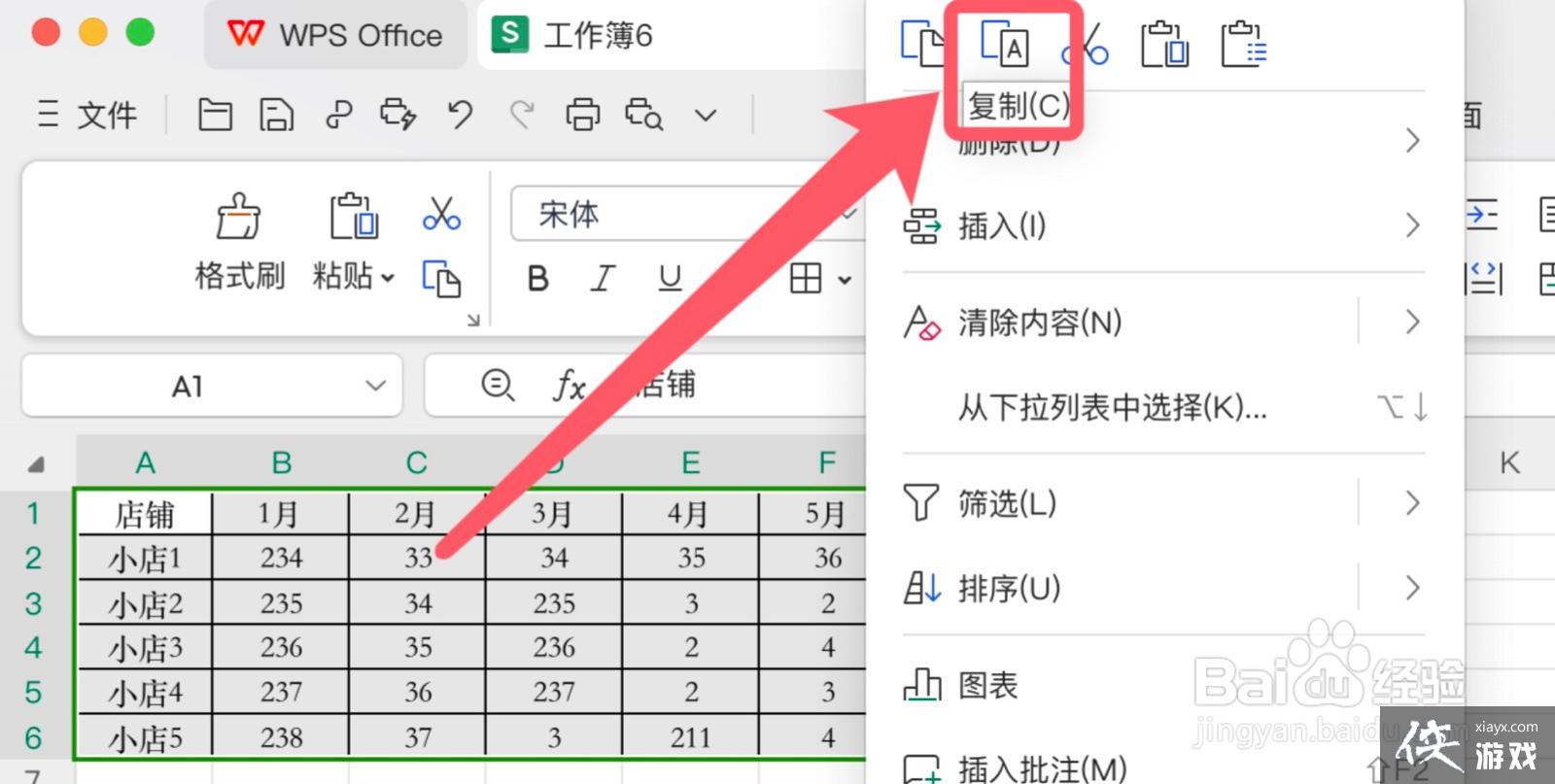
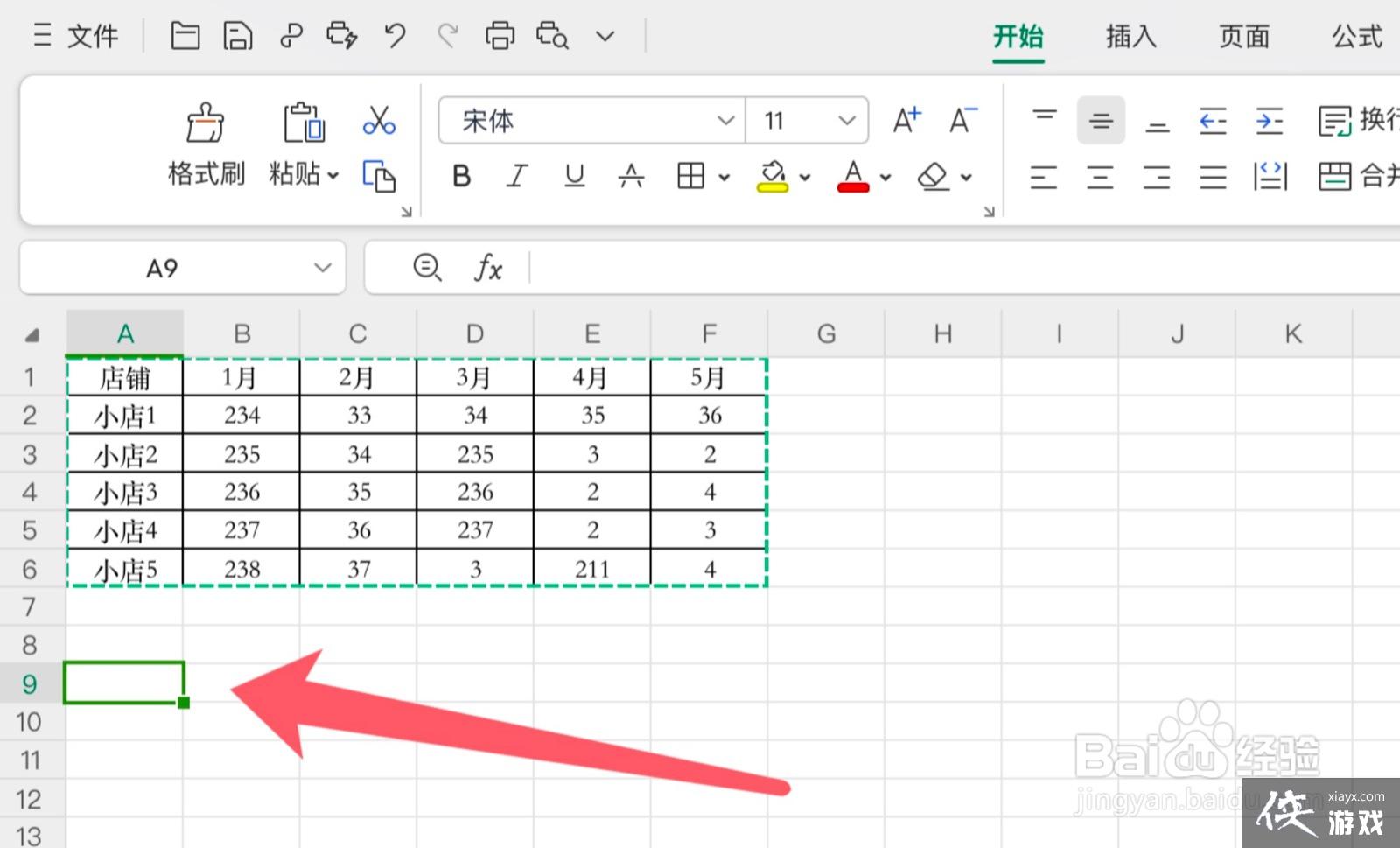
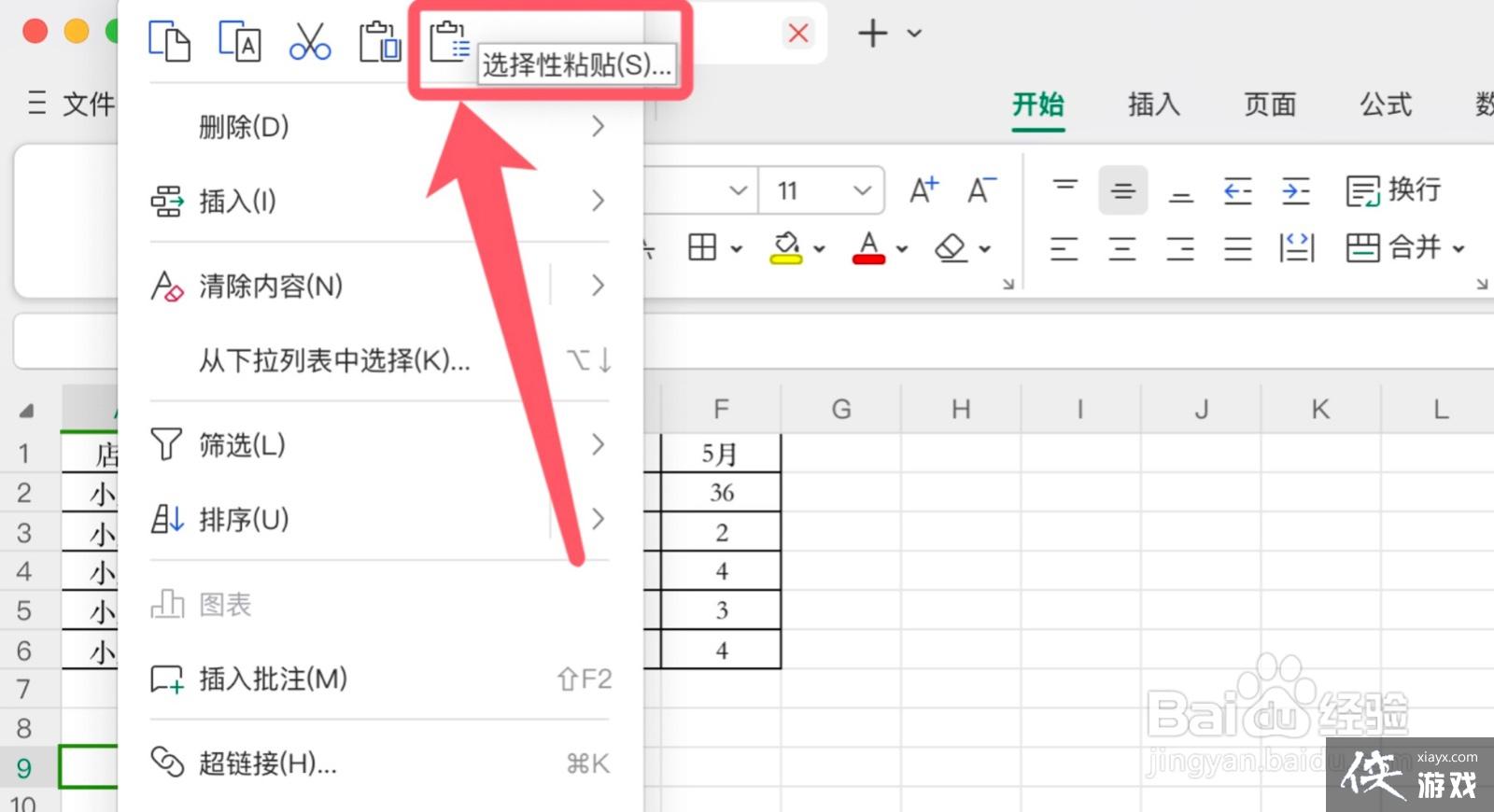
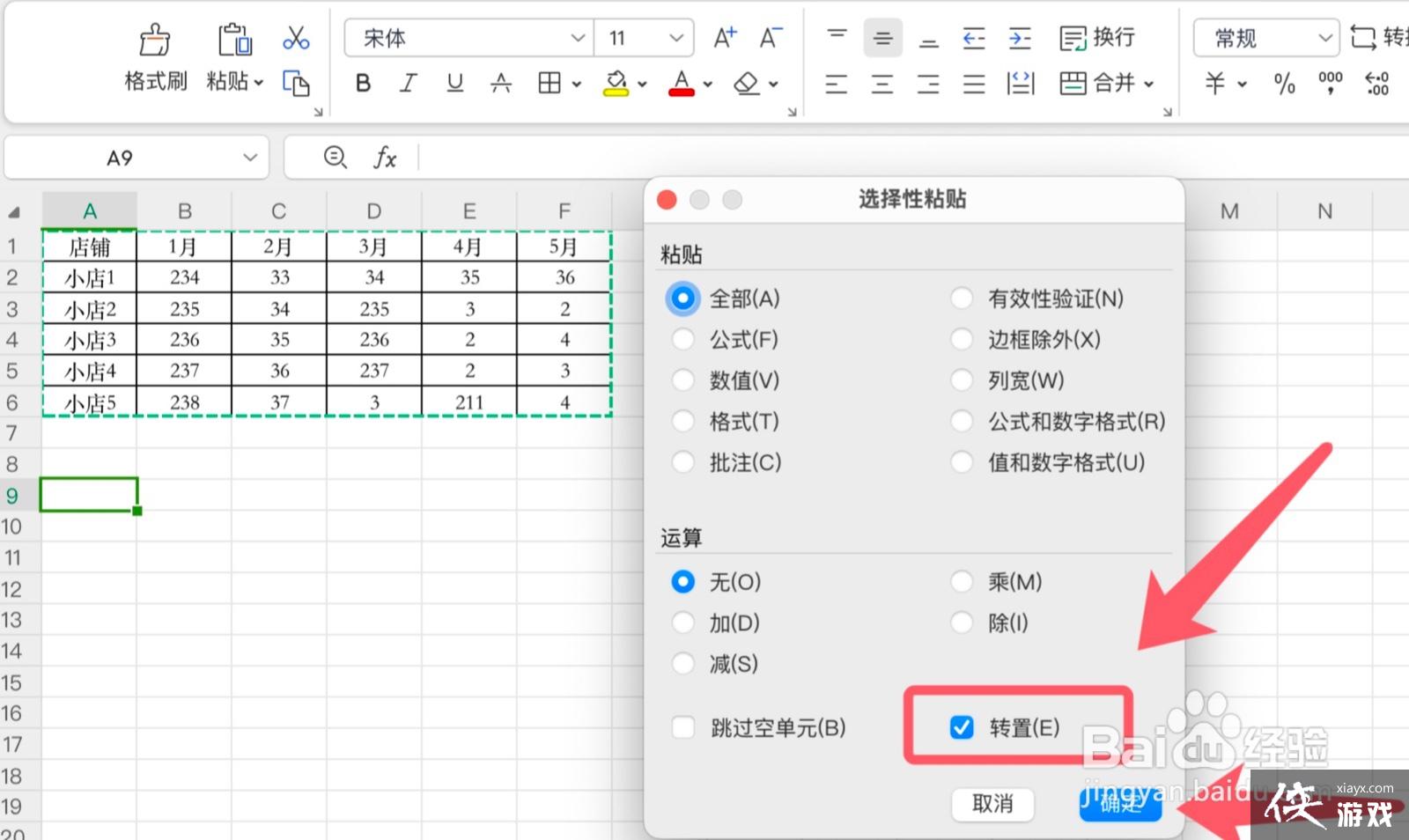
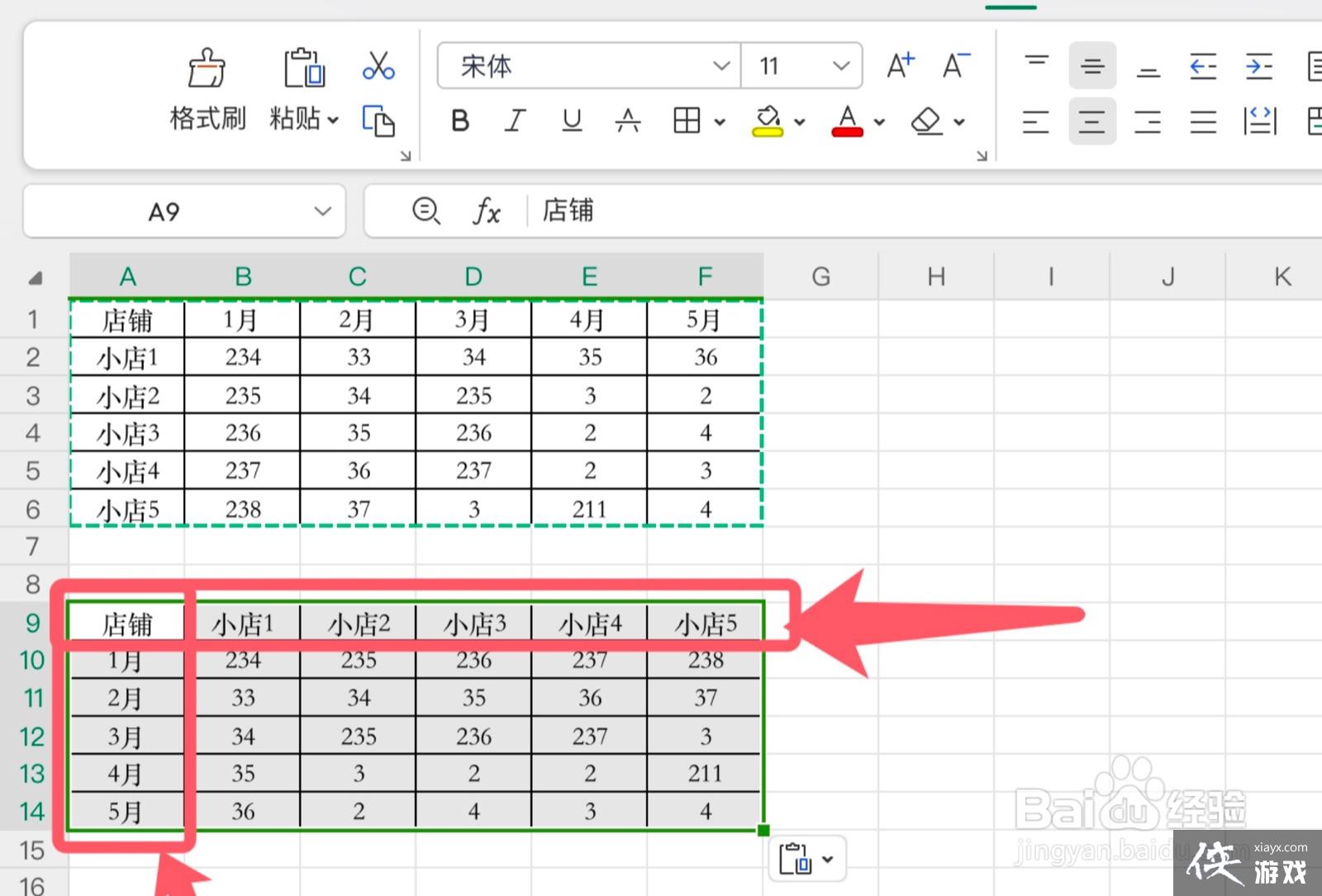
excel表格行列倒置怎么弄作者:技术拾光时间:2023-09-04 19:26:55浏览:391 excel表格行列倒置怎么弄,下面简单教一下。1、首先我们打开Excel表格,鼠标点击全选表格,如图所示。2、接着我们鼠标右键单击表格,弹出列表,点击【复制】。3、然后我们点击需要粘贴的位置,鼠标右键单击单元格。4、弹出列表,我们点击【选择性粘贴】进入。5、我们勾选【转置】,点击右下角的【确定】。6、然后即可看到【月份】【店铺】【数据内容】都倒过来了,如图所示。 上一篇:《博德之门3》轻声承诺该怎么获得下一篇:《绝世好武功》开局不同姓氏有什么区别?开局姓氏介绍