

基于jQuery与Bootstrap实现产品缩略图切换效果
作者:桌面漫游时间:2026-10-21 23:25:09浏览:633
本文介绍如何利用jQuery结合Bootstrap框架实现电商常见的产品缩略图切换功能。通过监听缩略图点击事件,动态更新主图显示区域,提升用户浏览体验。代码示例包含HTML结构、CSS样式及JavaScript交互逻辑,适合前端初学者参考学习。
产品缩略图切换效果展示
首先展示最终实现的视觉效果。
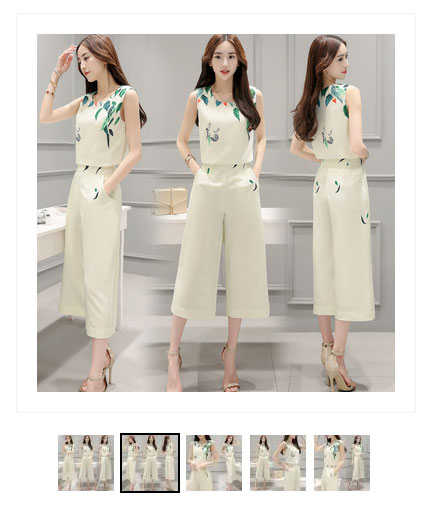
核心代码实现
接下来提供完整的实现代码。
<!DOCTYPE html>
<head>
<meta http-equiv="Content-Type" content="text/html; charset=UTF-8">
<script src="http://how2j.cn/study/js/jquery/2.0.0/jquery.min.js"></script>
<link href="http://how2j.cn/study/css/bootstrap/3.3.6/bootstrap.min.css" rel="external nofollow" rel="stylesheet">
<script src="http://how2j.cn/study/js/bootstrap/3.3.6/bootstrap.min.js"></script>
</head>
<script>
$(function(){
 $("img.smallImage").mouseenter(function(){
  var bigImageURL = $(this).attr("bigImageURL");
  $("img.bigImg").attr("src",bigImageURL);
 });
 $("img.bigImg").load(
  function(){
   $("img.smallImage").each(function(){
    var bigImageURL = $(this).attr("bigImageURL");
    img = new Image();
    img.src = bigImageURL;
    img.onload = function(){
     console.log(bigImageURL);
     $("div.img4load").append($(img));
    };
   });
  }
 );
});
</script>
<style>
div.imgAndInfo{
 margin: 40px 20px;
}
div.imgInimgAndInfo{
 width: 400px;
 float: left;
}
div.imgAndInfo img.bigImg{
 width: 400px;
 height: 400px;
 padding: 20px;
 border: 1px solid #F2F2F2;
}
div.imgAndInfo div.smallImageDiv{
 width: 80%;
 margin: 20px auto;
}
div.imgAndInfo img.smallImage{
 width: 60px;
 height: 60px;
 border: 2px solid white;
}
div.imgAndInfo img.smallImage:hover{
 border: 2px solid black;
}
</style>
<meta http-equiv="Content-Type" content="text/html; charset=UTF-8">
<div class="imgAndInfo">
 <div class="imgInimgAndInfo">
  <img width="100px" class="bigImg" src="http://how2j.cn/tmall/img/productSingle/8619.jpg">
  <div class="smallImageDiv">
    <img width="100px" class="smallImage" src="http://how2j.cn/tmall/img/productSingle_small/8620.jpg" bigImageURL="http://how2j.cn/tmall/img/productSingle/8620.jpg">
    <img width="100px" class="smallImage" src="http://how2j.cn/tmall/img/productSingle_small/8619.jpg" bigImageURL="http://how2j.cn/tmall/img/productSingle/8619.jpg">
    <img width="100px" class="smallImage" src="http://how2j.cn/tmall/img/productSingle_small/8618.jpg" bigImageURL="http://how2j.cn/tmall/img/productSingle/8618.jpg">
    <img width="100px" class="smallImage" src="http://how2j.cn/tmall/img/productSingle_small/8617.jpg" bigImageURL="http://how2j.cn/tmall/img/productSingle/8617.jpg">
    <img width="100px" class="smallImage" src="http://how2j.cn/tmall/img/productSingle_small/8616.jpg" bigImageURL="http://how2j.cn/tmall/img/productSingle/8616.jpg">
  </div>
 <div class="img4load hidden" ></div>
 </div>
 <div style="clear:both"></div>
</div>
以上内容即为本文的全部分享,期望这些内容能对各位的学习或实际工作提供有价值的参考。如果读者觉得有帮助,欢迎继续支持本网站。
作者最新文章
Mock.js 拦截失效或数据格式错误的常见原因及排查
2026-11-05 10:11:59
Java和JavaScript名字像但没关系:辨析Java、JavaWeb与JS
2026-11-04 09:30:54
CodePen、JSFiddle与RunJS对比:哪款JS在线运行工具更适合你?
2026-11-03 16:46:57
JS 统计图渲染空白或报错怎么排查?常见问题解决指南
2026-11-03 09:49:40
flv.js 常见报错 MediaError 与解码失败排查指南
2026-11-02 10:29:29