React实现页面状态缓存(keep-alive)的示例代码
本文介绍在React单页面应用中实现页面状态缓存的解决方案。针对路由跳转导致组件销毁、状态丢失的问题,对比了react-activation、umi-plugin-keep-alive及Offscreen API等方案。重点讲解如何配置react-activation实现路由级缓存,包括安装、Babel插件配置、KeepAlive组件包裹及路由isCache属性设置,并提供完整示例代码。
前言:
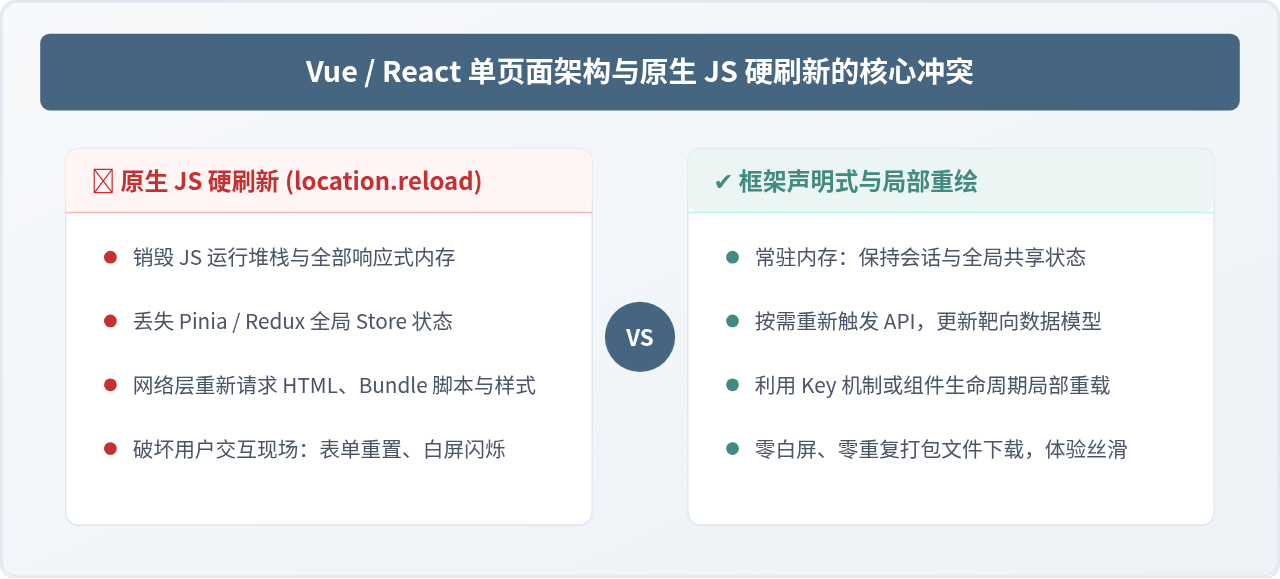
由于React和Vue均属于单页面应用(SPA),在路由切换时,前一个页面的组件会被销毁。然而,部分业务场景下需要保留页面状态,避免组件被销毁。
例如在H5项目中,用户跳转到其他页面后返回时,希望保持当前页面的状态不丢失。设想一个场景:用户滚动到页面中间,跳转到详情页后再返回,如果原页面刷新并回到顶部,会导致搜索条件丢失、滚动位置重置,这显然是不可接受的。
再如PC端后台管理系统中,点击打开多个页签进行切换时,若状态页丢失,每次切换页签都会重新请求接口,造成不必要的性能开销。

解决方案:
方案调研:
经过调研,
目前市面上可用的第三方库包括:
react-activation
umi-plugin-keep-alive
umi-plugin-keep-alive-tabs
react-keepalive-router
react-router-cache-route
以及Redux、Dva等状态共享插件。
关于react-keepalive-router和react-router-cache-route:
react-keepalive-router、react-router-cache-route 为个人开发项目,其 GitHub Issues 中的建议未获及时回复,故本人放弃使用,未予考虑。
关于Offscreen:
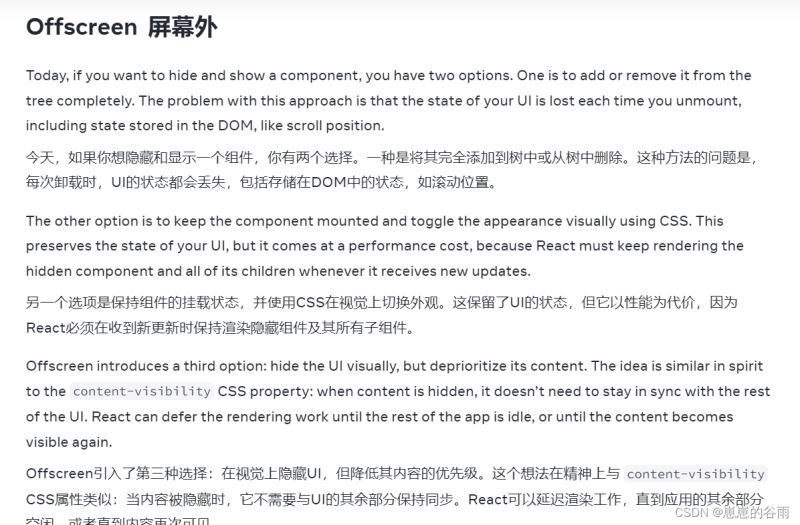
Offscreen是React 18.x版本推出的实验性API,因此我也放弃了使用。可以参考React Offscreen的相关文档。不过,如果该API正式投入使用,它应该是最优选择。其原理是将页面隐藏起来,而不销毁组件树。实际上,其他插件的原理也与此类似。
关于umi-plugin-keep-alive和umi-plugin-keep-alive-tabs:
这两个插件属于Umi框架,由阿里开发,因此优先考虑使用。但查看文档后发现,它们基于react-activation,且作者建议关注后者。
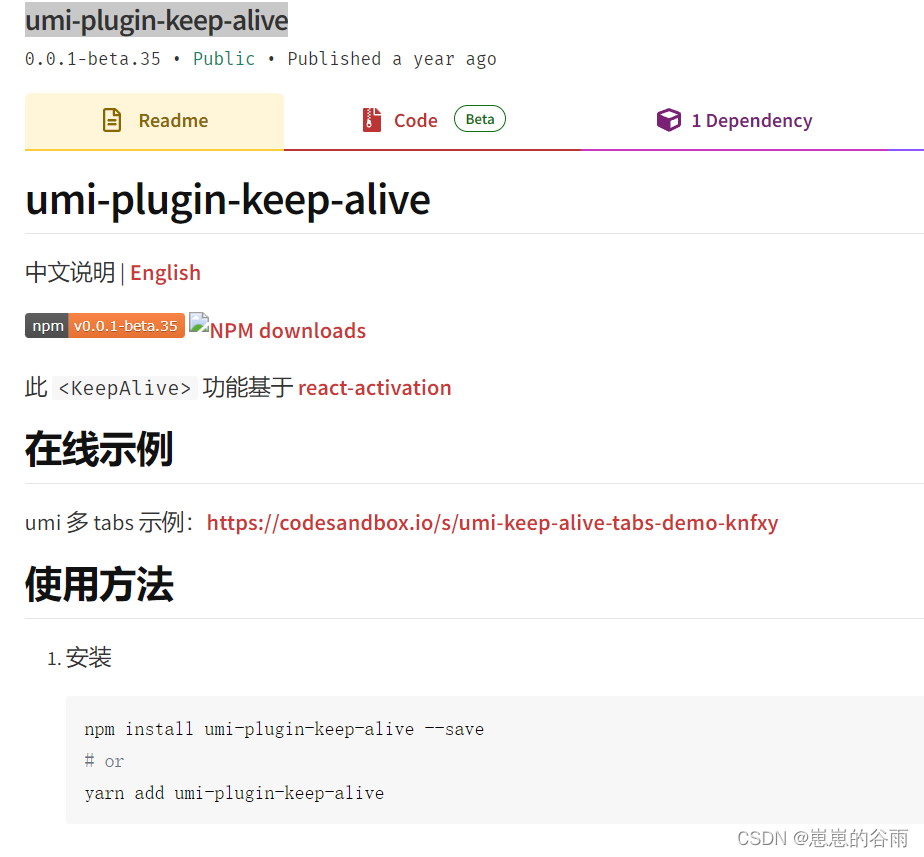
umi-plugin-keep-alive的API说明:
如果你的项目使用的是Umi框架,可以使用umi-plugin-keep-alive(低版本Umi可能不支持)。例如Ant Design Pro、若依等基于Umi搭建的项目均可使用该插件。由于该插件与Umi绑定,我也放弃了单独使用,但它理论上可以单独使用(我未尝试)。
Redux等状态共享插件需要在项目搭建初期就使用,其原理是将页面中的useState和state全部放入Store中,然后对整个Store进行缓存。每次进入页面时判断是否有缓存,有则使用缓存,无则重新请求。像Redux之类的插件都有持久化插件,配合持久化插件很容易实现。缺点是过程繁琐,且破坏了代码的优雅性,页面中不能直接写状态,还需要额外记录滚动条的位置。
关于react-activation:
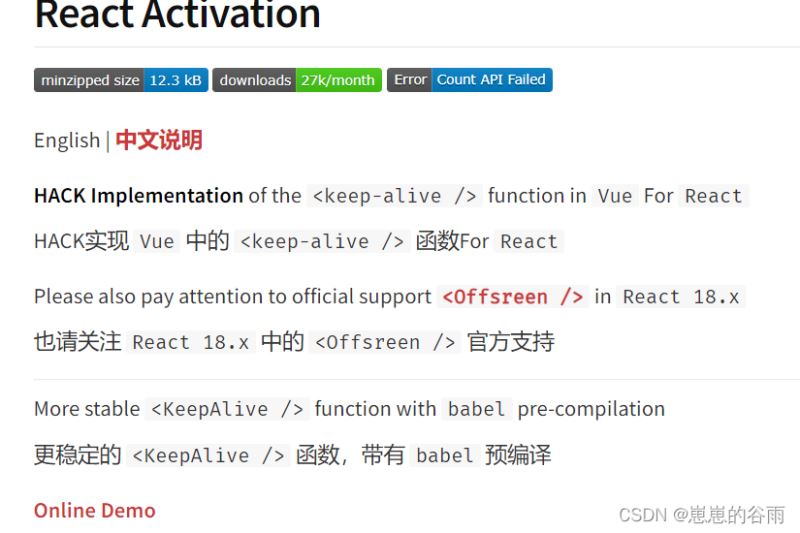
综上所述,我选择了react-activation,它是路由级别的缓存方案。
react-activation基础使用步骤及配置:
React Activation仅支持React 16及以上版本。
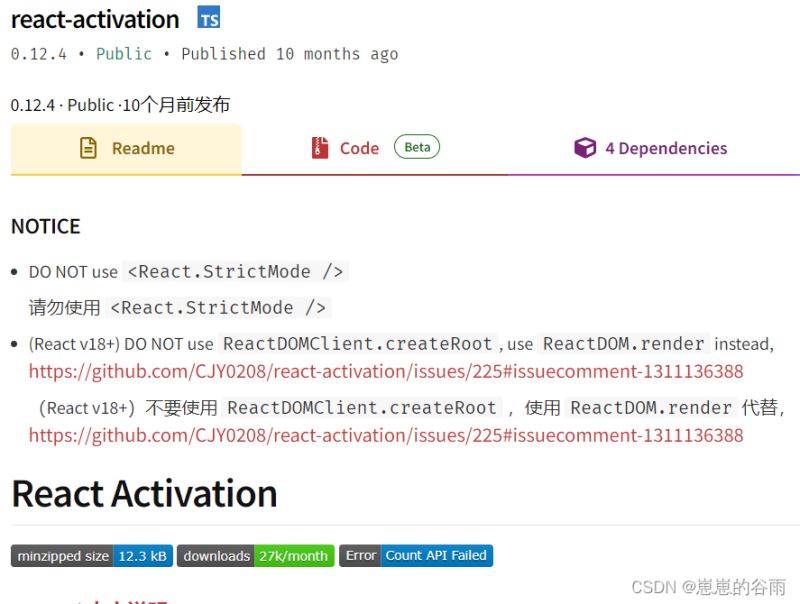
注意:
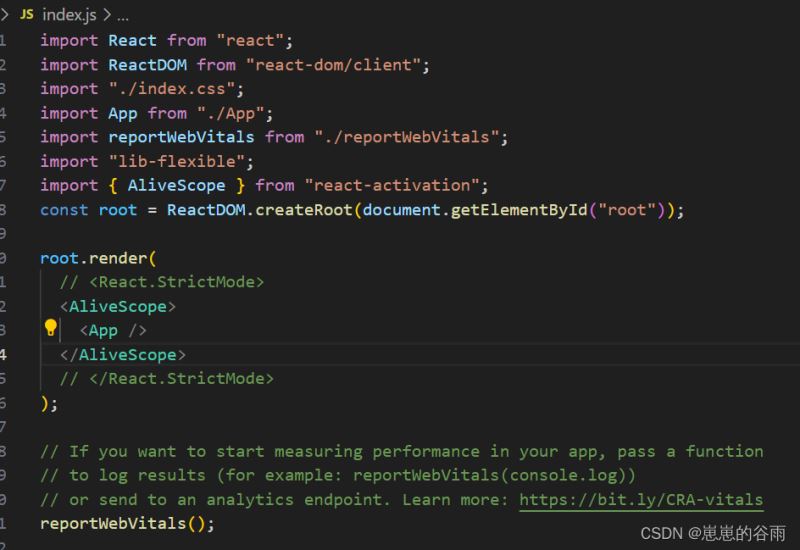
1.请勿使用<React.StrictMode />。
2.(React v18+)不要使用ReactDOMClient.createRoot,使用ReactDOM.render代替,参考:https://github.com/CJY0208/react-activation/issues/225#issuecomment-1311136388。
1.安装react-activation。
yarn add react-activation
# or
npm install react-activation
(可选,推荐)在.babelrc中添加react-activation/babel插件。该插件在编译过程中为每个JSX元素添加了一个_nk属性,以帮助react-activation运行时根据react-node-key的渲染位置生成唯一的标识符。
{
  "plugins": [
    "react-activation/babel"
  ]
}
如果不想使用Babel,建议每个声明一个全局唯一不变的cacheKey属性,以保证该高速缓存的稳定性,如下所示:
<KeepAlive cacheKey="UNIQUE_ID" />
2.import KeepAlive然后包裹要缓存的组件或者元素。
官网示例:
// App.js

import React, { useState } from 'react'
import KeepAlive from 'react-activation'

function Counter() {
  const [count, setCount] = useState(0)

  return (
    <div>
      <p>count: {count}</p>
      <button onClick={() => setCount(count => count + 1)}>Add</button>
    </div>
  )
}

function App() {
  const [show, setShow] = useState(true)

  return (
    <div>
      <button onClick={() => setShow(show => !show)}>Toggle</button>
      {show && (
        <KeepAlive>
          <Counter />
        </KeepAlive>
      )}
    </div>
  )
}

export default App
3.将外层放置在不会卸载的位置,通常在应用入口处。
配合路由使用react-activation。
1.isCache是自定义的属性,用来标识是否缓存。true就是该路由需要缓存。
  {
    path: "/",
    component: <Initial />,
    title: "主页",
    name: "initPage",
    isCache: true,
    cacheKey: "home",
  }
App.js入口文件或者路由配置页面里封装一层根据isCache值来确定是否使用keepAlive包裹。如下:
import React from "react";
import { BrowserRouter, Routes, Route, HashRouter } from "react-router-dom";
import routes from "./routes.js";
import KeepAlive from "react-activation";
// 封装一层 专门负责显示页面标题
const DomTitle = ({ route }) => {
  const { title, component, isCache ,cacheKey,name} = route;
  document.title = title;
  if (isCache) {
    return <KeepAlive cacheKey={cacheKey} name={name}>{component}</KeepAlive>;
  }
  return <>{component}</>;
};
const App = () => {
  return (
    <HashRouter>
      <Routes>
        {routes.map((route) => (
          <Route
            key={route.path}
            path={route.path}
            //element={route.component   }
            // 专门负责显示页面标题
            element={<DomTitle route={route} />}
          />
        ))}
      </Routes>
    </HashRouter>
  );
};
还可以手动清除缓存。
import {
  useActivate,
  useUnactivate,
  withActivation,
  withAliveScope,
  useAliveController,
} from "react-activation";
 const { drop, dropScope, clear, getCachingNodes } = useAliveController();
   console.log(getCachingNodes(), "缓存节点");
    //drop("homePage"); // 手动关闭某个页面
    // dropScope("detailPage");
    dropScope("homePage");  // 参数就是上面定义的  cacheKey
还需要将外层放置在不会卸载的位置,通常在应用入口处。我的项目时create-react-app是index.js。
具体api使用方法和注意事项请看:
具体api可以看(如果github打不开可以看npm的,npm是英文的,可以用edge浏览器翻译一下):
react-activation github使用文档
react-activation npm使用文档
以上就是React实现页面状态缓存(keep-alive)的示例代码的详细内容,更多关于React页面状态缓存的资料请关注本站其它相关文章!
React 18 新特性解读:并发模式与自动批处理
2026-11-05 15:19:34
UmiJS 快速上手:从零创建项目与目录结构解析
2026-11-05 09:01:18
React 开发常见报错排查:Invalid Hook Call 与 Key 警告
2026-11-03 12:42:51
Next.js 预期错误与未捕获异常的处理策略
2026-10-31 19:36:37
Next.js解决axios获取真实ip问题方法分析
2026-10-30 23:32:13