

JS实现Div高度动态折叠与展开功能
作者:像素猫时间:2026-10-31 08:01:07浏览:320
本文介绍如何使用JavaScript动态获取Div内容高度,并根据设定阈值实现内容的自动折叠。通过监听点击事件,切换显示状态,实现“查看更多”与“展开全部”的交互效果。代码包含HTML结构、CSS样式及核心JS逻辑,适用于长文本内容的页面优化。
前言
本文旨在展示如何利用JavaScript动态调整Div元素的高度。当内容高度超过预设限制时,自动折叠多余部分并显示“查看更多”按钮;用户点击后,则展开显示完整内容。
js代码
<html>
<body onload="queryHeight()">
	<!-- div容器 -->
	<div class="container">
	<!-- 文本内容 高度可能为1000以上 -->
	</div>
	<div id="readMore" class="readMore">
    <div class="readBackground"></div>
    <div class="readText" onclick="show()"> Read more ∨</div>
  </div>

  <script>
    var contentHeight = 0
    function queryHeight() {
      const content = document.getElementsByClassName('container')[0]
      // 要获得真实高度,需用 onload 来执行方法
      contentHeight = content.offsetHeight
      if(content.offsetHeight > 800){
        content.style.height = 800
        content.style.overflow = 'hidden'
      }
    }
    function show() {
      const content = document.getElementsByClassName('container')[0]
      content.style.height = contentHeight
      content.style.overflow = ''
      const readMore = document.getElementById('readMore')
      readMore.style.display = 'none'
    }
  </script>
</body>
</html>
<style>
body{
  margin: 0px;
  width: 100%;
  height: 100%;
  background-color: #EFEFEF;
}
.container{
  width: 100%;
  height: 1500px;
  background-color: #FFFFFF;
}
.td-content{
  height: auto;
}
/* read-more */
.readMore{
  position: absolute;
  width: 100%;
  height: 60px;
  text-align: center;
  font-size: 14px;
  font-family: 'Roboto-Regular, Roboto';
  font-weight: 600;
  color: #000000;
  line-height: 40px;
}
.readBackground{
  width: 100%;
  height: 20px;
  background: linear-gradient(180deg, rgba(255,255,255,0) 0%, #FFFFFF 100%);
}
.readText{
  background-color: #FFFFFF;
}
</style>
效果
点击前的效果如图所示,内容被折叠,仅显示部分文本及“Read more”按钮。
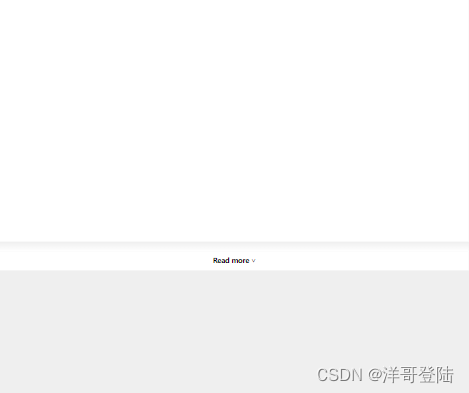
点击后的效果如图所示,Div高度展开,显示全部文本内容。

总结
本文介绍了JS动态更改div高度的实现方法,更多相关JS动态更改div高度内容请搜索本站以前的文章或继续浏览下面的相关文章希望大家以后多多支持本站!
作者最新文章
js-cookie 安装与基础用法:set、get、remove 详解
2026-11-05 16:35:06
适合JavaScript初学者的实战项目:制作简易待办事项列表
2026-11-05 16:17:07
JS打开新标签页时怎么通过URL传递参数
2026-11-05 12:21:08
sigma.js 自定义节点样式:设置颜色、大小及标签显示的技巧
2026-11-05 09:55:00
JS 生成的统计图怎么导出为 PNG 图片或 PDF 文件?
2026-11-05 09:37:58