

JavaScript实现页面元素拖拽功能详解
作者:代码拾荒时间:2026-10-30 16:01:48浏览:193
本文介绍如何使用JavaScript实现页面中砖块元素的鼠标拖拽效果。通过监听mousedown、mousemove和mouseup事件,结合元素定位属性,实现点击拖动时的位置跟随。代码包含HTML结构、CSS样式及核心JS逻辑,适合前端初学者参考学习。
JavaScript实现页面元素拖拽功能详解
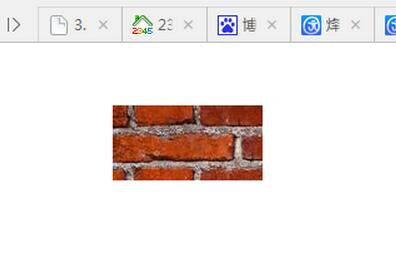
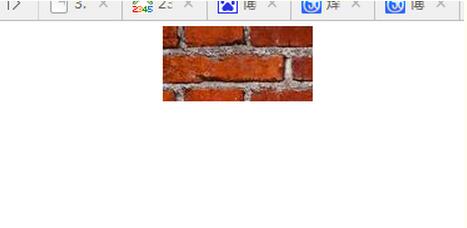
使用JavaScript实现一个位于页面上的砖块元素,当鼠标点击并拖动时,该砖块能够跟随鼠标在页面上移动,形成拖拽交互效果。
初始状态如下:
鼠标点击并拖动后的状态如下:
具体实现代码如下:
<html>
 <head>
  <meta charset="utf-8">
  <style type="text/css">
  *{
   margin:0px;
   padding:0px;
  }
 #zhuantou{
  width:120px;
  height:60px;
  background-image:url(1.jpg);
  position:fixed;
  left:100px;
   top:50px;
  }
  </style>
 <body>
  <div id="zhuantou">
  </div>
  <script>
  var zt=document.querySelector("#zhuantou");
  var isPressed=false;
  var offsetX=0;
  var offsetY=0;
  zt.onmousedown=function(event){
     isPressed=true;
     this.style.cursor="move";
     offsetX=event.offsetX;
    offsetY=event.offsetY;
  };
  zt.onmouseup=function(){
    isPressed=false;
    this.style.cursor="default";
  };
  zt.onmousemove=function(event){
   if(!isPressed){
     return;
    }
   zt.style.left=(event.clientX-offsetX)+"px";
   zt.style.top=(event.clientY-offsetX)+"px";
  };
 </script>
 </body>
</html>
以上就是本文的全部内容,希望对大家的学习有所帮助,也希望大家多多支持本站。
作者最新文章
JavaScript异步发送HTTP请求时怎么优雅地处理错误
2026-11-05 17:10:44
5款主流JS在线运行工具对比:CodePen、JSFiddle与StackBlitz怎么选
2026-11-05 17:04:04
JavaScript入门书籍避坑:这些书不适合初学者
2026-11-05 16:31:15
JS使用Math.round实现保留两位小数的原理与代码
2026-11-05 15:35:55
JavaScript 原生 Date 对象怎么实现日期加减
2026-11-05 14:30:00