

JavaScript 实现贪吃蛇游戏完整教程
作者:木棉时间:2026-10-21 20:57:00浏览:429
本文详细介绍如何使用原生 JavaScript 开发贪吃蛇游戏。通过初始化地图、创建蛇身、随机生成食物及绑定键盘控制方向四个核心步骤,结合 HTML5 DOM 操作与 CSS 样式布局,实现蛇的移动与碰撞检测逻辑,提供完整可运行的代码示例。
贪吃蛇游戏实现步骤
以下是具体的代码实现部分。
<!doctype html>
<html lang="en">
 <head>
 <meta charset="UTF-8">
 <title>贪吃蛇</title>
 <link rel="stylesheet" href="style.css">
 <script src="style.js" ></script>
 </head>
 <body>
 <div id="container"></div>
 </body>
</html>
开发过程主要包含四个步骤:首先初始化游戏地图并构建蛇身容器;其次创建蛇体结构,并随机生成食物位置;接着通过定时器让蛇体持续移动;最后利用 JavaScript 绑定键盘事件,实现通过按键控制蛇的移动方向。
var box={width:50,height:50};//每一个方块的高度
var snake=[];//保存蛇每一节身体对应的span
var DIR={
 DIR_RIGHT:1,
 DIR_LEFT:2,
 DIR_TOP:3,
 DIR_BOTTOM:4
};
var dir=DIR.DIR_BOTTOM;
var food=null; //始终记录当前的食物
window.onload=function(){
 //1.初始化地图
 initMap();
 //2.创建蛇
 //2.5随机显示食物
 showFood();
 createSnake();
 //3.让蛇动起来
 setInterval(snakeMove,100);
 //4.控制蛇移动
 document.onkeyup=function(e){
 switch(e.keyCode){
 case 37:dir=DIR.DIR_LEFT;break;
 case 38:dir=DIR.DIR_TOP;break;
 case 39:dir=DIR.DIR_RIGHT;break;
 case 40:dir=DIR.DIR_BOTTOM;break;
 }
 }
};
function isInSnakeBody(left,top){
 for(var i=0;i<snake.length;i++){
 if(snake[i].offsetTop==top&&snake[i].offsetLeft==left){
 return true;
 }
 }
}
//这种随机生成食物的方法效率低---随着蛇身体的增长,随机生成食物的时间会变慢。
function showFood(){
 var con=document.getElementById("container");
 food=document.createElement("span");
 food.className="food";
 food.style.width=box.width+"px";
 food.style.height=box.height+"px";
 var left,top;
 do{
 left=Math.floor((con.offsetWidth-2)/box.width*Math.random())*box.width;
 top=Math.floor((con.offsetHeight-2)/box.height*Math.random())*box.height;
 }while(isInSnakeBody(left,top));
 food.style.left=left+"px";
 food.style.top=top+"px";
 con.appendChild(food);
}
function initMap(){
 var con=document.getElementById("container");
 var row=Math.floor(con.offsetWidth/box.width);
 var rol=Math.floor(con.offsetHeight/box.height);
 var num=row*rol;
 var newSpan=null;
 for(var i=1;i<=num;i++){
 newSpan=document.createElement("span");
 newSpan.style.width=box.width+"px";
 newSpan.style.height=box.height+"px";
 con.appendChild(newSpan);
 }
}
function createSnake(){
 var newBody=null;
 var con=document.getElementById("container");
 for(var i=1;i<=5;i++){
 newBody=document.createElement("span");
 newBody.style.width=box.width+"px";
 newBody.style.height=box.height+"px";
 newBody.style.left=(i-1)*box.width+"px";
 newBody.style.top="0px";
 newBody.className="snake";
 con.appendChild(newBody);
 snake.push(newBody);
 }
}
function snakeMove(){
 var con=document.getElementById("container");
 //蛇头移动
 var head=snake[snake.length-1];
 var newTop=head.offsetTop,newLeft=head.offsetLeft;
 switch(dir){
 case DIR.DIR_LEFT:newLeft-=box.width; break;
 case DIR.DIR_RIGHT:newLeft+=box.width; break;
 case DIR.DIR_TOP:newTop-=box.height; break;
 case DIR.DIR_BOTTOM:newTop+=box.height; break;
 default:break;
 }
 //如果超出边界,计算蛇头下一个位置的坐标
 if(newLeft>con.offsetWidth-2-1){newLeft=0;}
 if(newLeft<0){newLeft=con.offsetWidth-2-box.width;}
 if(newTop<0){newTop=con.offsetHeight-2-box.height;}
 if(newTop>con.offsetHeight-2-1){newTop=0;}
 //判断新蛇头的位置是不是在蛇身体里面
 //for(var i=0;i<snake.length-1;i++){
 // if(snake[i].offsetLeft==newLeft&&snake[i].offsetTop==newTop){
 // alert("Game over!!");
 // window.location.href=window.location.href;
 // }
 //}
 //1.如果吃到食物
 if(newLeft==food.offsetLeft&&newTop==food.offsetTop){
 food.className="snake";
 snake.push(food);
 showFood();
 return;
 }
 //2.如果没吃到
 //除蛇头外身体移动
 for(var i=0;i<snake.length-1;i++){
 snake[i].style.top=snake[i+1].offsetTop+"px";
 snake[i].style.left=snake[i+1].offsetLeft+"px";
 }
 head.style.left=newLeft+"px";
 head.style.top=newTop=newTop+"px";
}
*{
 padding:0;
 margin:0;
}
html,body{
 width:100%;
 height:100%;
}
body{
 position:relative;
}
div#container{
 position:absolute;
 top:0;
 bottom:0;
 left:0;
 right:0;
 margin:auto;
 width:800px;
 height:500px;
 border:1px solid black;
 font-size:0px;
}
span{
 display:inline-block;
 border:1px solid black;
 box-sizing:border-box;
}
span.snake{
 position:absolute;
 background-color:red;
}
span.food{
 position:absolute;
 background-color:blue;
}
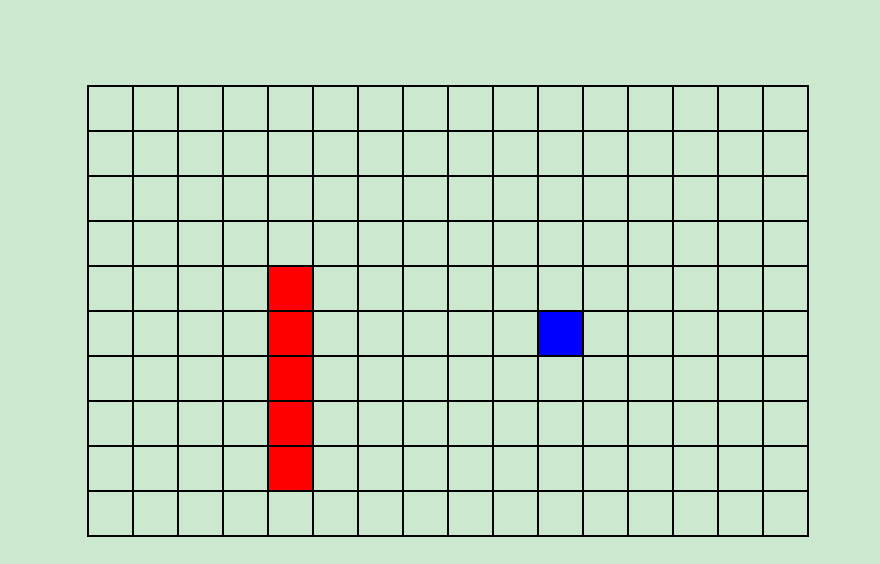
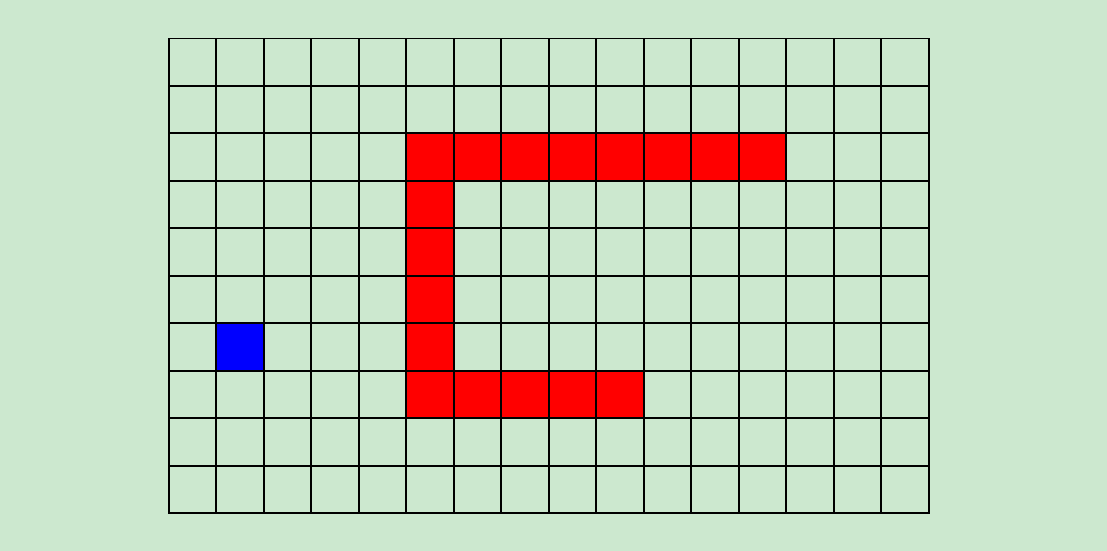
最终运行的游戏效果如图所示。
以上内容为本文的全部讲解,希望这些代码和思路能对你的学习或工作有所帮助,欢迎继续支持本站。
作者最新文章
JS合并多个数组的三种方法:concat、spread与flat
2026-11-05 17:39:45
JavaScript怎么准确判断数据类型:typeof、instanceof与Object.prototype.toString
2026-11-05 17:09:21
JS中将数组和对象混合组装为JSON字符串
2026-11-05 16:41:42
JS运算符优先级与结合性的区别是什么?
2026-11-05 13:22:02
JS Map怎么只遍历Key或Value
2026-11-05 13:00:36