

利用AngularJS与myMoKit REST API访问Android相册
本文介绍如何通过AngularJS框架结合myMoKit服务,利用REST API访问Android设备的图片与视频库。文章详细讲解了使用$resource服务创建媒体资源模块,并通过Promise机制获取和展示手机内的多媒体文件,为Web应用访问原生设备特征提供解决方案。
Download angularjs.zip - 4.5 KB
介绍与背景
介绍
本文旨在说明如何借助AngularJS调用Android应用程序暴露的REST API,从而实现对图像库的访问。
背景
尽管Android和iOS平台存在许多远程访问应用,但开发者仍缺乏直接访问手机硬件特征的API。因此,myMoKit的开发旨在填补这一软件解决方案的空白。
代码实现与调用
使用代码
使用过程十分简单,只需通过Web URL引用myMoKit服务,即可查看所有暴露的REST API。
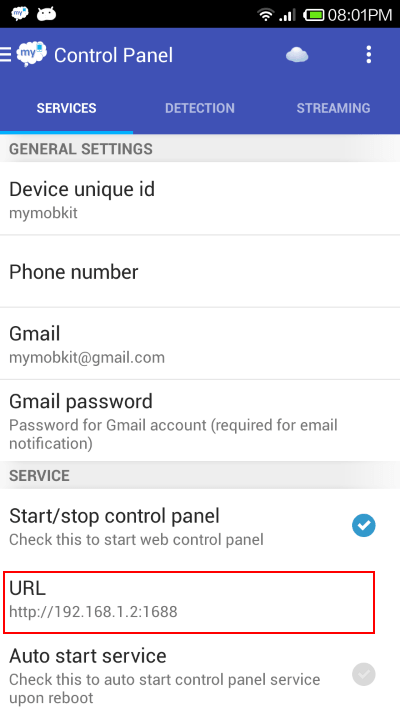
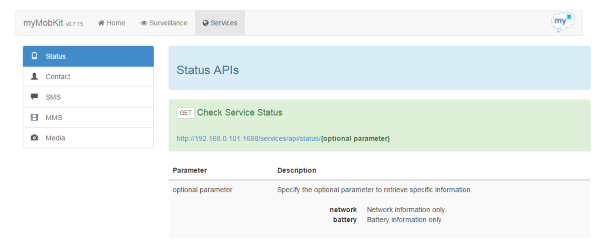
这些在手机里面的API列表和流媒体.通过AngularJs来调用REST APIS可以很方便的使用$resource 服务。
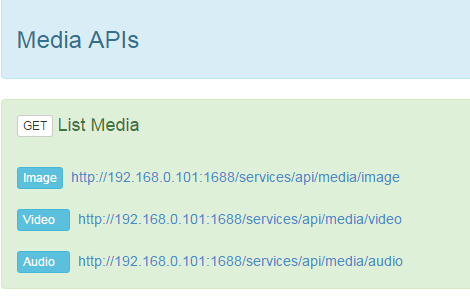
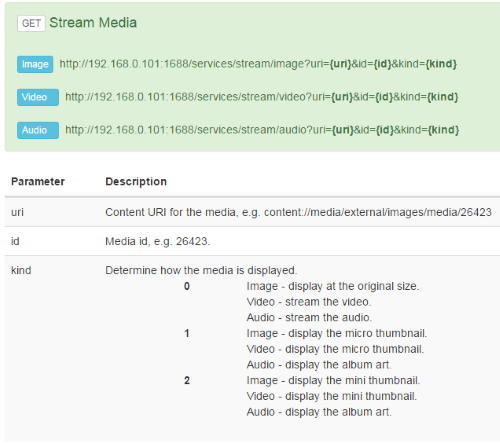
你可以创建你需要的返回媒体列表的资源
angular.module('resources.media', [ 'ngResource' ]);
angular.module('resources.media').factory(
  'Media',
  [
    '$rootScope',
    '$resource',
    '$location',
    '$http',
    function($rootScope, $resource, $location, $http) {
     var mediaServices = {};
     mediaServices.getAllMedia = function(media) {
       var path = $rootScope.host + '/services/api/media/' + media;
       return $resource(path, {},
         {
          get : {
           method : 'GET',
           isArray : false
          }
         });
     };
     return mediaServices;

  } ]);
利用创建过的模块,你可以很轻易的获取到所有的图片和视频
var getAllImages = function(){
   Media.getAllMedia('image').get().$promise.then(
     function success(resp, headers) {
      $scope.allImages = resp;
      $scope.images = $scope.allImages.images;
     }, function err(httpResponse) {
      $scope.errorMsg = httpResponse.status;
     });
  };

  var getAllVideos = function(){
   Media.getAllMedia('video').get().$promise.then(
     function success(resp, headers) {
      $scope.allVideos = resp;
      $scope.videos = $scope.allVideos.videos;
     }, function err(httpResponse) {
      $scope.errorMsg = httpResponse.status;
     });
  };
你可以很方便的通过web 浏览器来展示获取到的一系列图片
<div class="alert alert-info">
<p> </p>

<h4 class="alert-heading">Usage - <i>Image Gallery</i></h4>

<p> </p>


<ul class="row">
  <li class="col-lg-2 col-md-2 col-sm-3 col-xs-4" ng-repeat="image in images" style="margin-bottom:25px"><img class="img-responsive" ng-click="showImage($index)" ng-src="{{streamImageLink}}?uri={{image.contentUri}}&&id={{image.id}}&kind=1" /></li>
</ul>
</div>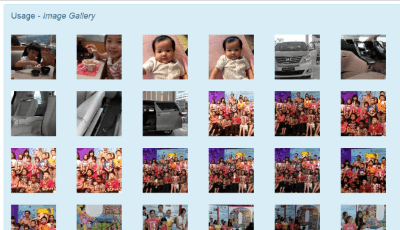
以上所述就是本文的全部内容了,希望大家能够喜欢。
JS代码在线格式化工具推荐:无需安装快速美化
2026-11-05 17:17:49
WebStorm内置JS代码格式化功能怎么用
2026-11-05 10:10:47
在线JS代码格式化与混淆压缩工具推荐及使用指南
2026-11-03 20:31:53
CodePen、JSFiddle与RunJS对比:哪款在线JavaScript编辑器更好用
2026-11-03 18:52:45
无需安装环境,5款主流JavaScript在线运行工具推荐
2026-11-03 18:23:26