

JavaScript 实现模态对话框的兼容性与背景遮罩方案
本文详解如何在JavaScript中打开模态对话框,重点解决IE、Firefox及Chrome等浏览器的兼容性问题。通过区分showModalDialog与window.open的语法差异,并提供自动判断浏览器的代码示例。此外,介绍了利用CSS类名切换实现父页面背景半透明遮罩的技术,以增强用户体验并防止误操作。
JavaScript模态对话框的标准实现与兼容性处理
1. 标准方法
代码如下:
<script type="text/javascript">
function openWin(src, width, height, showScroll){
window.showModalDialog (src,"","location:No;status:No;help:No;dialogWidth:"+width+";dialogHeight:"+height+";scroll:"+showScroll+";");
}
</script>
示例:<span style="CURSOR: pointer" onclick="openWin
('https://www.jb51.net', '500px', '400px', 'no')">点击</span>
2. 需要注意的是,Firefox浏览器不支持showModalDialog功能,其支持的语法为
window.open ('openwin.html','newWin', 'modal=yes, width=200,height=200,resizable=no, scrollbars=no' );
3. 如何实现浏览器自动判断
代码如下:
<input type="button" value="打开对话框" onclick="showDialog('#')"/>
<SCRIPT LANGUAGE="JavaScript">
  <!--
function showDialog(url)
  {
if( document.all ) //IE
   {
feature="dialogWidth:300px;dialogHeight:200px;status:no;help:no";
window.showModalDialog(url,null,feature);
   }
else
   {
//modelessDialog可以将modal换成dialog=yes
feature ="width=300,height=200,menubar=no,toolbar=no,location=no,";
feature+="scrollbars=no,status=no,modal=yes";
window.open(url,null,feature);
   }
  }
  //-->
</SCRIPT>
4. 在IE浏览器中,模态对话框会隐藏地址栏,而在其他浏览器中则不一定
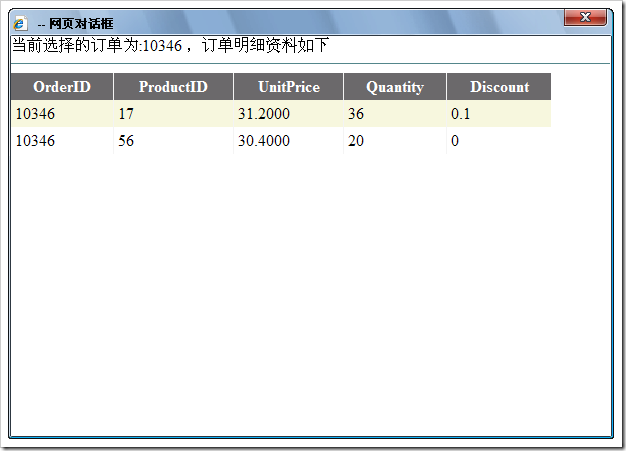
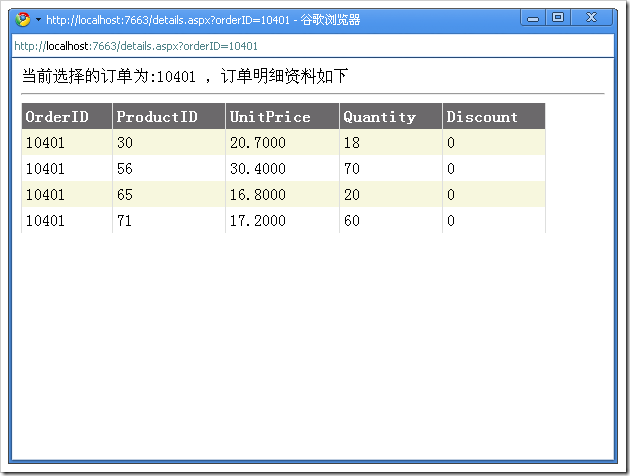 【注意】在谷歌浏览器中,这个模态的效果也会失效。
实现父页面背景半透明遮罩效果
5. 通常在弹出对话框时,我们希望父页面背景变为半透明颜色,提示用户当前不可操作
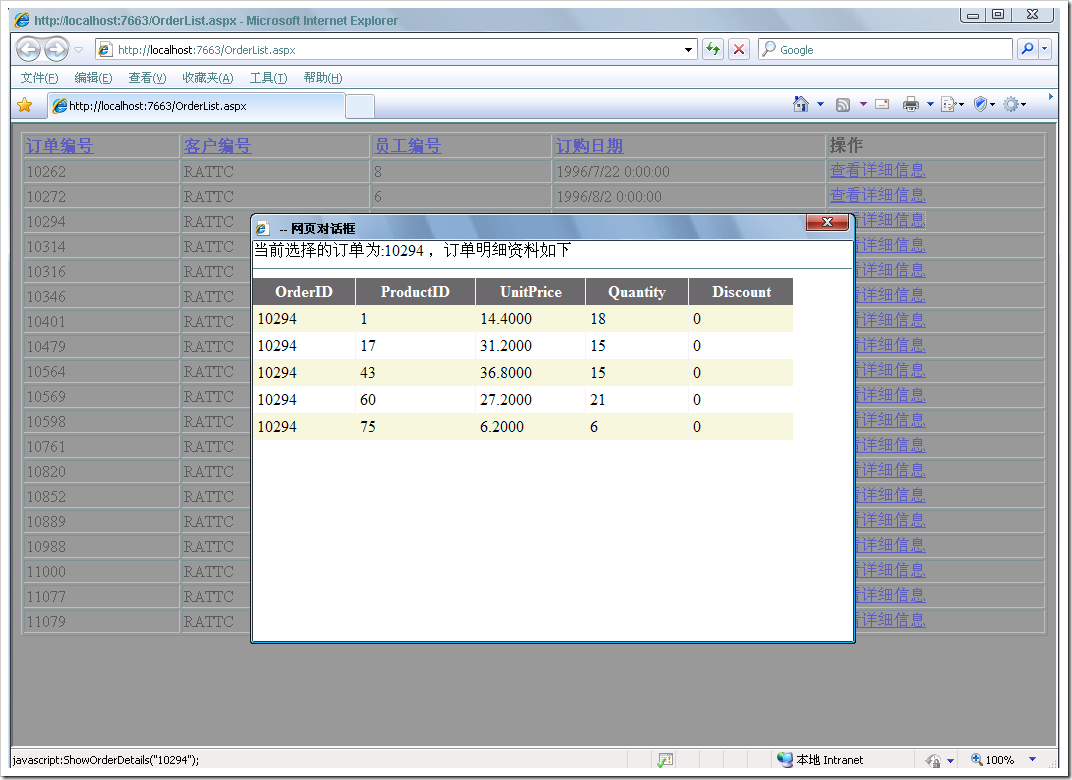
而在关闭对话框后,希望背景恢复正常
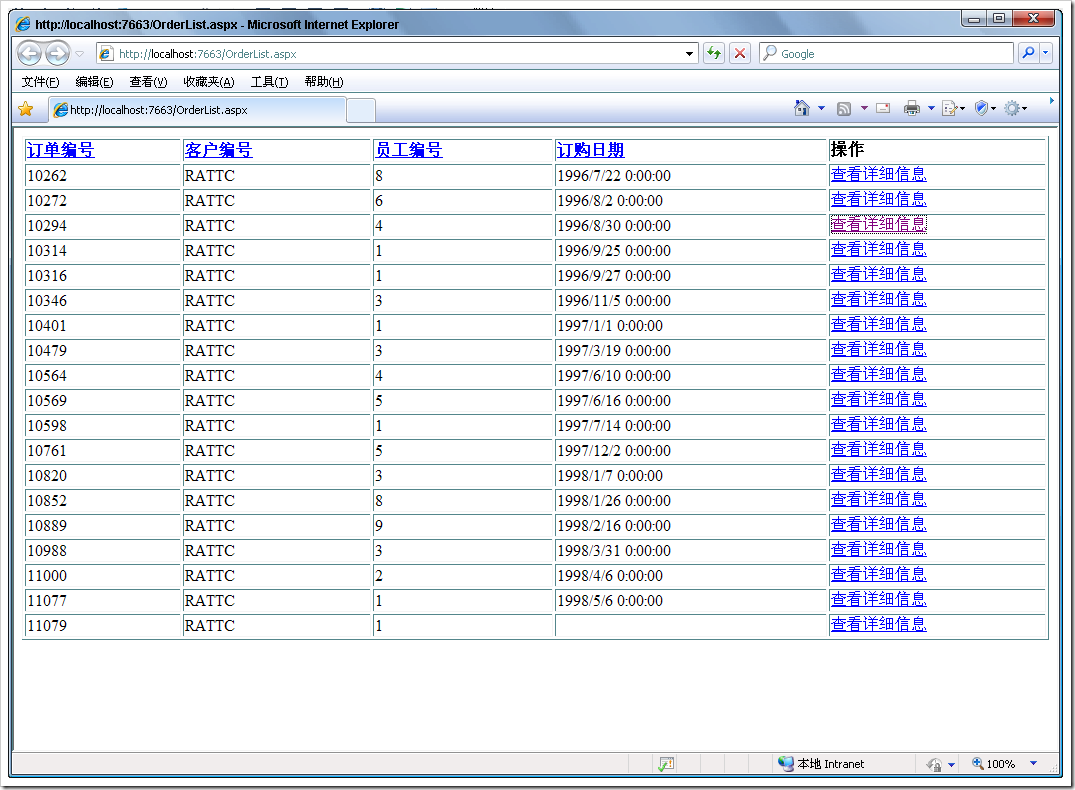
具体实现方式如下:
代码如下:
///显示某个订单的详细信息,通过一个模态对话框,而且屏幕会变颜色
function ShowOrderDetails(orderId) {
var url = "details.aspx?orderID=" + orderId;
// $("body").css("filter", "Alpha(Opacity=20)");
 //filter:Alpha(Opacity=50)
$("body").addClass("body1");
ShowDetailsDialog(url, "600px", "400px", "yes");
$("body").removeClass("body1");
 }
另外,需要定义一个CSS样式表
.body1
{
background-color:#999999;
filter:Alpha(Opacity=40);
}
代码如下:
<%@ Page Language="C#" AutoEventWireup="true" CodeBehind="WebForm1.aspx.cs" Inherits="WebApplication1.WebForm1" %>
<!DOCTYPE html PUBLIC "-//W3C//DTD XHTML 1.0 Transitional//EN" "http://www.w3.org/TR/xhtml1/DTD/xhtml1-transitional.dtd">
<html xmlns="http://www.w3.org/1999/xhtml" >
<head runat="server">
 <title></title>
 <style type="text/css">
 .body1{
 background-color:#999999;
 filter:Alpha(Opacity=40);
 }
 </style>
 <script src="jquery.js" type="text/javascript"></script>
 <script type="text/javascript">
 function ShowDetailsDialog(src, width, height, showScroll) {
 window.showModalDialog(src, "", "location:No;status:No;help:NO;dialogWidth:" + width + ";dialogHeight:" + height + ";scroll" + showScroll + ";");
 }
function ShowOrderDetails(orderId) {
 var url = 'Details.aspx?orderID=' + orderId;
 $("body").addClass("body1");
 ShowDetailsDialog(url, '500px', '400px', 'no');
 $("body").removeClass("body1");
 }
 </script>
</head>
<body>
 <form id="form1" runat="server">
 <div>
 <span style="cursor:pointer" onclick="ShowOrderDetails(11)" >点击</span>
 </div>
 </form>
</body>
</html>D3.js 处理大规模数据点的性能优化策略
2026-11-05 15:37:25
JS实现网页摄像头实时扫码:结合getUserMedia与jsQR教程
2026-11-05 15:27:28
D3.js v5 迁移到 v7 的 API 变更与注意事项
2026-11-05 11:57:17
使用 animate.js 实现多元素协同的序列动画
2026-11-04 22:27:53
JS拖拽排序时怎么添加平滑动画效果?FLIP技术实战
2026-11-04 10:12:22