

解决Node.js ES模块报错:在package.json中设置type:module
本文解决Node.js运行JS代码时出现的ES模块加载警告。错误提示要求在package.json中设置type为module或使用.mjs扩展名。通过npm init初始化项目并修改配置文件即可修复该问题,适用于同类报错场景。
报错信息
在VS Code中运行JavaScript代码时,系统提示警告:(node:20452) Warning: To load an ES module, set "type": "module" in the package.json or use the .mjs extension.
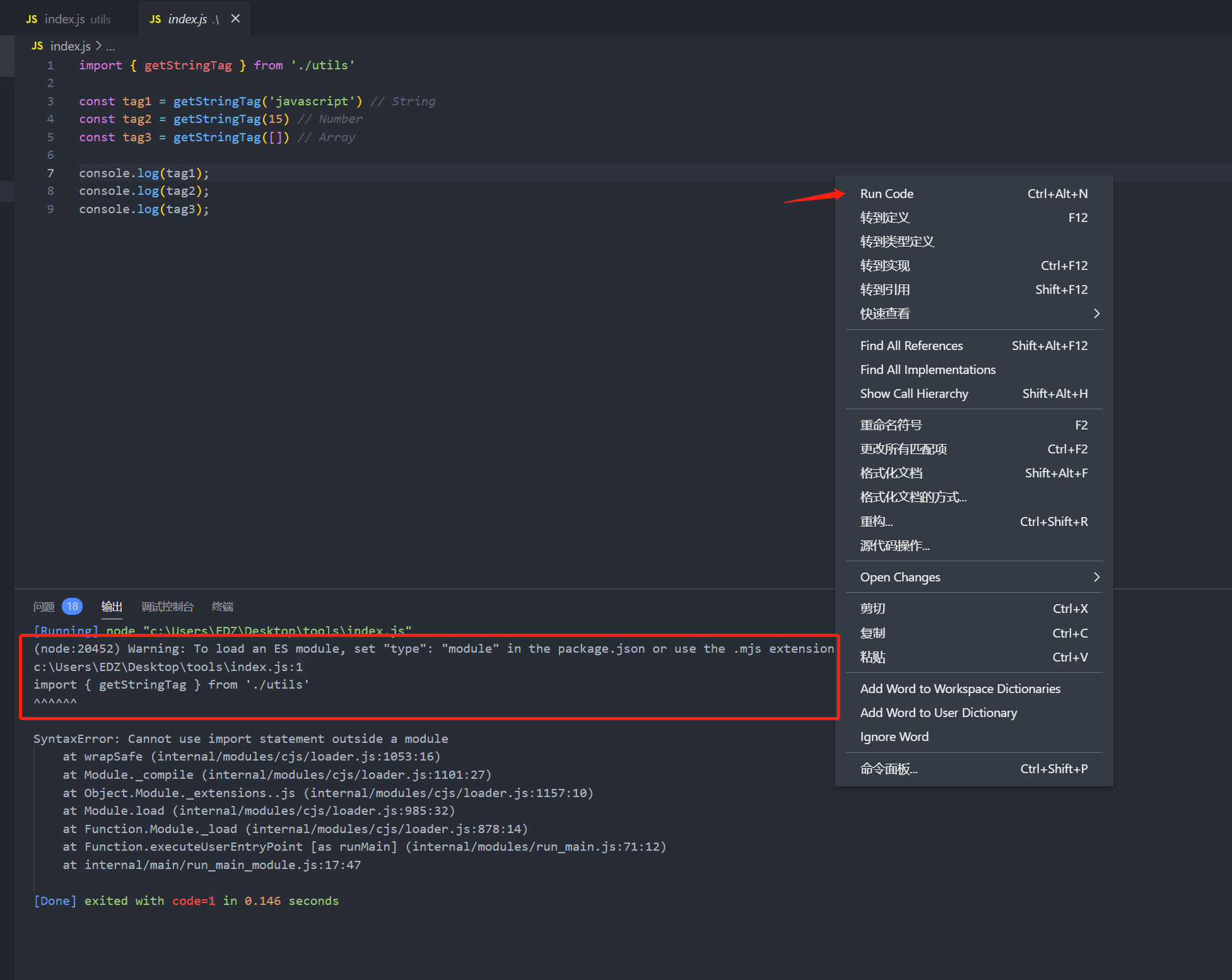
# 查看报错信息 Warning: To load an ES module, set "type": "module" in the package.json or use the .mjs extension. 警告:加载ES模块时,在package.json包中设置“ type”:“ module”或使用.mjs扩展名。
解决方案
1、安装新版node.js
2、使用npm init -y初始化项目,生成一个pakeage.json文件
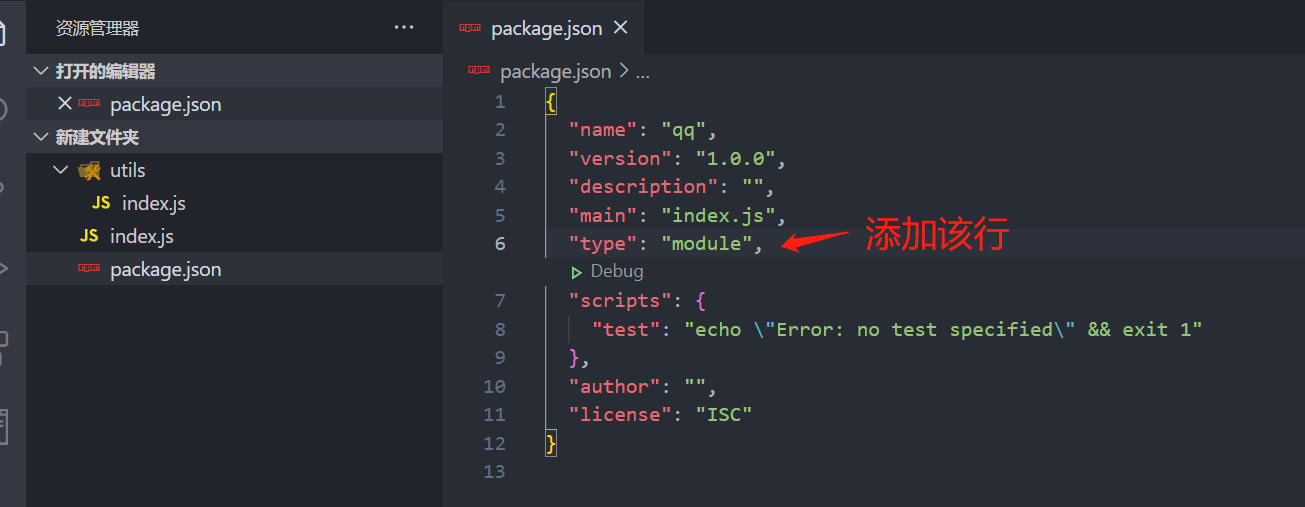
3、在pakeage.json文件中添加"type": "module"
同类型报错的情况,都可以使用该方案解决!
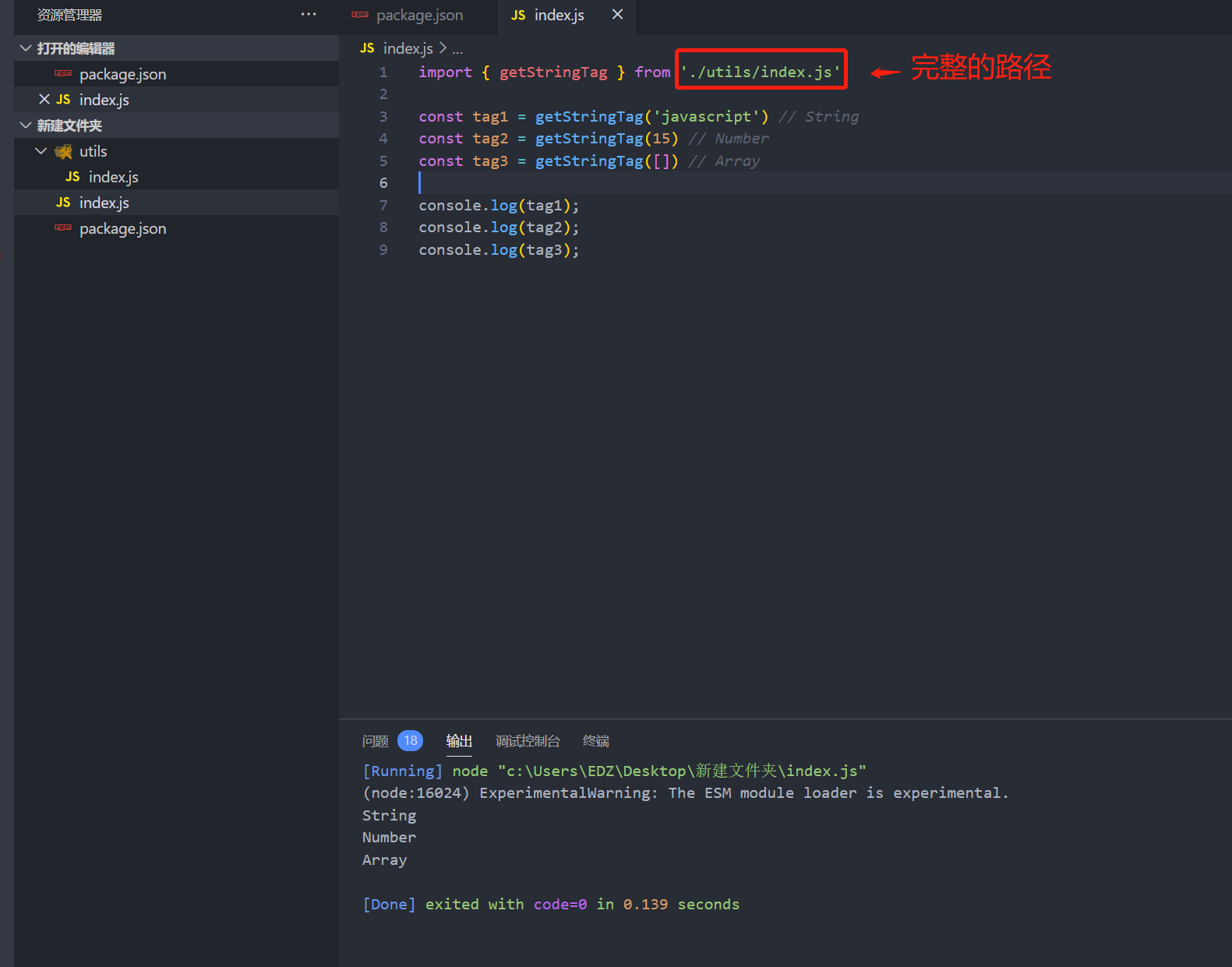
执行结果
总结
到此这篇关于js代码运行报错Warning:To load an ES module, set "type":"module"in the package.json or use the .mjs的文章就介绍到这了,更多相关js代码运行Warning To load an ES module内容请搜索本站以前的文章或继续浏览下面的相关文章希望大家以后多多支持本站!
在 NestJS 中使用管道验证数据与守卫控制访问权限
2026-11-05 12:43:41
Node.js后端生成高强度随机字符串的方法
2026-11-04 16:29:54
Node.js环境中怎么使用axios或http模块发送GET请求
2026-11-03 21:57:15
Node.js环境下怎么实现JS反混淆自动化?常用库与CLI工具推荐
2026-11-03 21:15:54
解决JS逆向常见报错:缺少DOM环境导致代码运行失败
2026-11-03 20:41:59
相关标签: