

JS+Canvas实现满屏爱心和文字动画的制作
本文介绍如何利用HTML5 Canvas API结合JavaScript实现满屏爱心与文字飘落的动态效果。通过定义Heart类管理图形与文本对象,利用随机数生成颜色、位置及缩放比例,并监听窗口resize事件实现自适应布局。代码包含获取上下文、初始化变量、绘制重绘及动画循环等核心步骤,适用于数据可视化或网页视觉特效开发。
概述
<canvas> 最初由 Apple 在 Mac OS X 的 Dashboard 中引入 WebKit,随后各浏览器相继实现,目前主流浏览器均已支持。Canvas API 允许通过 JavaScript 和 HTML 的 <canvas> 标签绘制图形,适用于动画、游戏、数据可视化、图片编辑及视频处理等场景。该 API 擅长绘制大数据量图形元素(如热力图、地理坐标系或平行坐标系上的大规模线图/散点图)及视觉特效,并支持以 png、jpg 或 webp 格式导出图像。鉴于其强大的 Web 绘图能力,掌握 Canvas 使用至关重要。
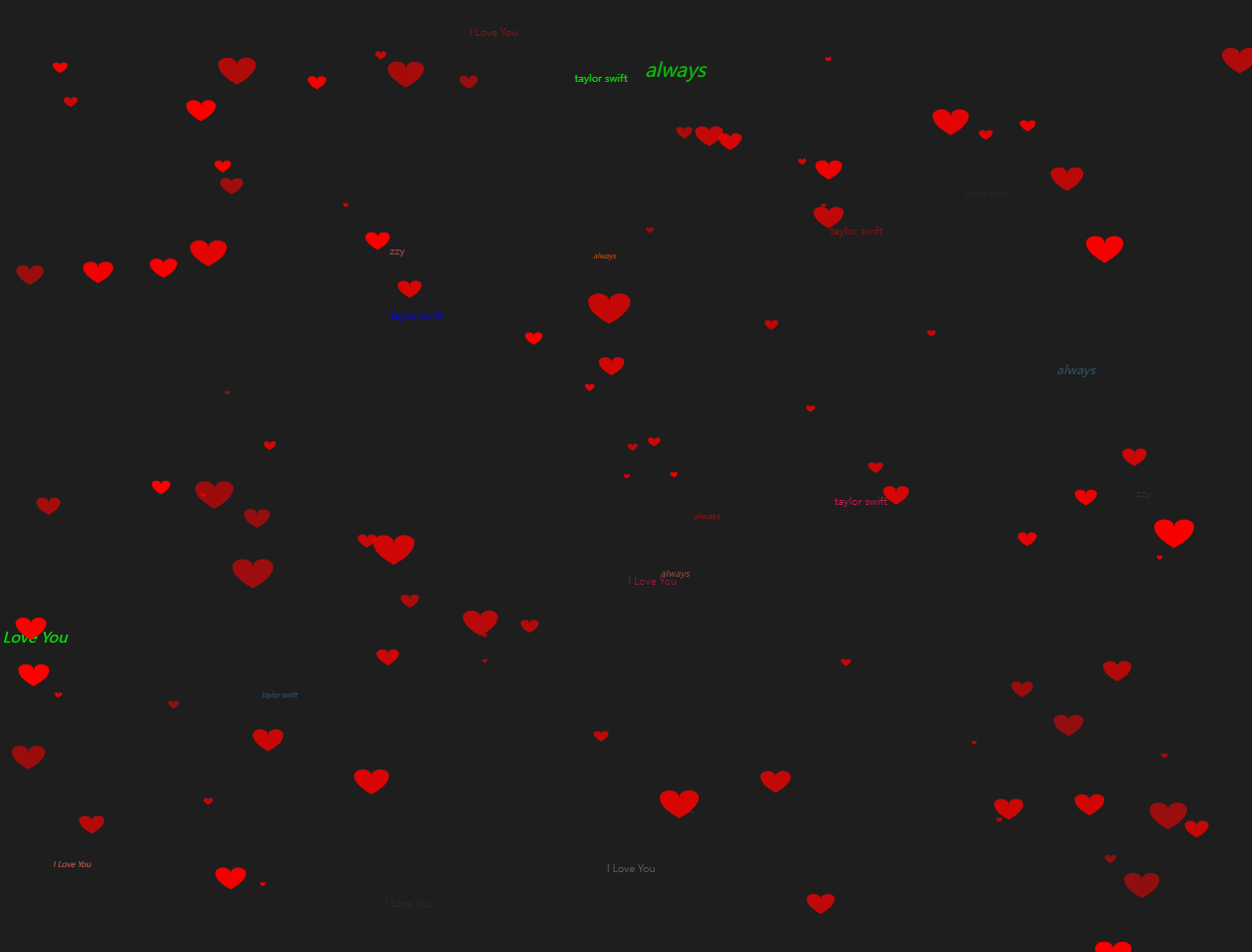
运行效果展示:
实现步骤
创建一个 canvas 元素。
<canvas id="drawHeart"></canvas>
获取 canvas 对象及其上下文,初始化相关变量:窗口宽高、爱心与文字总数、存储爱心和文字的数组,定义爱心图片(src 可为 base64 字符串、本地文件或网络链接)。
const canvas = document.getElementById('drawHeart');
const ctx = canvas.getContext('2d');
let wW = window.innerWidth;
let wH = window.innerHeight;
const num = 100;
const hearts = [];
const heartImage = new Image();
heartImage.src = 'data:image/svg+xml;charset=utf-8,<svg xmlns="http://www.w3.org/2000/svg" viewBox="0 0 200 200"><path id="heart" d="M10,30 A20,20,0,0,1,50,30 A20,20,0,0,1,90,30 Q90,60,50,90 Q10,60,10,30 Z" fill="red"/></svg>';
定义 Heart 类,构造函数接收 type 参数以区分实例为爱心图片还是文字类型;定义重绘方法 draw 和更新方法 update。
class Heart {
  constructor(type) {
    this.type = type;
    // 初始化生成范围
    this.x = Math.random() * wW;
    this.y = Math.random() * wH;
    this.opacity = Math.random() * .5 + .5;
    // 偏移量
    this.vel = {
      x: (Math.random() - .5) * 5,
      y: (Math.random() - .5) * 5
    }
    this.initialW = wW * .5;
    this.initialH = wH * .5;
    // 缩放比例
    this.targetScale = Math.random() * .15 + .02; // 最小0.02
    this.scale = Math.random() * this.targetScale;
    // 文字位置
    this.fx = Math.random() * wW;
    this.fy = Math.random() * wH;
    this.fs = Math.random() * 10;
    this.text = getText();
    this.fvel = {
      x: (Math.random() - .5) * 5,
      y: (Math.random() - .5) * 5,
      f: (Math.random() - .5) * 2
    }
  }
  draw() {
    ctx.save();
    ctx.globalAlpha = this.opacity;
    ctx.drawImage(heartImage, this.x, this.y, this.width, this.height);
    // ctx.scale(this.scale + 1, this.scale + 1);
    if (!this.type) {
      // 设置文字属性
      ctx.fillStyle = getColor();
      ctx.font = 'italic ' + this.fs + 'px sans-serif';
      // 填充字符串
      ctx.fillText(this.text, this.fx, this.fy);
    }
    ctx.restore();
  }
  update() {
    this.x += this.vel.x;
    this.y += this.vel.y;
    if (this.x - this.width > wW || this.x + this.width < 0) {
      // 重新初始化位置
      this.scale = 0;
      this.x = Math.random() * wW;
      this.y = Math.random() * wH;
    }
    if (this.y - this.height > wH || this.y + this.height < 0) {
      // 重新初始化位置
      this.scale = 0;
      this.x = Math.random() * wW;
      this.y = Math.random() * wH;
    }
    // 放大
    this.scale += (this.targetScale - this.scale) * .1;
    this.height = this.scale * this.initialH;
    this.width = this.height * 1.4;
    // -----文字-----
    this.fx += this.fvel.x;
    this.fy += this.fvel.y;
    this.fs += this.fvel.f;
    if (this.fs > 50) {
      this.fs = 2;
    }
    if (this.fx - this.fs > wW || this.fx + this.fs < 0) {
      // 重新初始化位置
      this.fx = Math.random() * wW;
      this.fy = Math.random() * wH;
    }
    if (this.fy - this.fs > wH || this.fy + this.fs < 0) {
      // 重新初始化位置
      this.fx = Math.random() * wW;
      this.fy = Math.random() * wH;
    }
  }
}
定义获取随机文字的方法,用于动态渲染屏幕上的文字内容。
function getText() {
  const val = Math.random() * 10;
  if (val > 1 && val <= 3) {
    return 'always';
  } else if (val > 3 && val <= 5) {
    return 'zzy';
  } else if (val > 5 && val <= 8) {
    return 'taylor swift';
  } else {
    return 'I Love You';
  }
}
定义获取随机颜色的方法,用于动态渲染屏幕文字的颜色。
function getColor() {
  const val = Math.random() * 10;
  if (val > 0 && val <= 1) {
    return '#00f';
  } else if (val > 1 && val <= 2) {
    return '#f00';
  } else if (val > 2 && val <= 3) {
    return '#0f0';
  } else if (val > 3 && val <= 4) {
    return '#368';
  } else if (val > 4 && val <= 5) {
    return '#666';
  } else if (val > 5 && val <= 6) {
    return '#333';
  } else if (val > 6 && val <= 7) {
    return '#f50';
  } else if (val > 7 && val <= 8) {
    return '#e96d5b';
  } else if (val > 8 && val <= 9) {
    return '#5be9e9';
  } else {
    return '#d41d50';
  }
}
定义渲染和初始化方法,并添加 resize 事件监听器,确保窗口大小调整时界面自动适配。
function init() {
  canvas.width = wW;
  canvas.height = wH;
  for (let i = 0; i < num; i++) {
    hearts.push(new Heart(i % 5));
  }
  render();
}

function render() {
  ctx.clearRect(0, 0, wW, wH);
  for (let i = 0; i < hearts.length; i++) {
    hearts[i].draw();
    hearts[i].update();
  }
  setTimeout(render, 60);
}

init();
window.addEventListener('resize', function() {
  canvas.width = wW = window.innerWidth;
  canvas.height = wH = window.innerHeight;
});
最终效果图
至此,关于 JS+Canvas 实现满屏爱心和文字动画的制作教程介绍完毕。如需了解更多 JS Canvas 爱心文字动画相关内容,请搜索本站历史文章或继续浏览下方相关文章,感谢大家的支持!
js-cookie 安装与基础用法:set、get、remove 详解
2026-11-05 16:35:06
适合JavaScript初学者的实战项目:制作简易待办事项列表
2026-11-05 16:17:07
JS打开新标签页时怎么通过URL传递参数
2026-11-05 12:21:08
sigma.js 自定义节点样式:设置颜色、大小及标签显示的技巧
2026-11-05 09:55:00
JS 生成的统计图怎么导出为 PNG 图片或 PDF 文件?
2026-11-05 09:37:58