

前端表单数据处理与校验实战:从数据转换到组件源码解析
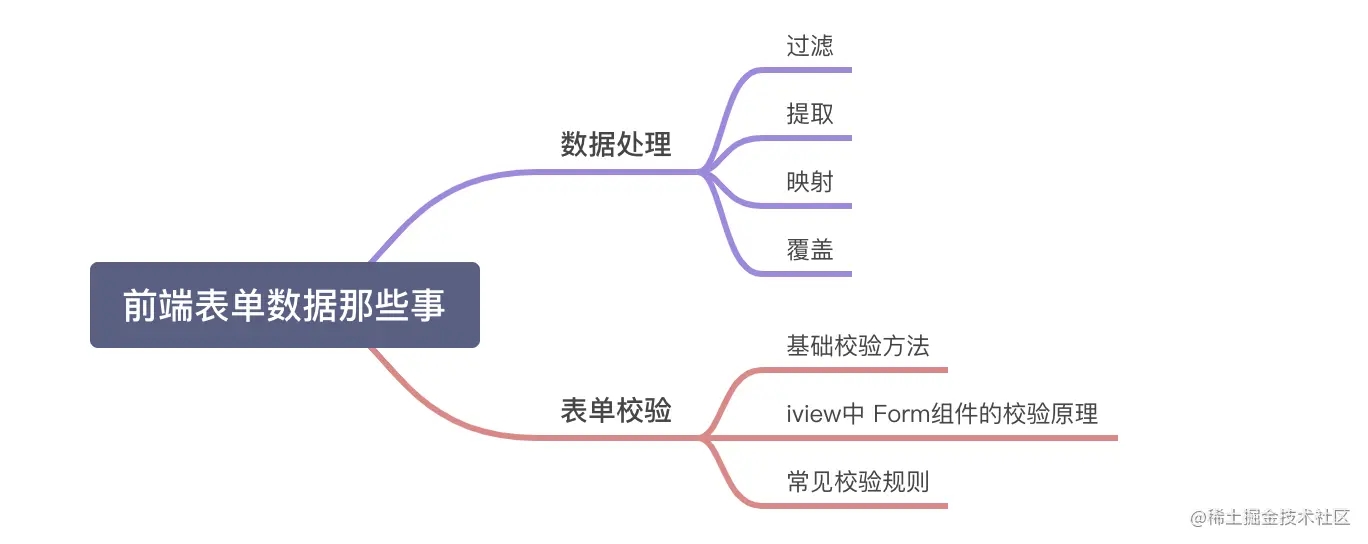
本文深入探讨前端中后台项目中表单数据的处理与校验机制。详细解析了过滤冗余字段、提取关键数据、字段映射、状态转换及数据合并等五种常见数据处理场景。同时,从简单校验逻辑出发,结合Iview和Element UI组件库源码,剖析了基于async-validator的表单验证实现原理及常见正则规则的应用。
前言
近期专注于To B方向的中后台项目开发,表单交互的频率较高。基于实际开发经验,本文旨在分享关于前端表单数据处理的一些基础知识与技巧。
1. 数据处理
在实际业务中,视图层展示的数据往往与后端接口要求不一致,或者后端返回的数据格式并非前端直接可用。因此,数据转换是前端开发中不可或缺的一环。下文将介绍几种典型的数据处理场景。
假设存在如下基础表单数据结构:
 data(){
    return {
      form:{
        name: '商品名称',
        id: '订单编号',
        nickName: '商品别名',
        num: '商品数量',
        price:'价格',
        tag: '0' // 1 表示特价  0 表示无特价
      },
    }
 },
1.1 场景一:过滤不需要数据
场景描述:当表单数据中包含后端不需要的冗余字段时,可以通过过滤操作剔除这些不必要的字段,只保留有效数据。
  const noRequired = ['tag', 'nickName']; //不需要的字段
    const formData = Object.keys(this.form)
      .filter(each => !noRequired.includes(each))
      .reduce((acc, key) => (acc[key] = this.form[key], acc), {});

1.2 场景二:仅提取必要数据
场景描述:若后端仅需部分表单字段,可使用此方法从完整数据中提取所需的关键信息。
const formData= JSON.parse(
      JSON.stringify(this.form,["nickName","price"])
);

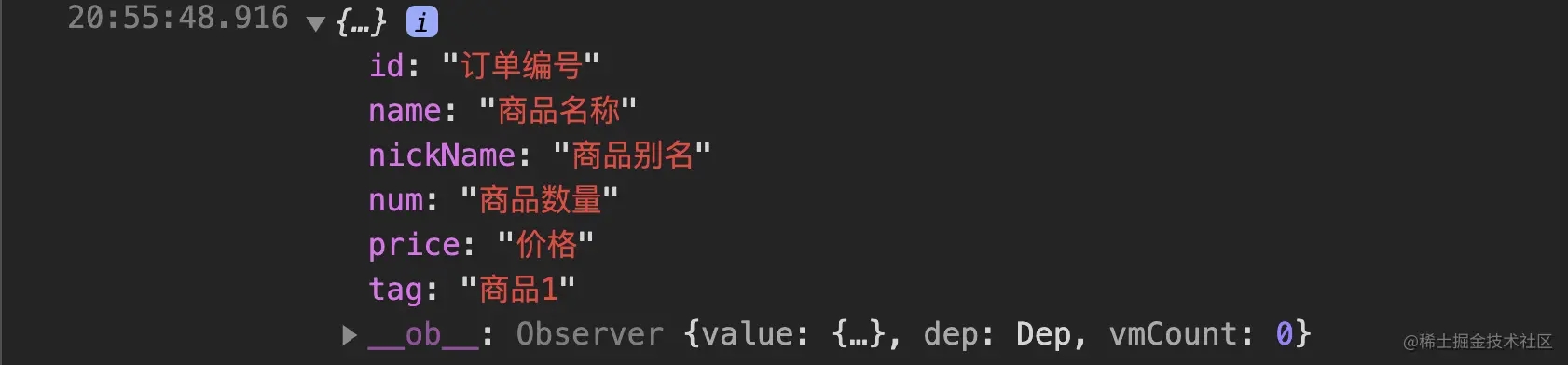
1.3 场景三:覆盖或替换数据
场景描述:当表单中部分字段需要被新数据替换或覆盖时,可采用此方式直接更新指定字段的值。
Object.assign(this.form, {
  tag: '商品1'
}
1.4 场景四:字段名称映射
当需要将前端字段名映射为后端要求的字段名时(例如将name映射为Name),可使用此方法。
- 单个字段映射示例
const formData = JSON.parse(
      JSON.stringify(this.form).replace(
        /name/g,
        'Name')
);

- 多字段映射示例
const mapObj = {
      name: "Name",
      nickName: "NickName",
      tag: "Tag"
    };

const formData = JSON.parse(
      JSON.stringify(this.form).replace(
        /name|nickName|tag/gi,
        matched => mapObj[matched])
   );
注意:上述字符串替换方式存在潜在Bug,例如大小写敏感或误替换问题,请留意。

1.5 场景五:数据值映射
当字段值为状态码(如0、1)需转换为可读文本(如“特价”、“无特价”)时,可使用此映射转换方法。
const formData = JSON.parse(JSON.stringify(this.form,(key,value)=>{
      if(key == 'tag'){
        return ['特价','无特价'][value];
      }
      return value;
}));

1.6 场景六:数据合并
数据合并操作可将表单数据与其他对象(如查询参数)合并。需注意,若键名相同,新数据将覆盖原有数据。
 const query = { tenaId: '订单编号', id:'查询ID'}
   const formData = {
     ...this.form,
     query
   }

2. 表单校验
表单数据提交前,前端需进行有效性校验,以确保数据符合业务规则(如必填项检查、格式验证等),从而减少后端压力并提升用户体验。
2.1 简单版单字段校验
data() {
    return {
       schema:{
          phone: {
            required:true
          },
       }
    };
 },
 methods: {
    // 判断输入的值
     validate(schema, values) {
       for(field in schema) {
          if(schema[field].required) {
            if(!values[field]) {
              return false;
            }
          }
        }
       return true;
    },
 }
console.log(this.validate(schema, {phone:'159195**34'}));
2.2 简单版多字段校验
data() {
    return {
       phoneForm: {
          phoneNumber: '',
          verificationCode: '',
          tips:''
       },
       schema:{
          phoneNumber: [{required: true, error: '手机不能为空'}, {
            regex: /^1[3|4|5|6|7|8][0-9]{9}$/,
            error: '手机格式不对',
          }],
          verificationCode: [{required: true, error: '验证码不能为空'}],
       }
    };
 },
 methods: {
    // 判断输入的值
     validate(schema, values) {
      const valArr = schema;
      for (const field in schema) {
        if (Object.prototype.hasOwnProperty.call(schema, field)) {
          for (const key of schema[field]) {
            if (key.required) {
              if (!valArr[field]) {
                valArr.tips = key.error;
                return false;
              }
            } else if (key.regex) {
              if (!new RegExp(key.regex).test(valArr[field])) {
                valArr.tips = key.error;
                return false;
              }
            }
          }
        }
      }
      return true;
    },
 }
console.log(this.validate(this.schema, this.phoneForm);
2.3 Iview组件库Form表单校验实现
Iview的Form组件主要由Form和FormItem两部分构成。
- Form组件主要对表单整体进行封装和管理。
- FormItem组件则作为容器,包裹表单控件、提示消息及校验规则等具体内容。
源码参考链接
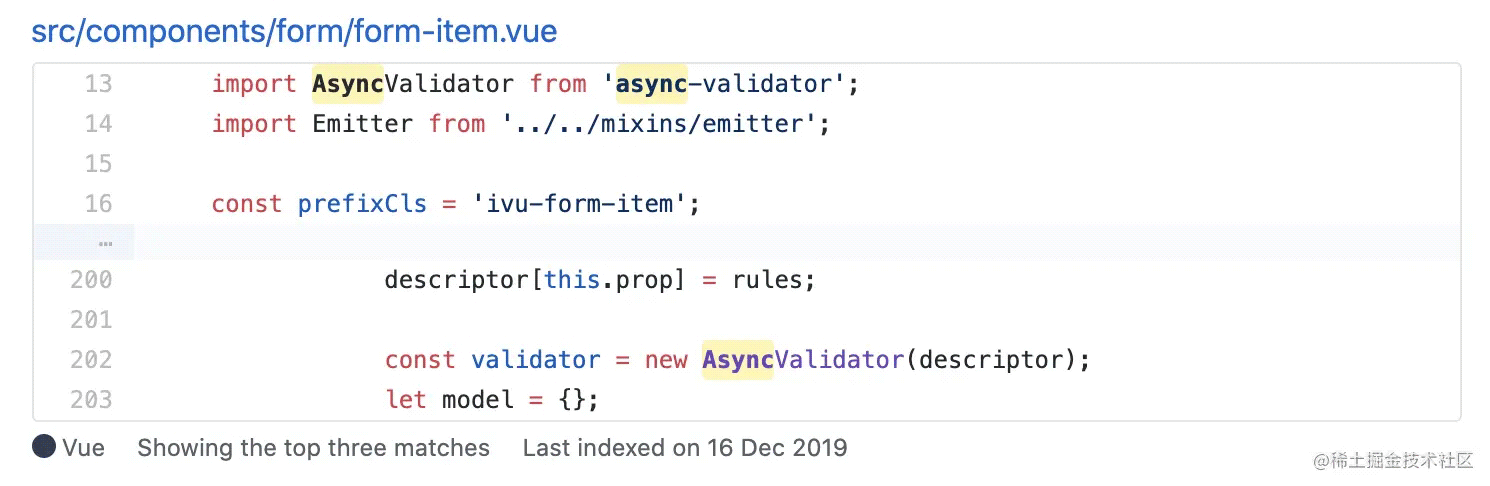
通过源码分析可见,Iview的Form组件底层依赖async-validator工具库来实现表单验证逻辑。
- async-validator的基本使用方法
官方示例如下所示,详细文档可参考官方链接。
import schema from 'async-validator';
var descriptor = {
  address: {
    type: "object", required: true,
    fields: {
      street: {type: "string", required: true},
      city: {type: "string", required: true},
      zip: {type: "string", required: true, len: 8, message: "invalid zip"}
    }
  },
  name: {type: "string", required: true}
}
var validator = new schema(descriptor);
validator.validate({ address: {} }, (errors, fields) => {
  // errors for address.street, address.city, address.zip
});

在Iview的Form组件中,validate函数内部调用field.validate方法,该方法实际调用async-validator的接口,用于管理FormItem组件下的验证逻辑。
// ViewUI/src/components/form/form.vue
methods:{
    validate(callback) {
        return new Promise(resolve => {
            let valid = true;
            let count = 0;
            this.fields.forEach(field => {
                field.validate('', errors => {
                    if (errors) {
                        valid = false;
                    }
                     // 检验已完成的校验的数量是否完全,则返回数据有效
                    if (++count === this.fields.length) {
                        // all finish
                        resolve(valid);
                        if (typeof callback === 'function') {
                            callback(valid);
                        }
                    }
                });
            });
     });
    },
    //针对单个的校验
     validateField(prop, cb) {
       const field = this.fields.filter(field => field.prop === prop)[0];
         if (!field) {throw new Error('[iView warn]: must call validateField with valid prop string!'); }
           field.validate('', cb);
      }
     //表单规则重置
     resetFields() {
        this.fields.forEach(field => {
            field.resetField();
        });
   },
},
created () {
    //通过FormItem定义的prop来收集需要校验的字段,
    this.$on('on-form-item-add', (field) => {
        if (field) this.fields.push(field);
        return false;
    });
    // 移除不需要的字段
    this.$on('on-form-item-remove', (field) => {
        if (field.prop) this.fields.splice(this.fields.indexOf(field), 1);
        return false;
    });
 }
Form.vue中涉及的this.fields规则,是在create生命周期中通过监听'on-form-item-add'事件push进来的。'on-form-item-add'事件由FormItem组件触发,并传入相应实例以建立数据关联。以下是FormItem生命周期函数的相关代码:
// ViewUI/src/components/form/form-item.vue
mounted () {
         // 如果定义了需要验证的字段
          if (this.prop) {
                // 向父亲Form组件添加field
                this.dispatch('iForm', 'on-form-item-add', this);
                Object.defineProperty(this, 'initialValue', {
                    value: this.fieldValue
                });
                this.setRules();
            }
 },
  beforeDestroy () {
    // 移除之前删除form中的数据字段
    this.dispatch('iForm', 'on-form-item-remove', this);
}
  methods: {
            setRules() {
                //获取所有规则
                let rules = this.getRules();
                if (rules.length&&this.required) {
                    return;
                }else if (rules.length) {
                    rules.every((rule) => {
                        this.isRequired = rule.required;
                    });
                }else if (this.required){
                    this.isRequired = this.required;
                }
                this.$off('on-form-blur', this.onFieldBlur);
                this.$off('on-form-change', this.onFieldChange);
                this.$on('on-form-blur', this.onFieldBlur);
                this.$on('on-form-change', this.onFieldChange);
            },
             getRules () {
             let formRules = this.form.rules;
             const selfRules = this.rules;
             formRules = formRules ? formRules[this.prop] : [];
             return [].concat(selfRules || formRules || []);
           },
           validate(trigger, callback = function () {}) {
                let rules = this.getFilteredRule(trigger);
                if (!rules || rules.length === 0) {
                    if (!this.required) {
                        callback();
                        return true;
                    }else {
                        rules = [{required: true}];
                    }
                }
                // 设置AsyncValidator的参数
                this.validateState = 'validating';
                let descriptor = {};
                descriptor[this.prop] = rules;
                const validator = new AsyncValidator(descriptor);
                let model = {};
                model[this.prop] = this.fieldValue;
                validator.validate(model, { firstFields: true }, errors => {
                    this.validateState = !errors ? 'success' : 'error';
                    this.validateMessage = errors ? errors[0].message : '';
                    callback(this.validateMessage);
                });
                this.validateDisabled = false;
          },
}
感兴趣的开发者可基于此源码进一步深入研究Iview组件库Form表单校验的具体实现细节。
2.4 Element组件库ElForm表单校验实现
Element的ElForm组件校验原理与前述Iview组件库类似,此处不再赘述,直接提供源码参考链接。
2.5 常见校验正则规则
通过应用不同的正则表达式,可以约束各类表单数据是否符合特定格式要求。
手机号码校验:/^1[3|4|5|6|7|8][0-9]{9}$/
纯数字校验:/^[0-9]+$/
邮箱地址校验:/^([A-Za-z0-9_\-\.])+\@([A-Za-z0-9_\-\.])+\.([A-Za-z]{2,4})$/
身份证号码校验:/^(^[1-9]\d{7}((0\d)|(1[0-2]))(([0|1|2]\d)|3[0-1])\d{3}$)|(^[1-9]\d{5}[1-9]\d{3}((0\d)|(1[0-2]))(([0|1|2]\d)|3[0-1])((\d{4})|\d{3}[Xx])$)$/
URL地址校验:/[-a-zA-Z0-9@:%._\+~#=]{2,256}\.[a-z]{2,6}\b([-a-zA-Z0-9@:%_\+.~#?&//=]*)/
IP地址校验:/((2(5[0-5]|[0-4]\d))|[0-1]?\d{1,2})(\.((2(5[0-5]|[0-4]\d))|[0-1]?\d{1,2})){3}/
以上为前端表单数据处理与校验的详细内容,更多关于前端表单数据校验处理的资料,请关注本站其他相关文章。
JS脚本在App中运行报错怎么解决
2026-11-04 23:11:03
JS怎么使用padStart方法给数字补零
2026-11-04 11:12:03
JS是什么意思?JavaScript全称及基本定义
2026-11-04 08:05:29
JS 使用 toFixed(1) 保留一位小数的基本用法与注意事项
2026-11-03 18:34:57
JS字符串转整数:parseInt与Number的区别及用法
2026-11-03 17:26:54