

ECharts图例(legend)配置详解与自定义技巧
本文详细解析ECharts中legend图例组件的各项配置属性。涵盖orient方向设置、x/y位置定位、边框与内边距等样式控制,以及itemGap间距和itemHeight高度调整。重点讲解selected属性实现数据默认显隐,并通过data数组深入演示如何单独设置图例名称、图标(含自定义图片)及文本样式,帮助开发者实现更灵活的图表展示效果。
ECharts中的legend属性用于配置图例组件的相关参数。
在ECharts图表中,legend承担着对图形数据进行解释说明的功能。
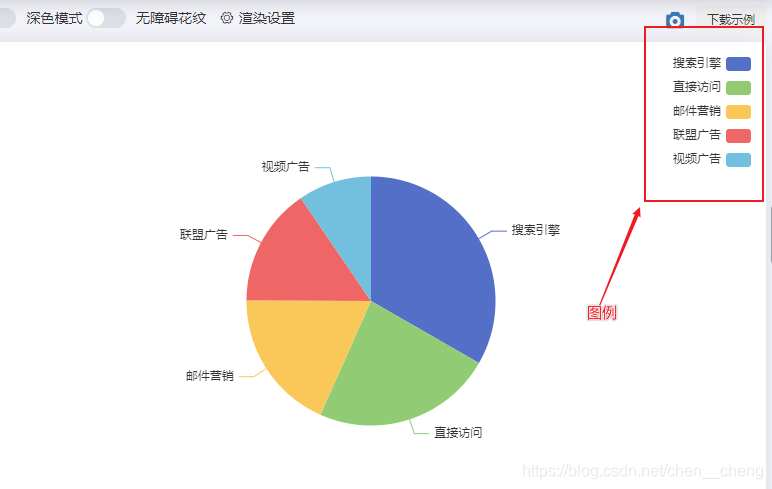
以下是legend组件常用的配置属性列表。
orient
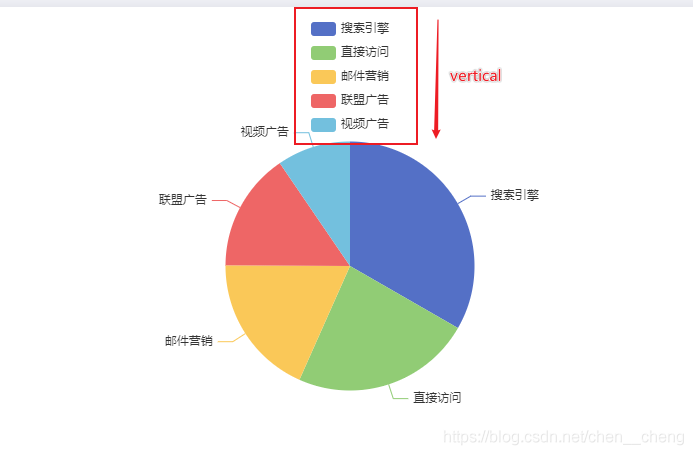
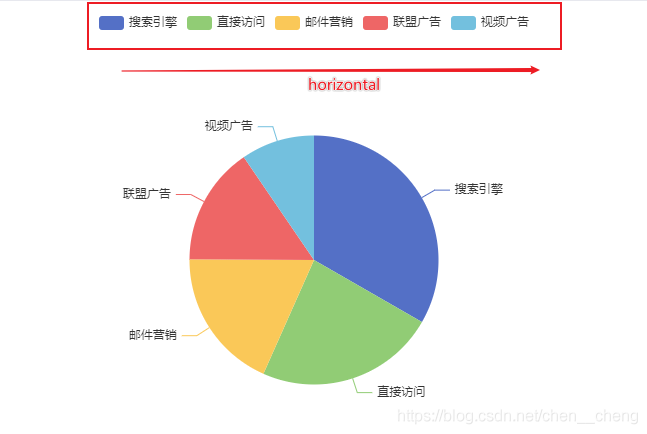
用于设置图例的排列方向。
可选属性值如下:
vertical // 垂直显示 或者 horizontal // 水平显示
legend: {
        orient: 'vertical'
    }
	legend: {
        orient: 'horizontal'
    }
x/y(left/top)
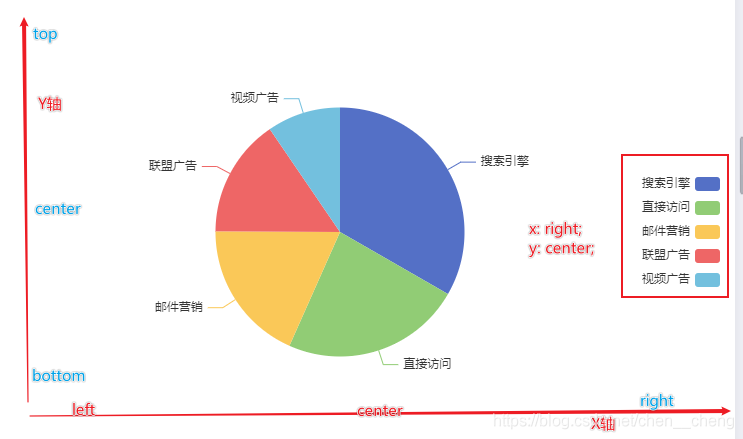
用于设置图例在X轴和Y轴方向上的具体位置。
| 位置 | 取值 |
|---|---|
| x/left | left/center/right |
| y /top | top/center/bottom |
配置示例如下:
legend: {
        orient: 'vertical',
        x:'right',
        y:'center'
    }
样式设置
| 属性 | 说明 |
|---|---|
| backgroundColor | 背景颜色 |
| borderColor | 边框颜色 |
| borderWidth | 边框宽度 |
| padding | 内边距 |
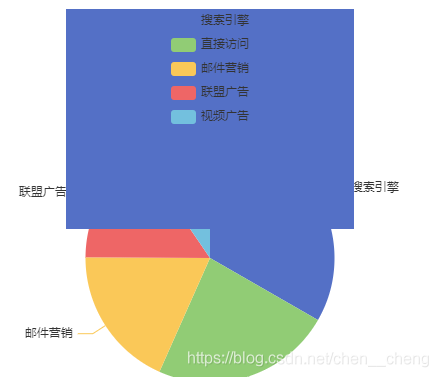
注意:边框宽度和内边距的属性值必须为数值类型,且不需要添加单位。
legend: {
        orient: 'vertical',
        x:'center',
        y:'top',
        backgroundColor: '#fac858',
        borderColor: '#5470c6',
        borderWidth: '200',
    }
itemGap
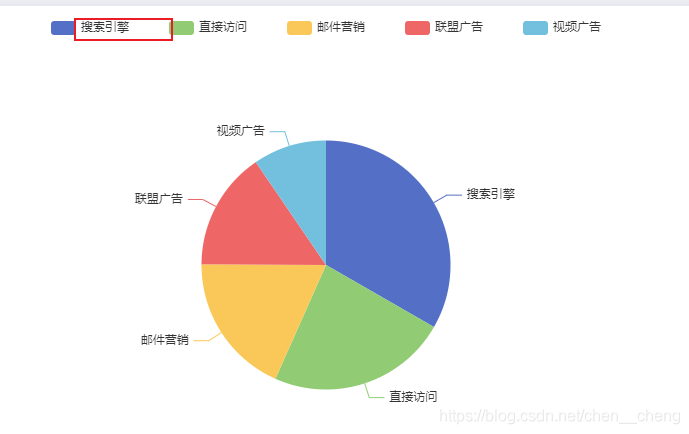
用于控制图例每一项之间的间距,即图例项之间的距离。属性值为数值,不带单位。
legend: {
        orient: 'horizontal',
        x:'center',
        y:'top',
        itemGap: 40
    }
itemHeight
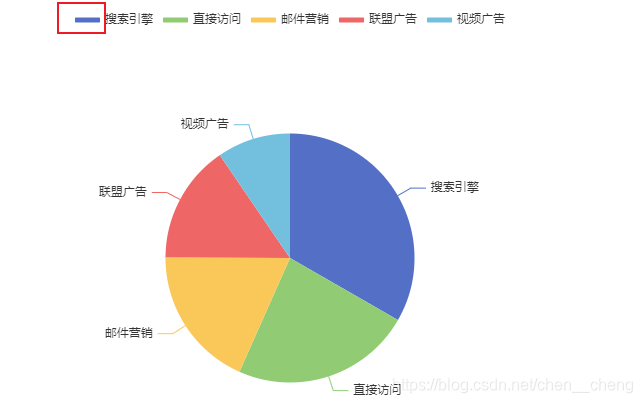
用于控制图例图形的高度。属性值为数字,且不加单位。
legend: {
        orient: 'horizontal',
        x:'center',
        y:'top',
        itemHeight: 5
    }
textStyle
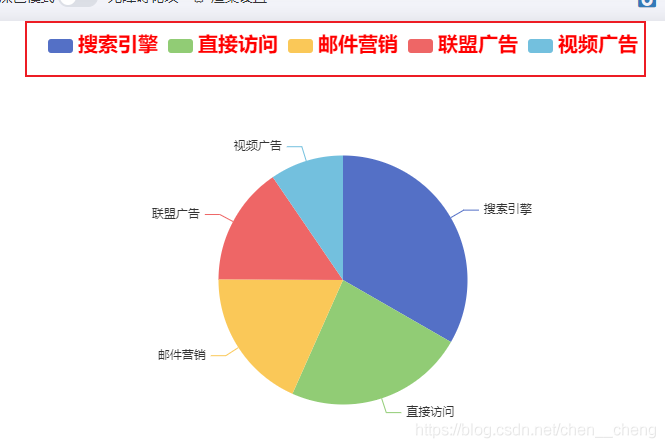
用于设置图例文字的样式,属性值是一个对象。
legend: {
        orient: 'horizontal',
        x:'center',
        y:'top',
        textStyle: {
            color: 'red',
            fontSize: '20px',
            fontWeight: 700
        }
    }
selected
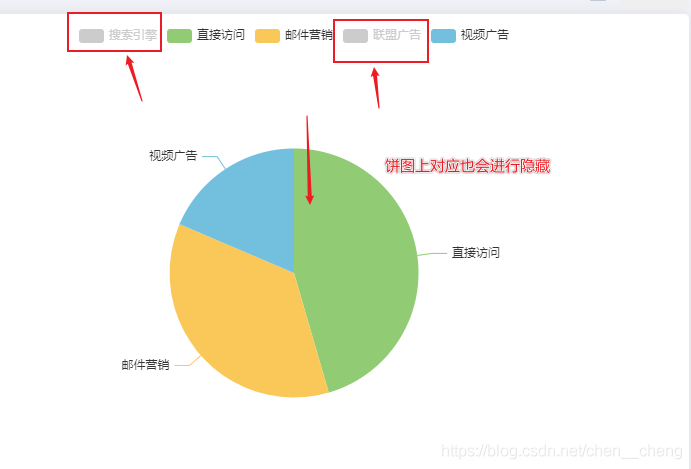
用于设置图例中某个选项的数据默认是显示还是隐藏。
false: 隐藏
属性值为一个对象,其内容是由图例上的数据名称与布尔值构成的键值对。
如果某选项设置为false,那么图表中对应的数据系列将默认不显示,同时图例将以灰色样式呈现。
legend: {
        orient: 'horizontal',
        x:'center',
        y:'top',
        selected:{
          '搜索引擎': false,
          '联盟广告': false
        }
    }
data
定义图例上显示的文字信息。如果不设置该项,默认会使用series中配置的信息作为图例内容。如果设置了该项,必须确保与series中配置的信息一致,否则配置不会生效。
该属性的主要作用是可以单独对图例中的某个选项进行样式定制。
例如:
legend: {
        orient: 'horizontal',
        x:'center',
        y:'top',
        data:[{
        name: '搜索引擎',
        icon: 'circle',
        textStyle: {fontWeight: 'bold', color: 'orange'}
    },'直接访问','邮件营销','联盟广告','视频广告']
    }
在上述单独设置中:
name: 指定该项的名称,为必填项。
icon: 指定图例项的图标,可以使用内置的7种图形,或者采用自定义图标形式:'image://url'
textStyle: 设置文本样式。

补充:自定义legend属性
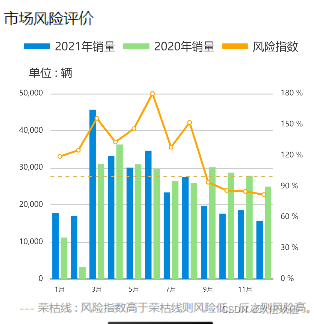
legend: [{
                        itemWidth: 26,
                        data: [{
                            name: nowIndex.name,
                            icon: "rect"
                        }],
                        left: "0",
                        itemHeight: 6,
                        textStyle: {
                            fontSize: 12,
                            color: "#333",
                            padding: [0, 0,-3, 0], // 修改文字和图标距离
                        },
                    },
                    {
                        itemWidth: 26,
                        data: [{
                            name: oldIndex.name,
                            icon: "rect"
                        }],
                        left: "35%",
                        itemHeight: 6,
                        textStyle: {
                            fontSize: 12,
                            color: "#333",
                            padding: [0, 0,-3, 0], // 修改文字和图标距离
                        },
                    },
                    {
                        itemWidth: 26,
                        data: [{
                            name: danger.name,
                            icon: "roundRect"
                        }],
                        right: "0",
                        itemHeight: 6,
                        textStyle: {
                            fontSize: 12,
                            color: "#333",
                            padding: [0, 0,-3, 0], // 修改文字和图标距离
                        },
                    }
                ],
实现效果
总结
到此这篇关于ECharts中legend属性使用的文章就介绍到这了,更多相关ECharts legend属性使用内容请搜索本站以前的文章或继续浏览下面的相关文章希望大家以后多多支持本站!
JavaScript和Java有什么区别?澄清名称混淆
2026-11-05 18:32:43
JS空字符串、null和undefined转数字的结果是什么
2026-11-05 14:49:16
CodePen、JSFiddle与StackBlitz:主流JS在线编辑器对比
2026-11-05 13:38:29
JS怎么将时间戳转换为“刚刚”、“几分钟前”等相对时间
2026-11-05 12:55:14
JavaScript将儒略日逆向还原为公历日期时间的实现方法
2026-11-04 23:51:05