

JavaScript实现悬浮跟随框缓动效果
作者:木棉时间:2026-10-25 08:25:32浏览:238
本文介绍如何利用已有的运动框架实现网页中常见的悬浮跟随框缓动效果。核心在于定义运动函数,通过计算元素当前位置与目标位置的距离差并除以系数来动态调整速度,从而实现平滑的减速停止效果。同时需处理像素取整问题以消除最终位置的微小偏差。
悬浮跟随框缓动效果实现
悬浮跟随框是网页开发中常见的交互效果,本文基于前文提到的运动框架进行实现。
具体实现步骤如下: 1. 定义一个运动函数,在触发事件时调用,并传入目标位置作为参数。 2. 在运动函数内部调用定时器,每次执行时计算元素当前位置与目标位置的距离差,将该差值除以一个固定数值作为移动速度。由于距离差随移动逐渐减小,速度也随之降低,从而实现缓动停止的效果。 3. 考虑到网页定位的最小单位为1像素,步骤2中的除法运算可能产生小数。为避免元素最终停留位置与目标位置存在1像素的偏差,需要对计算结果的小数部分进行取整处理。
<!DOCTYPE HTML PUBLIC "-//W3C//DTD HTML 4.01 Transitional//EN"
"http://www.w3.org/TR/html4/loose.dtd">
<html xmlns="http://www.w3.org/1999/xhtml">
    <head>
        <meta http-equiv="Content-Type" content="text/html; charset=utf-8" />
        <title>New Web Project</title>
        <style>
            #div1{
                width:100px;
                height:150px;
                background: red;
                border:1px solid #008000;
                right:0px;
                position: absolute;
            }
            #div2{
                width:1920px;
                height:1px;
                background:red;

                position: absolute;
            }

        </style>
        <script>
            window.οnlοad=function(){
                var oDiv=document.getElementById('div1');
                var oDiv1=document.getElementById('div2');
                var timer=null;
                oDiv.style.top=(document.documentElement.clientHeight-oDiv.offsetHeight)/2+document.documentElement.scrollTop+'px';
                window.οnscrοll=function(){
                    var scrolltop=document.documentElement.scrollTop || document.body.scrollTop;
                    var iTarget=(document.documentElement.clientHeight-oDiv.offsetHeight)/2+scrolltop;
                    iTarget=Math.floor(iTarget);
                    oDiv1.style.top=iTarget+'px';
                    startMove(iTarget);

                };
                function startMove(itarget){

                    clearInterval(timer);
                    timer=setInterval(function(){
                        var iDis=itarget-oDiv.offsetTop;
                        var speed=iDis/5;
                        if(iDis>=0){
                            speed=Math.ceil(speed);//当speed为小于1的数时,将它变为1,从而使元素位置移动一个像素,因为小于1的像素会被近似为0
                        }
                        else{
                            speed=Math.floor(speed);
                        }
                        if(oDiv.offsetTop==itarget)
                        {
                            clearInterval(timer);
                        }
                        else
                        {
                            oDiv.style.top=oDiv.offsetTop+speed+'px';
                        }
                        document.title=oDiv.offsetTop;
                    },30);

                }

            };
        </script>
    </head>
    <body style="height:2000px;">
        <div id="div1">

        </div>

    </body>
</html>
运行结果图:
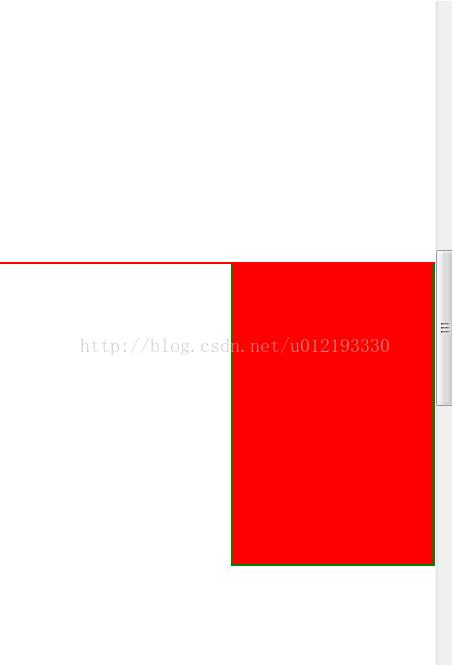
以上就是本文的全部内容,希望对大家的学习有所帮助,也希望大家多多支持本站。
作者最新文章
JavaScript怎么准确判断数据类型:typeof、instanceof与Object.prototype.toString
2026-11-05 17:09:21
JS中将数组和对象混合组装为JSON字符串
2026-11-05 16:41:42
JS运算符优先级与结合性的区别是什么?
2026-11-05 13:22:02
JS Map怎么只遍历Key或Value
2026-11-05 13:00:36
D3.js 与 ECharts 选型对比:灵活性 vs 开发效率
2026-11-05 09:45:01