

JavaScript封装运动函数与图标切换实现
作者:半夏时间:2026-10-24 23:55:48浏览:312
本文详解如何在JavaScript中封装通用的运动函数,通过清除旧定时器并开启新定时器实现平滑移动。结合鼠标经过与离开事件,动态改变图片源及宽度,展示图标切换的实际应用。
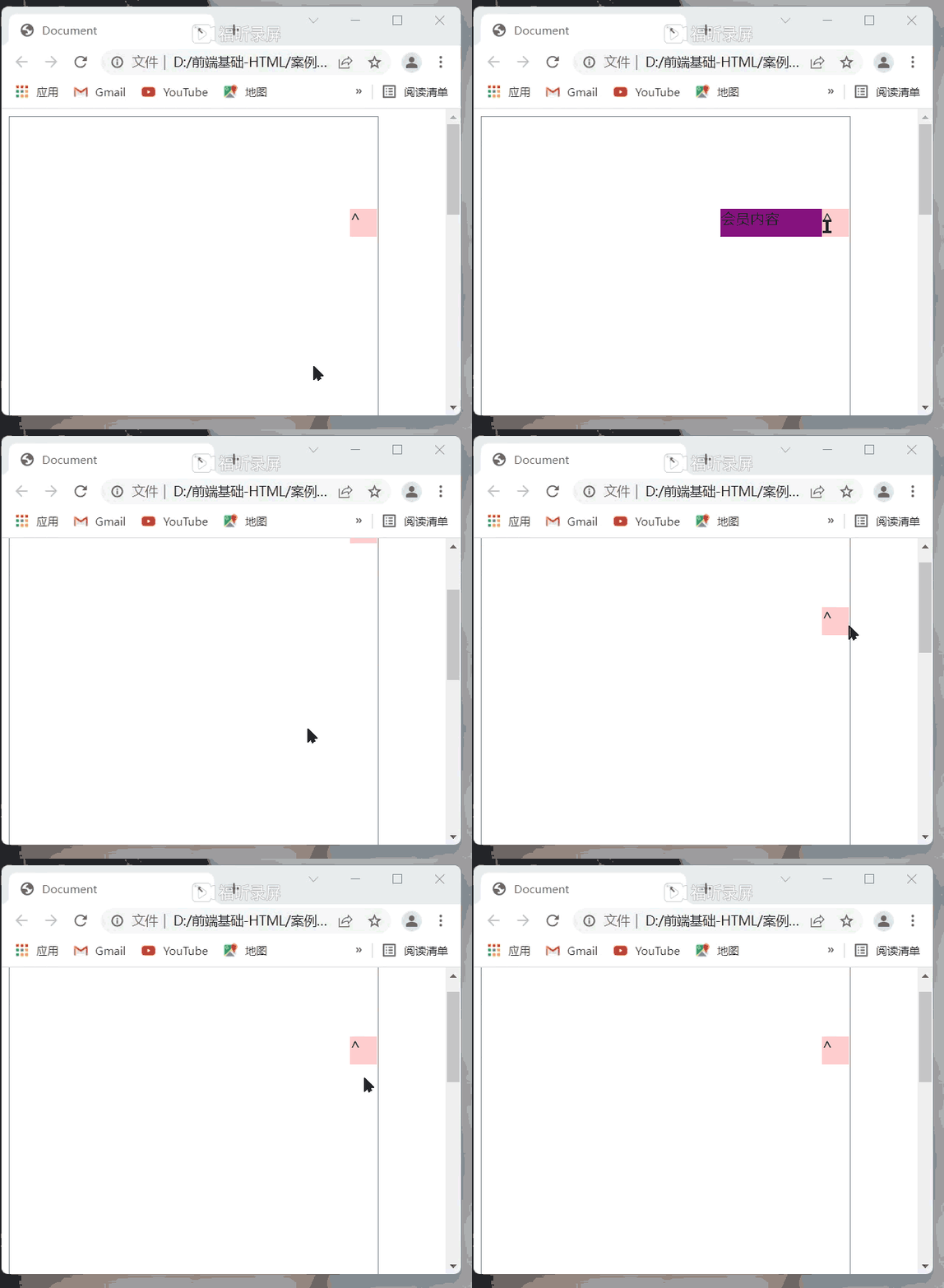
<!DOCTYPE html>
<html lang="en">

<head>
    <meta charset="UTF-8">
    <meta http-equiv="X-UA-Compatible" content="IE=edge">
    <meta name="viewport" content="width=device-width, initial-scale=1.0">
    <title>Document</title>
    <style>
        .box1 {
            width: 30px;
            height: 30px;
            background-color: pink;
            position: absolute;
            top: 100px;
            right: 0px;
            z-index: 1;
        }

        .box2 {
            width: 140px;
            height: 30px;
            background-color: purple;
            position: absolute;
            top: 100px;
            right: -140px;
        }

        .box {
            width: 400px;
            height: 1000px;
            border: 1px solid grey;
            position: relative;
            overflow: hidden;
        }
    </style>
</head>

<body>
    <div class="box">
        <div class="box1">^</div>
        <div class="box2">会员内容</div>
    </div>

    <script>
        //鼠标经过box1的时候,box2就往左边移140px;
        var box1 = document.querySelector('.box1')
        var box2 = document.querySelector('.box2')
        var a = box2.offsetLeft
        box1.addEventListener('mouseover', function() {
            animate(box2, a - 140)
        })

        box1.addEventListener('mouseout', function() {
            animate(box2, a + 140)
        })

        function animate(obj, target, callback) {
            clearInterval(obj.timer) //先把原先地定时器清除之后,再开启另外一个新地定时器
            obj.timer = setInterval(fn, [15])

            function fn() {
                var a = obj.offsetLeft //不能换成div.style.left 不然会只移动一次。注意读取位置永offset,修改永style
                var step = (target - a) / 10
                step = step > 0 ? Math.ceil(step) : Math.floor(step) //将结果赋值回去
                    //把步长值改为整数,不要出现小数的情况
                if (a == target) {

                    //取消定时器
                    clearInterval(obj.timer)
                        //执行回调函数 函数名+()回调函数写到定时器结束里面
                        //首先判断没有有这个回调函数
                    if (callback) {
                        callback()
                    }

                }

                obj.style.left = a + step + 'px'

            }
        }
        //鼠标离开的时候,box2就往右边移140px
    </script>
</body>

</html>
JavaScript运动函数封装与图标切换实现
接下来这部分内容可能稍显复杂,容易让人产生困惑。
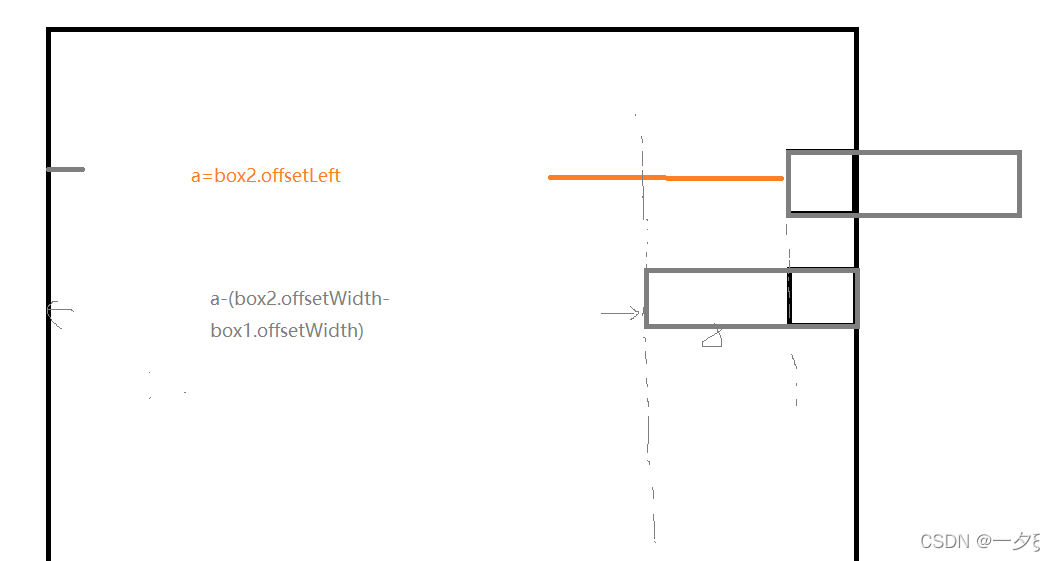
<!DOCTYPE html>
<html lang="en">

<head>
    <meta charset="UTF-8">
    <meta http-equiv="X-UA-Compatible" content="IE=edge">
    <meta name="viewport" content="width=device-width, initial-scale=1.0">
    <title>Document</title>
    <style>
        .box1 {
            width: 30px;
            height: 30px;
            background-color: pink;
            position: absolute;
            top: 100px;
            right: 0px;
            z-index: 1;
        }

        .box2 {
            width: 140px;
            height: 30px;
            background-color: purple;
            position: absolute;
            top: 100px;
            right: -140px;
        }

        .box {
            width: 400px;
            height: 1000px;
            border: 1px solid grey;
            position: relative;
            overflow: hidden;
        }
    </style>
    <script src="animater.js"></script>
</head>

<body>
    <div class="box">
        <div class="box1">^</div>
        <div class="box2">会员内容</div>
    </div>

    <script>
        //鼠标经过box1的时候,box2就往左边移140px;
        var box1 = document.querySelector('.box1')
        var box2 = document.querySelector('.box2')
        var a = box2.offsetLeft
        box1.addEventListener('mouseover', function() {
            animate(box2, a - 110)
        })

        box1.addEventListener('mouseout', function() {
            animate(box2, a + 110)
        })
    </script>
</body>

</html>
首先,建议将JavaScript代码单独编写在一个独立的文件中。
随后即可直接调用该函数,但在此之前必须确保已经引入了对应的JS文件。
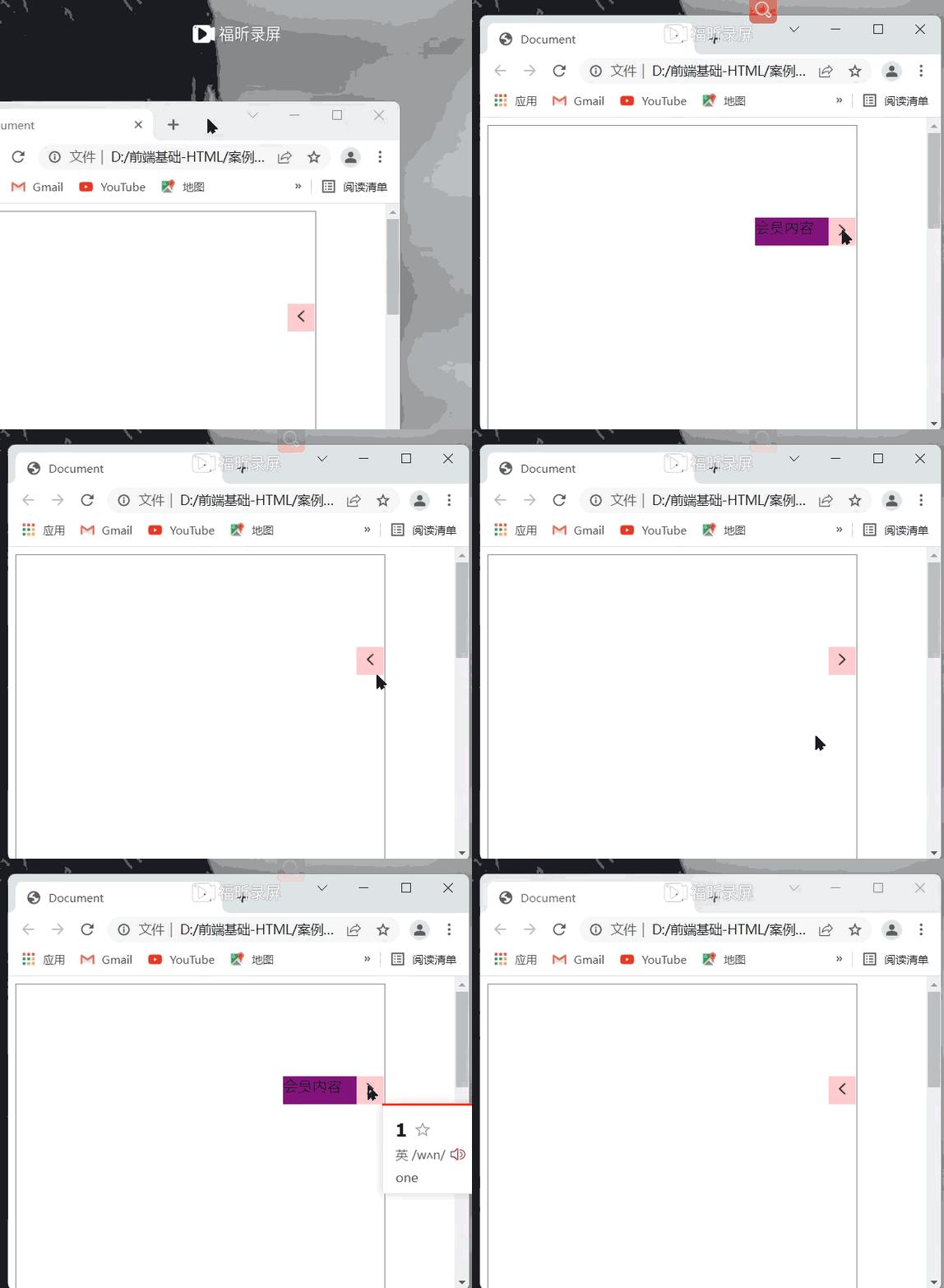
    <script>
        //鼠标经过box1的时候,box2就往左边移140px;
        var box1 = document.querySelector('.box1')
        var box2 = document.querySelector('.box2')
        var img = document.querySelector('img')
        var a = box2.offsetLeft
        box1.addEventListener('mouseover', function() {
            animate(box2, a - 110, callback)
        })

        box1.addEventListener('mouseout', function() {
            animate(box2, a + 110, callback1)
        })
    </script>
以下是JavaScript单独文件的代码示例:
function animate(obj, target, callback) {
    clearInterval(obj.timer) //先把原先地定时器清除之后,再开启另外一个新地定时器
    obj.timer = setInterval(fn, [15])

    function fn() {
        var a = obj.offsetLeft //不能换成div.style.left 不然会只移动一次。注意读取位置永offset,修改永style
        var step = (target - a) / 10
        step = step > 0 ? Math.ceil(step) : Math.floor(step) //将结果赋值回去
            //把步长值改为整数,不要出现小数的情况
        if (a == target) {

            //取消定时器
            clearInterval(obj.timer)
                //执行回调函数 函数名+()回调函数写到定时器结束里面
                //首先判断没有有这个回调函数
            if (callback) {
                callback()
            }

        }

        obj.style.left = a + step + 'px'

    }
}

function callback() {
    img.src = '10-右.png'
    img.style.width = '50%'
}

function callback1() {
    img.src = '9-左.png'
    img.style.width = '50%'
}
当图标数量较少时,使用iconfont会更为便捷;若图标数量庞大,则建议通过lcoMoon导入图标,或采用精灵图等方案进行设置。
以上即为JavaScript函数封装的示例详解,更多关于JavaScript函数封装的资料请关注本站其它相关文章!
作者最新文章
JavaScript闭包与类(Class)的区别及适用场景对比
2026-11-05 15:48:57
JavaScript入门要学ES6吗?let与箭头函数等新特性解析
2026-11-05 14:49:16
JavaScript 8种数据类型详解:基本类型与引用类型的区别
2026-11-05 14:25:15
怎么在JavaScript中使用async/await优化Ajax异步流程
2026-11-05 13:56:15
JavaScript replace回调函数实现动态正则替换逻辑
2026-11-05 13:52:13