
PyCharm接入DeepSeek完整教程
DeepSeek-V3 DeepSeek-V3 是一款性能突出的自研 MoE 模型,总参数量达到 671B,激活参数为 37B,并在 14.8T token 上完成预训练。其吞吐量可达每秒 60 token,较上一代 V2 提升 3 倍,能够为用户带来更快速、更流畅的使用体验。同时,它在数学与代码能
DeepSeek-V3
DeepSeek-V3 是一款性能突出的自研 MoE 模型,总参数量达到 671B,激活参数为 37B,并在 14.8T token 上完成预训练。其吞吐量可达每秒 60 token,较上一代 V2 提升 3 倍,能够为用户带来更快速、更流畅的使用体验。同时,它在数学与代码能力方面表现优异,整体水平与国外大模型 Claude 3.5 Sonnet 相当。
下面将介绍如何把 DeepSeek 接入 PyCharm,并借助其能力辅助代码开发。
效果演示
先来看一下实际效果。
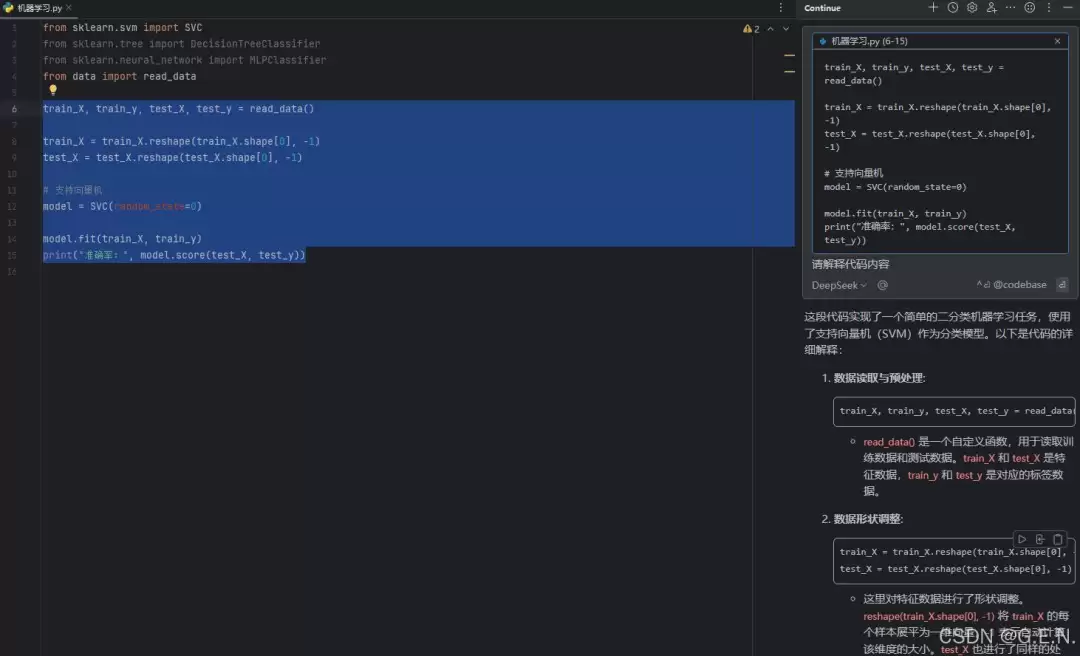
在 PyCharm 中,可以直接选中代码,并对代码片段进行解释。
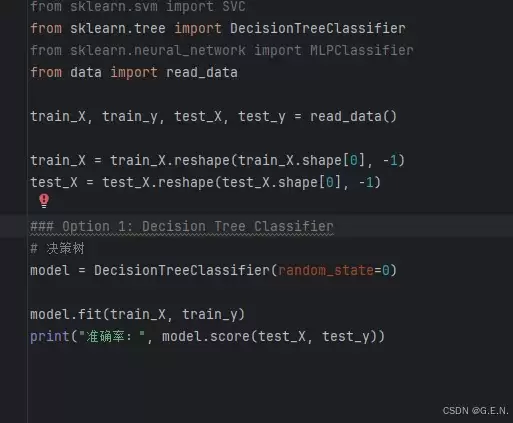
也可以通过选中代码,对代码内容进行修改。
创建 API Key
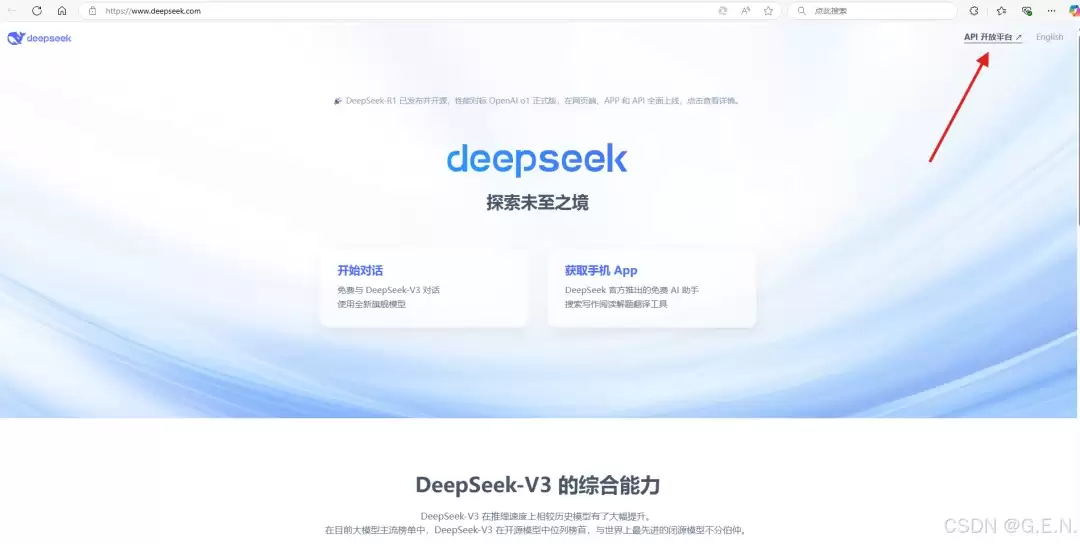
首先进入 DeepSeek 官网,官网地址如下:
进入后,点击“API 开放平台”。
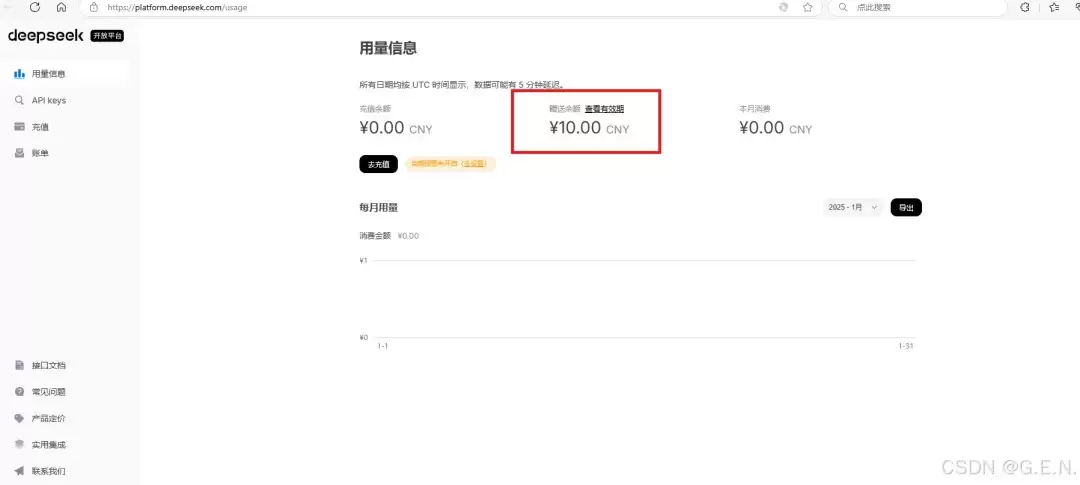
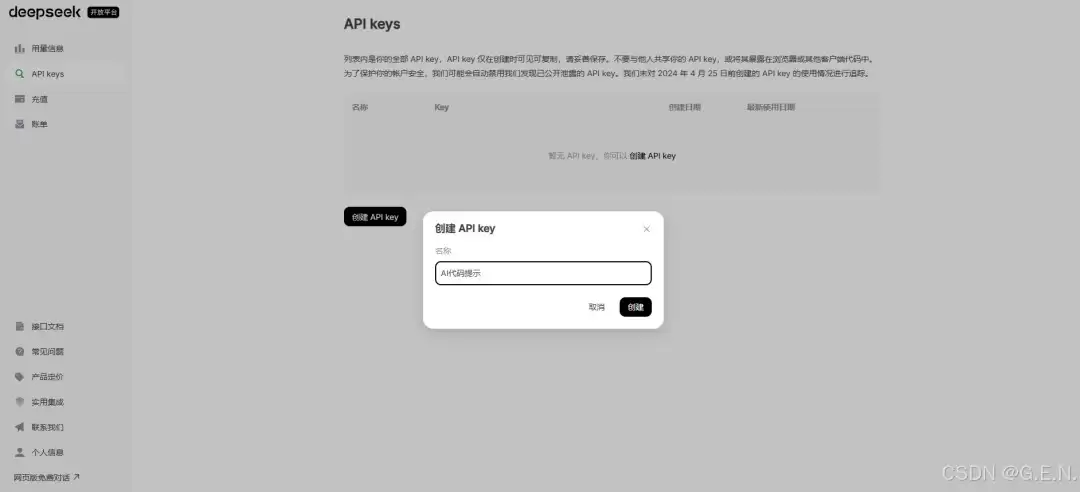
在左侧点击“API Keys”,然后点击“创建 API key”,名称可填写为“AI 代码提示”,也可以使用其他自定义名称。
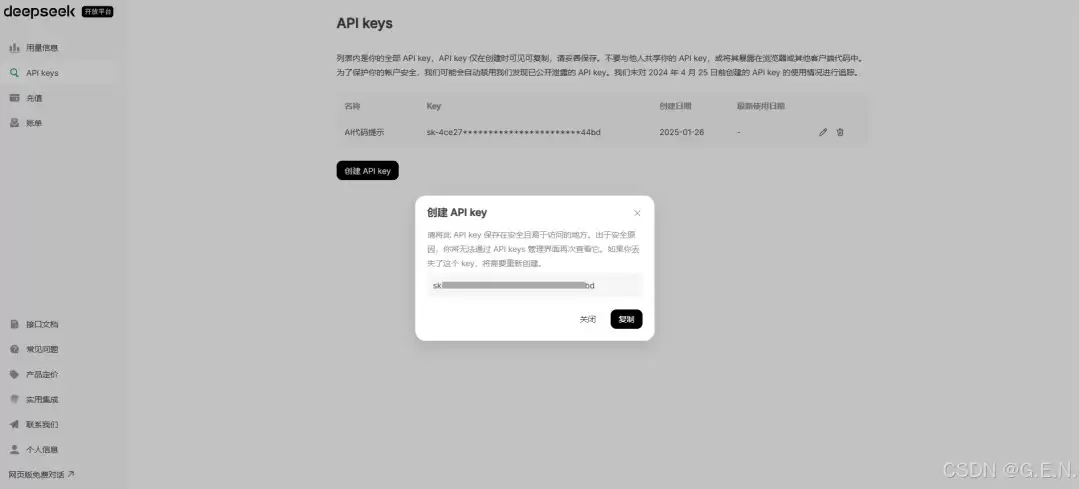
点击“创建”后,请务必保存此处生成的 API key,建议先复制到其他位置进行备份。
在 PyCharm 中安装 Continue 插件
打开 PyCharm,依次进入“文件”->“设置”->“插件”,搜索“Continue”并点击安装。
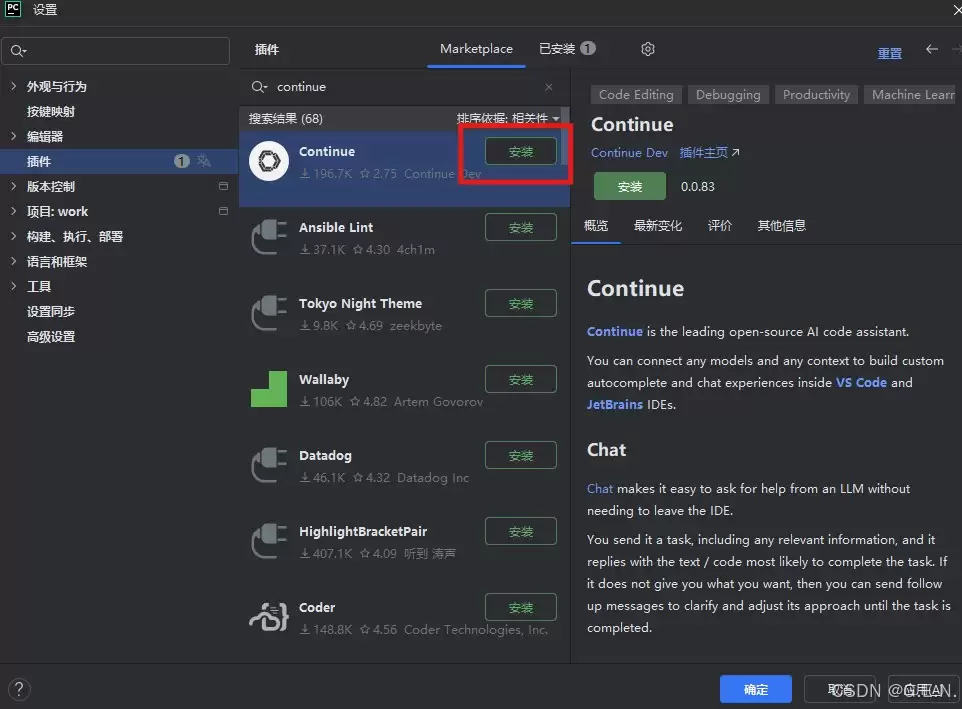
等待插件安装完成后,点击“应用”,即可完成安装。
配置 Continue
插件安装成功后,右侧标签栏会出现“Continue”标签。点击进入后,再点击设置按钮,如下图所示。
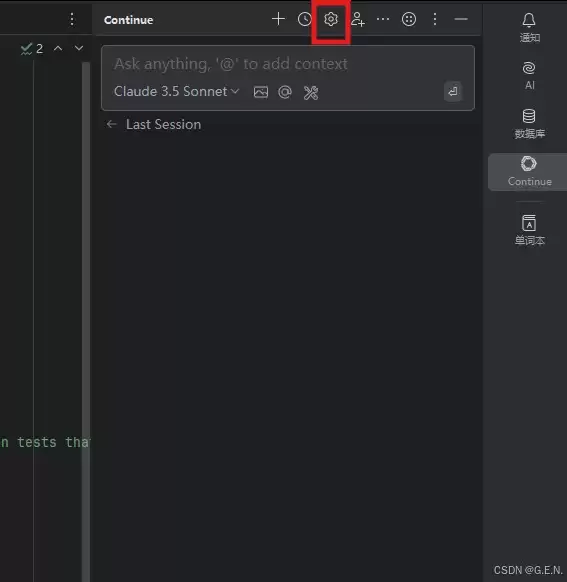
点击后,文本编辑区会弹出配置文件。
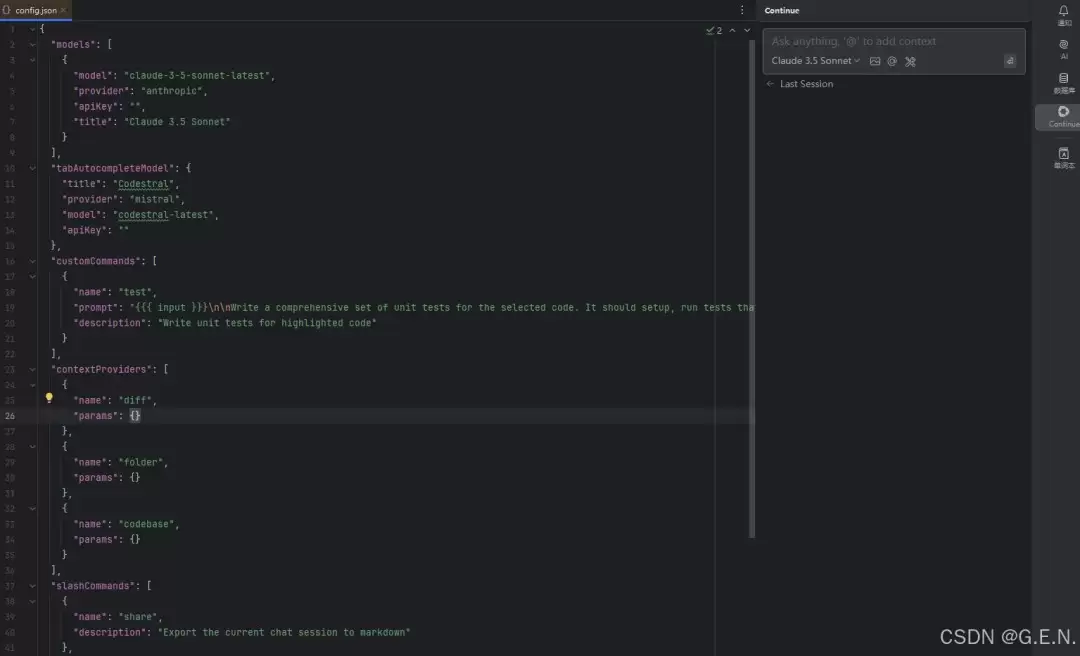
对配置文件进行修改,并将内容替换为以下内容:
{
    `"completionOptions": {
        "BaseCompletionOptions": {
            "temperature": 0.0,
            "maxTokens": 256
        }
    },
    "models": [
        {
            "title": "DeepSeek",
            "model": "deepseek-chat",
            "contextLength": 128000,
            "apiKey": "REDACTED",
            "provider": "deepseek",
            "apiBase": "https://api.deepseek.com/beta"
        }
    ],
    "tabAutocompleteModel": {
        "title": "DeepSeek Coder",
        "model": "deepseek-coder",
        "apiKey": "REDACTED",
        "provider": "deepseek",
        "apiBase": "https://api.deepseek.com/beta"
    },
    "customCommands": [
        {
            "name": "test",
            "prompt": "{    {    { input }}}nnWrite a comprehensive set of unit tests for the selected code. It should setup, run tests that check for correctness including important edge cases, and teardown. Ensure that the tests are complete and sophisticated. Give the tests just as chat output, don't edit any file.",
            "description": "Write unit tests for highlighted code"
        }
    ],
    "contextProviders": [
        {
            "name": "diff",
            "params": {
            }
        },
        {
            "name": "folder",
            "params": {
            }
        },
        {
            "name": "codebase",
            "params": {
            }
        }
    ],
    "slashCommands": [
        {
            "name": "share",
            "description": "Export the current chat session to markdown"
        },
        {
            "name": "commit",
            "description": "Generate a git commit message"
        }
    ]
}
修改过程中如果弹出提示,点击“确定”即可。
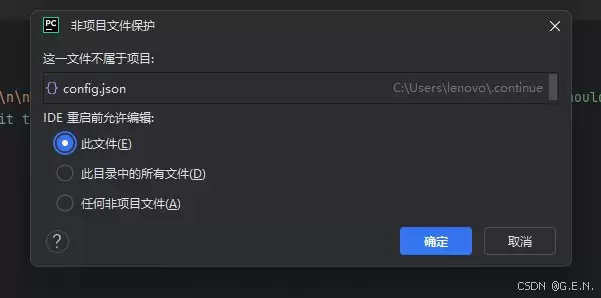
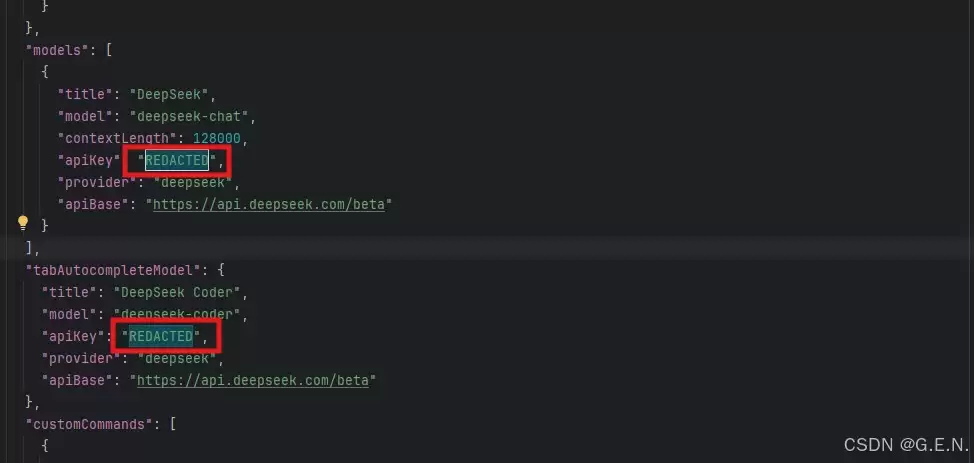
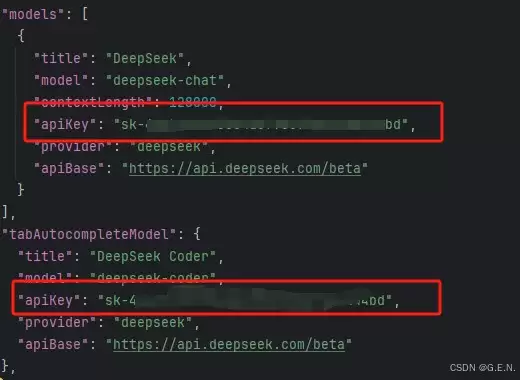
随后,将其中两处 apiKey 替换为之前保存的 API key。
保存文件后,即可开始使用。